> ## Documentation Index
> Fetch the complete documentation index at: https://buttercms.com/docs/llms.txt
> Use this file to discover all available pages before exploring further.
# Navigation menu
> Use ButterCMS Collections to create a dynamic, multi-level menu your content team can edit in seconds.
ButterCMS Collections are a great fit to store navigation menu data, as they're both flexible and restricted to simple data types.
With a ButterCMS Collection, you can also:
* add logos and images
* enforce validation for strings, numbers, and URLs
* nest multiple levels of navigation
For a full breakdown of ButterCMS Collections, [check out our core concepts](../../../core-concepts/content-types/collections) article.
## Modeling your menu in ButterCMS
### Create a single level menu
Follow the below steps to create a simple, flat menu with the following hierarchy:
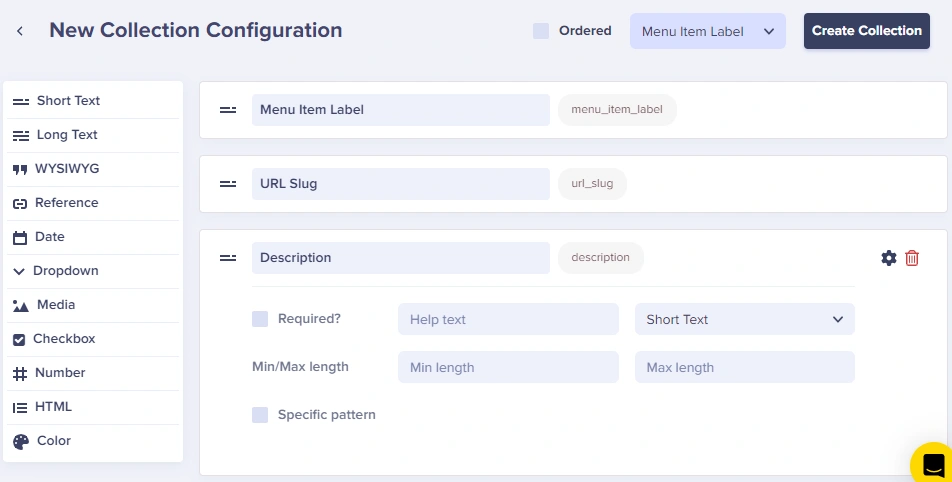
First, build the schema for your menu items. Important fields include:
* **Label** - The display text
* **URL** - What the item links to
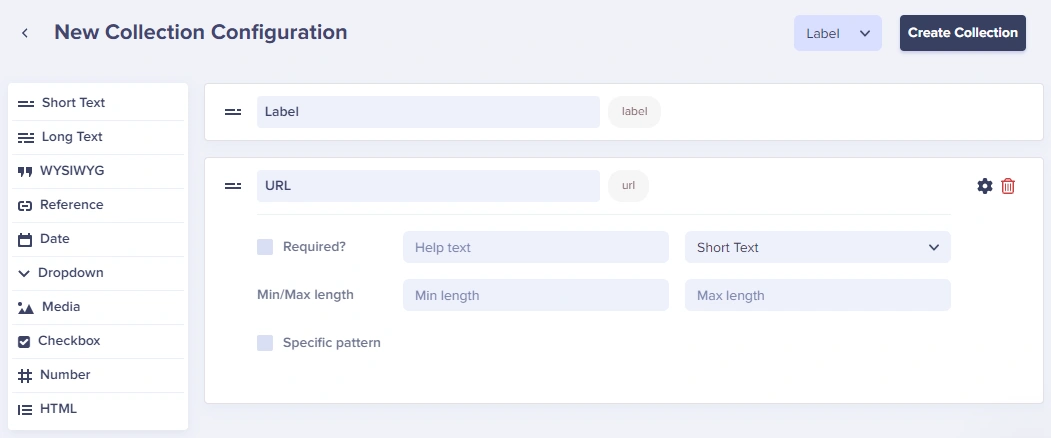
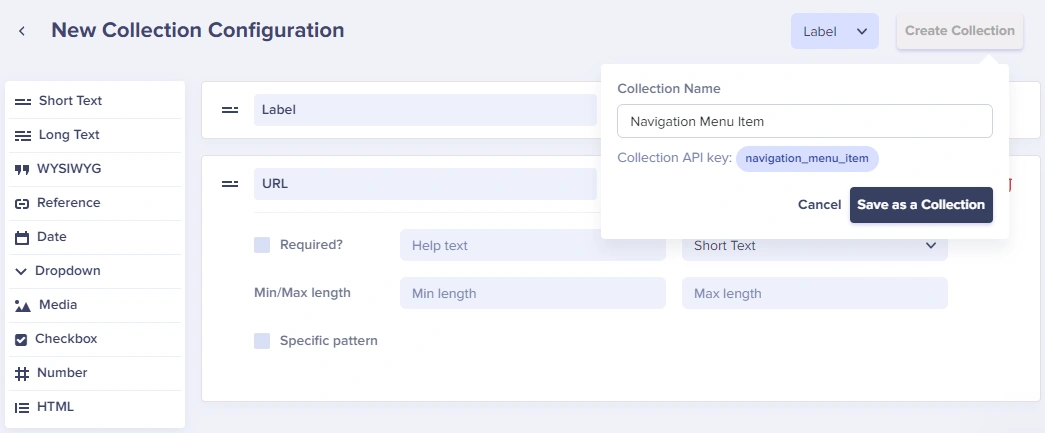
Save it as **"Navigation Menu Item"**:
Need more features than Collections allow? You can also use a Page to hold the Reference fields for your menu items.
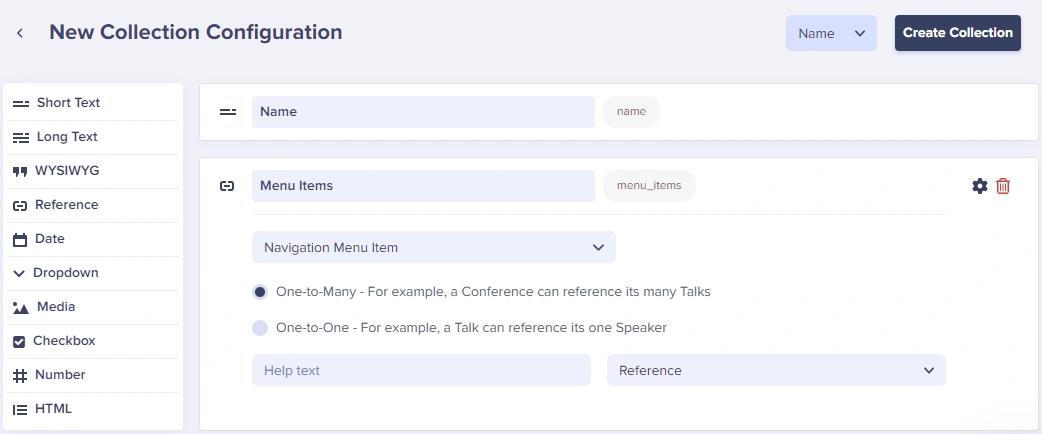
Create a second Collection for the main menu that references the menu items:
* **Name** - The navigation menu name
* **Menu Items** - A Reference field linking to Navigation Menu Item (One-to-Many)
Click **New item** to add items to your Collection:
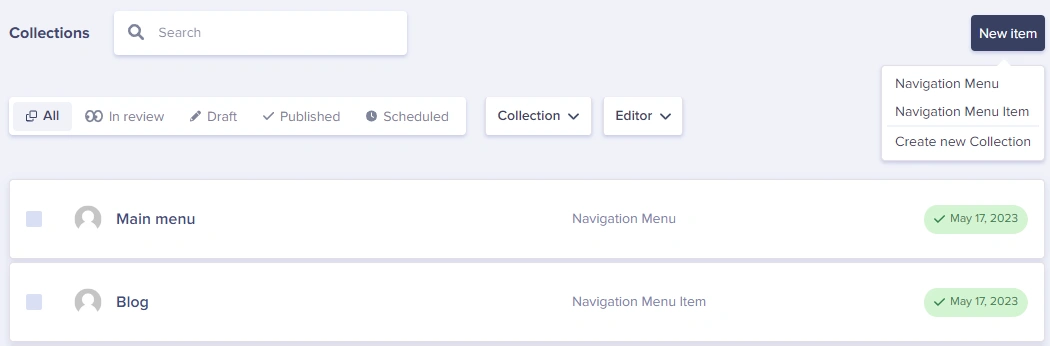
Add each navigation item with its label and URL:
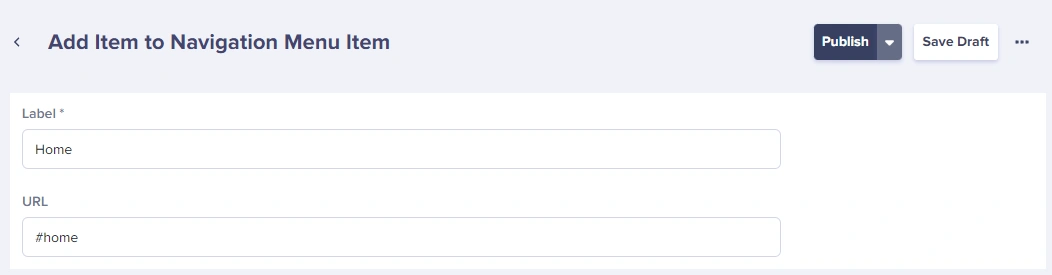
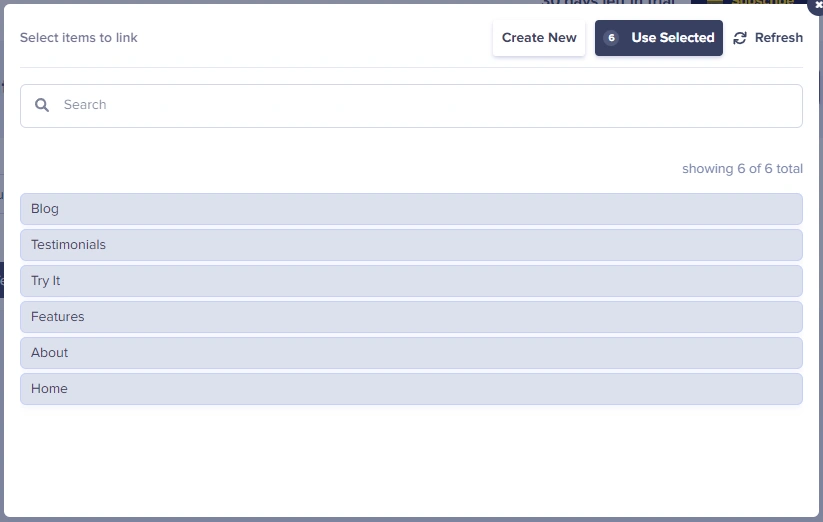
In your main Navigation Menu, click **Add Reference** and select all the items you want:
### Building a complex multi-level menu
For complex menus with multiple levels, create separate Collections for each level.
Here's an example hierarchy:
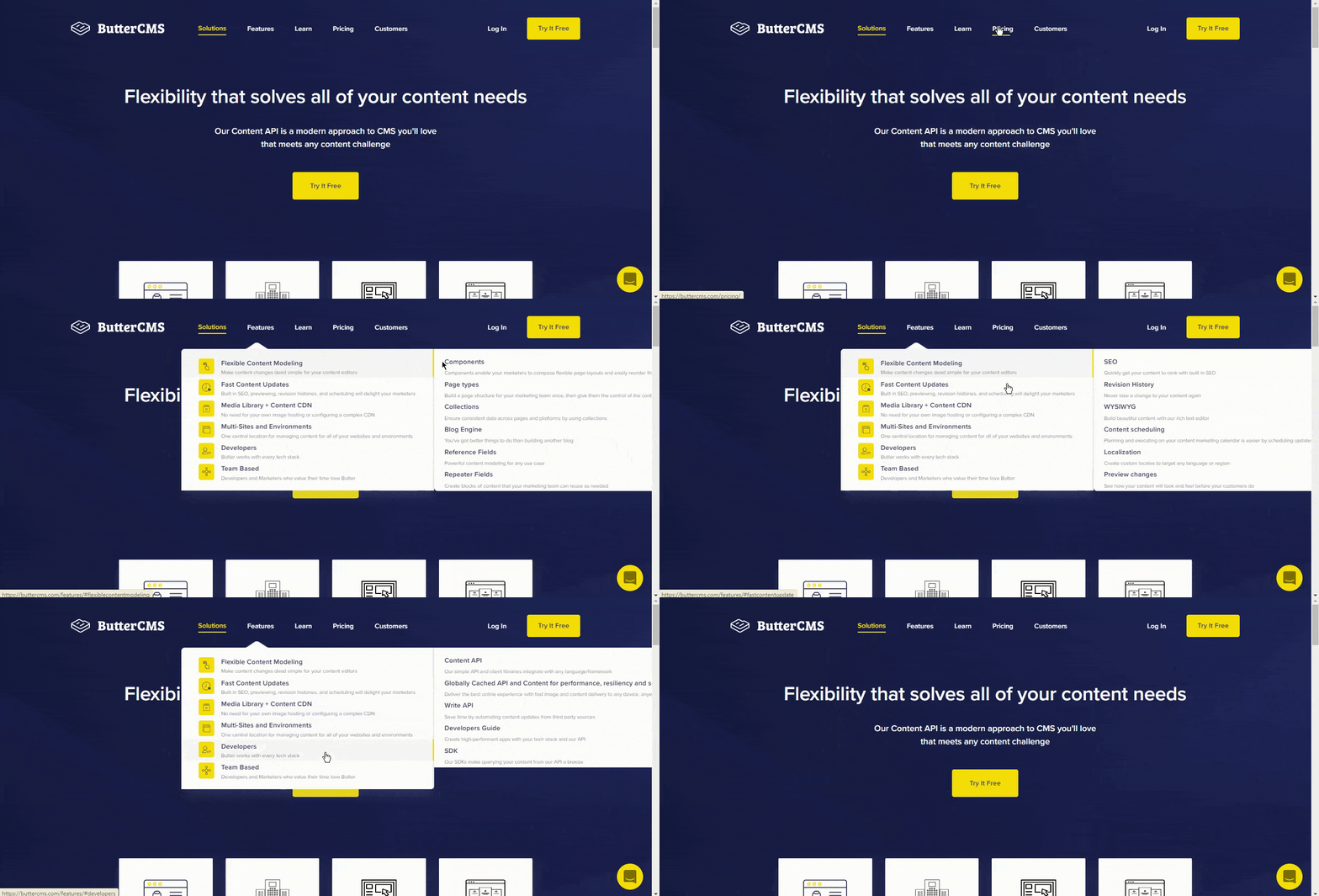
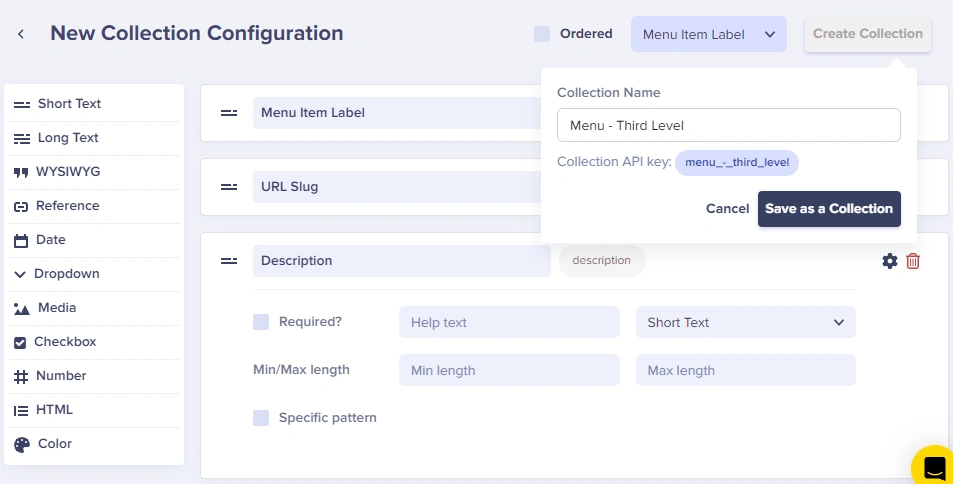
Start with the lowest-level children. Create **"Menu - Third Level"**:
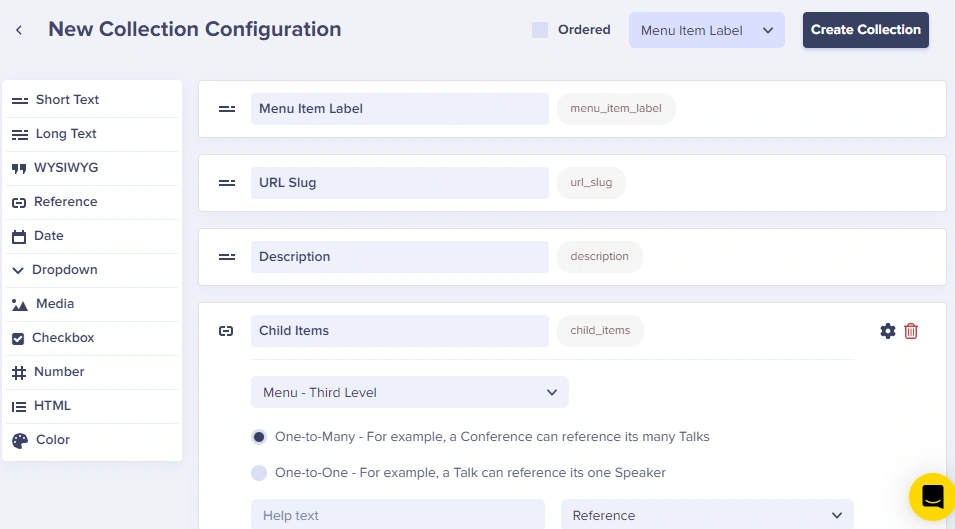
**"Menu - Second Level"** includes a Reference field linking to Third Level:
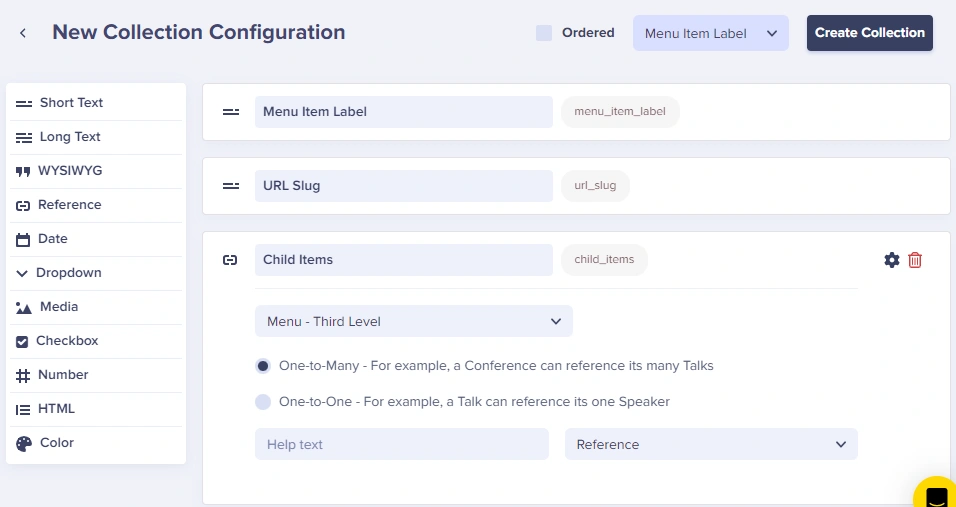
**"Menu - First Level"** references Second Level:
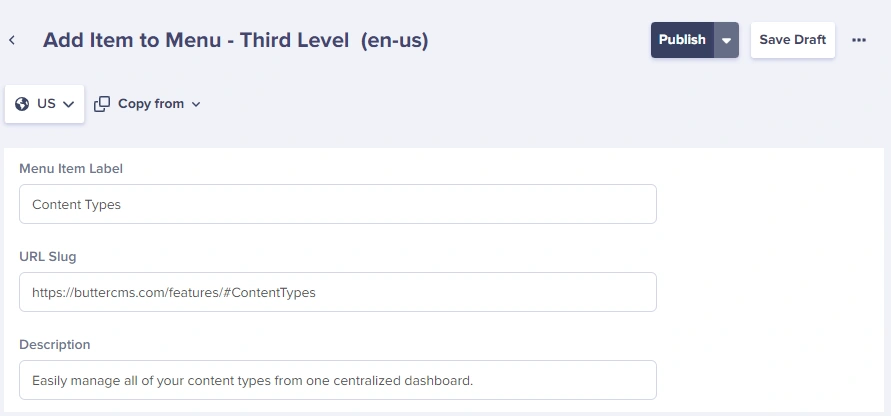
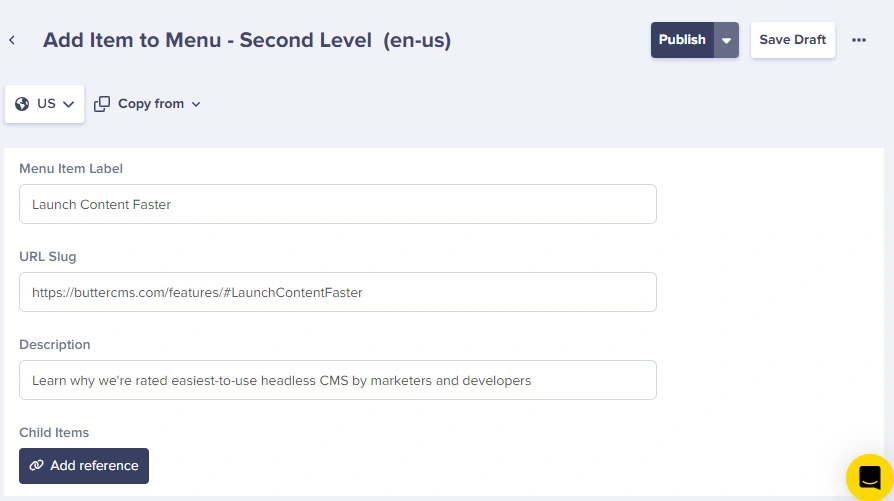
Add items to each level:
**Third Level:**
**Second Level:**
**First Level:**
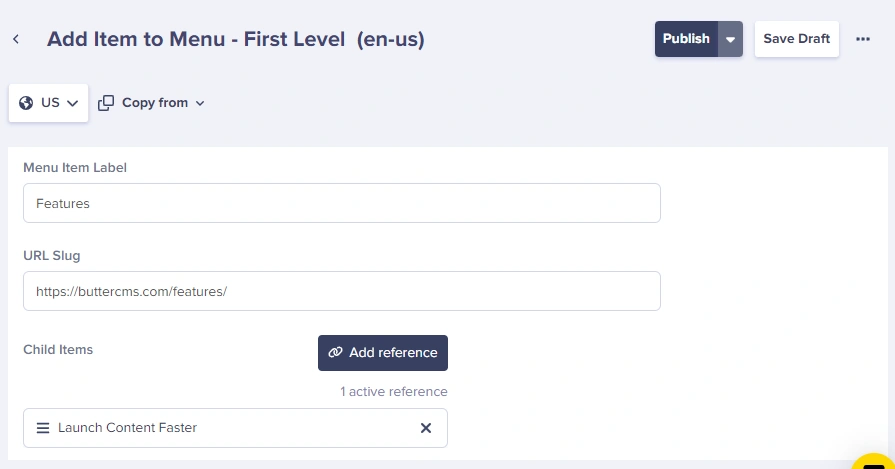
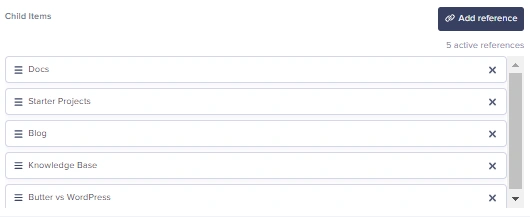
Use the **Add Reference** button to connect items from one Collection to another:
## Common navigation patterns
Collection schema for **Header Navigation**:
| Field | Type | Purpose |
| ----------------- | ---------- | ------------------------------ |
| `logo` | Media | Site logo image |
| `logo_alt` | Short Text | Alt text for logo |
| `menu_items` | Reference | Links to Navigation Menu Items |
| `cta_button_text` | Short Text | Call-to-action text |
| `cta_button_url` | Short Text | CTA destination URL |
Collection schema for **Footer**:
| Field | Type | Purpose |
| ---------------- | ---------- | --------------------------- |
| `company_name` | Short Text | Business name |
| `tagline` | Long Text | Footer description |
| `column_1_title` | Short Text | First column heading |
| `column_1_links` | Reference | Links for column 1 |
| `column_2_title` | Short Text | Second column heading |
| `column_2_links` | Reference | Links for column 2 |
| `social_links` | Repeater | Social media icons and URLs |
| `copyright_text` | Short Text | Copyright notice |
For e-commerce or content-rich sites:
| Field | Type | Purpose |
| ---------------- | ---------- | ------------------------ |
| `category_name` | Short Text | Category title |
| `category_image` | Media | Featured image |
| `featured_item` | Reference | Highlighted product/page |
| `links` | Reference | Sub-items |
| `promo_banner` | Media | Promotional image |
| `promo_url` | Short Text | Promo destination |
## Fetching navigation via API
### JavaScript/Node.js
```javascript theme={null}
const Butter = require('buttercms');
const butter = Butter('your-api-token');
// Fetch navigation menu
const getNavigation = async () => {
const response = await butter.content.retrieve(['navigation_menu'], {
'fields.name': 'Main Menu'
});
return response.data.data.navigation_menu[0];
};
// Example response structure
{
"name": "Main Menu",
"menu_items": [
{ "label": "Home", "url": "/" },
{ "label": "About", "url": "/about" },
{ "label": "Features", "url": "/features" }
]
}
```
### Multi-level menu fetch
```javascript theme={null}
const getComplexNavigation = async () => {
// Fetch all levels with nested references
const response = await butter.content.retrieve([
'menu_first_level'
], {
levels: 3 // Fetch nested references up to 3 levels deep
});
return response.data.data.menu_first_level;
};
```
### React component
```jsx theme={null}
import { useEffect, useState } from 'react';
import Butter from 'buttercms';
const butter = Butter('your-api-token');
const Navigation = () => {
const [menu, setMenu] = useState(null);
useEffect(() => {
const loadMenu = async () => {
const response = await butter.content.retrieve(['navigation_menu'], {
'fields.name': 'Main Menu'
});
setMenu(response.data.data.navigation_menu[0]);
};
loadMenu();
}, []);
if (!menu) return null;
return (
);
};
export default Navigation;
```
## Performance tips
For global API calls like header and footer navigation, cache the response. A cache duration of 5-10 minutes is typical, or use on-demand revalidation when content changes via webhooks.
1. Cache navigation responses at the edge or in your app layer (5-10 minutes is typical).
2. Use `levels` sparingly to avoid oversized responses for deep menus.
{/* /SOURCE */}
{/* /SOURCE */}
## Best practices
**Content modeling**
1. **Separate concerns**: Use different Collections for header vs footer
2. **Include icons**: Add optional Media fields for menu item icons
3. **Support external links**: Include a checkbox for "Open in new tab"
4. **Add ordering**: Use a Number field if you need custom sort order
**Accessibility**
1. **Use semantic HTML**: `