> ## Documentation Index
> Fetch the complete documentation index at: https://buttercms.com/docs/llms.txt
> Use this file to discover all available pages before exploring further.
# Integration with AI tools
> ButterCMS's API-first architecture integrates easily with external AI services for translation, content generation, personalization, or analytics.
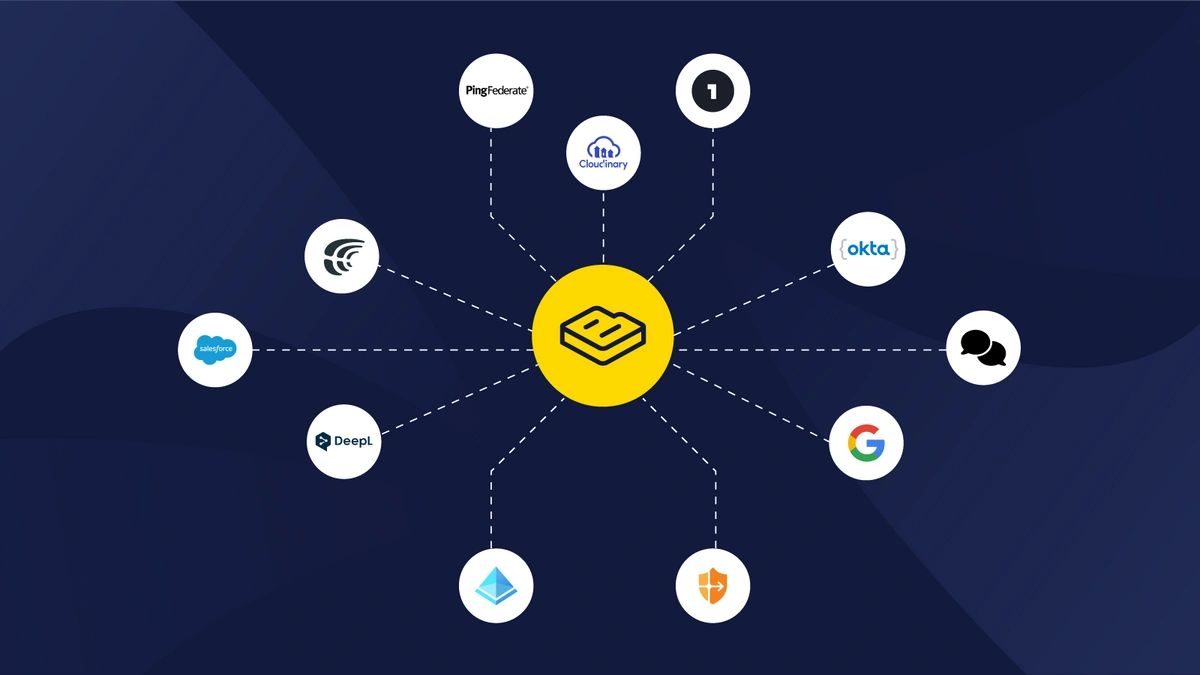
The ButterCMS Marketplace offers direct integrations with popular AI and automation tools:
Generate, rewrite, and transform content using TinyMCE's GPT-powered AI Assistant directly inside the WYSIWYG editor.
Automate and manage translations with Crowdin, DeepL, and Lokalise.
Run experiments and deliver targeted content with Bonfire and VWO.
## External AI API integration
ButterCMS's API-first design lets you connect to any external AI service using its Read and Write APIs. You can fetch content, process it through an AI provider, and push the results back — all programmatically. The sections below cover common connection patterns, integration architectures, and approaches for building custom AI workflows.
### Connecting to external AI services
ButterCMS's Read and Write APIs enable integration with any AI service:
```javascript theme={null}
const Butter = require('buttercms');
const OpenAI = require('openai');
const butter = Butter('your-butter-api-token');
const openai = new OpenAI({ apiKey: 'your-openai-api-key' });
// Fetch content from ButterCMS
async function enhanceContentWithAI(pageSlug) {
// Get existing content
const page = await butter.page.retrieve('*', pageSlug);
const content = page.data.data.fields;
// Enhance with AI
const completion = await openai.chat.completions.create({
model: 'gpt-4',
messages: [
{
role: 'system',
content: 'You are a professional content editor.'
},
{
role: 'user',
content: `Improve this content for SEO and readability: ${content.body}`
}
]
});
// Update content via Write API
await butter.page.update('landing-page', pageSlug, {
fields: {
body: completion.choices[0].message.content
}
});
return completion.choices[0].message.content;
}
```
### Integration patterns
| Pattern | Use Case | Implementation |
| ----------------------- | --------------------------------- | ----------------------------------------- |
| Pre-publish Enhancement | Improve content before publishing | Webhook + AI API + Write API |
| Batch Processing | Optimize existing content library | Scheduled job + Read API + AI + Write API |
| Real-time Generation | Generate content on demand | Client-side AI API call |
| Translation Pipeline | Multi-language content | Webhook + Translation API + Write API |
## AI personalization platforms
Integrate ButterCMS with enterprise AI personalization platforms:
### Braze
Customer engagement platform for personalized messaging:
* **Predictive Suite** - Forecast customer behavior for purchase-related events
* **Action Paths** - Real-time messaging adjustments based on interactions
* **Connected Content** - Pull dynamic content from ButterCMS via API
* **Personalized Recommendations** - AI-driven suggestions across channels
### Adobe Target
AI-powered testing and personalization:
* **Automated A/B Testing** - Machine learning identifies best variations
* **Rule-Based Personalization** - Define interactions for audience segments
* **Real-Time Activation** - Instant personalization for known and anonymous users
* **Same-Page Personalization** - Immediate response to customer interactions
### Dynamic Yield
AI platform for individualized experiences:
* **Navigation Personalization** - Dynamically customize website navigation
* **Cross-Channel Recommendations** - Integrate CRM and loyalty data
* **Targeted Promotions** - Different content for different audiences in same email
* **AI Product Recommendations** - Machine learning suggestions with variety
## Headless architecture + AI
The decoupled architecture of ButterCMS makes it ideal for AI integration:
### Why headless CMS works well with AI
* **API-Driven** - Easily connect with any AI tool via REST APIs
* **Omnichannel** - Deliver AI-personalized content across all channels
* **Structured Content** - Define reusable components that AI can mix and match
* **Localization Ready** - AI can dynamically serve correct language versions
### Integration architecture
```mermaid theme={null}
flowchart LR
subgraph stack["AI-Powered Content Stack"]
A[ButterCMS
Content Store] <--> B[AI Layer
OpenAI, DeepL, Custom]
B <--> C[Frontend
React, Next.js]
B --> D[Personalization Platform
Braze, Adobe, Dynamic Yield]
end
```
## Building custom AI integrations
### Webhook-based AI processing
Create automated AI workflows triggered by content events:
```javascript theme={null}
// Express.js webhook endpoint
app.post('/api/webhooks/buttercms', async (req, res) => {
const { data, webhook } = req.body;
// Respond immediately
res.status(200).send('OK');
// Process asynchronously
if (webhook.event === 'page.published') {
await processWithAI(data);
}
});
async function processWithAI(data) {
// Fetch full content
const page = await butter.page.retrieve('*', data.id);
// Generate AI enhancements
const seoSuggestions = await generateSEOSuggestions(page.data);
const translations = await translateContent(page.data, ['es', 'fr', 'de']);
// Store results or notify team
await notifyTeam({
page: data.id,
suggestions: seoSuggestions,
translations: translations
});
}
```
### Serverless AI functions
Deploy AI processing as serverless functions:
**AWS Lambda Example:**
```javascript theme={null}
exports.handler = async (event) => {
const payload = JSON.parse(event.body);
// Fetch content from ButterCMS
const content = await fetchFromButter(payload.pageId);
// Process with AI
const enhanced = await processWithOpenAI(content);
// Update via Write API
await updateInButter(payload.pageId, enhanced);
return {
statusCode: 200,
body: JSON.stringify({ success: true })
};
};
```
### Edge computing for AI
For low-latency AI personalization, consider edge deployment:
* **Cloudflare Workers** - Run AI logic at the edge
* **Vercel Edge Functions** - Personalize content before delivery
* **AWS Lambda\@Edge** - Process content closer to users
## Best practices for AI integration
### Security considerations
Never expose AI API keys in client-side code. Always route AI calls through your backend.
| Practice | Why It Matters |
| --------------------- | --------------------------------------------- |
| Server-side API calls | Protect API keys from exposure |
| Rate limiting | Prevent abuse and cost overruns |
| Input validation | Sanitize content before AI processing |
| Output filtering | Review AI responses for inappropriate content |
| Audit logging | Track AI usage for compliance |
### Cost management
* **Set usage limits** on AI API calls
* **Cache AI responses** when appropriate
* **Use appropriate models** (GPT-3.5 vs GPT-4) based on task complexity
* **Batch process** similar requests
* **Monitor costs** with AI provider dashboards
### Quality assurance
1. **Human review** - Always review AI-generated content before publishing
2. **A/B testing** - Compare AI vs. human-created content performance
3. **Feedback loops** - Use performance data to improve prompts
4. **Fallback content** - Have defaults when AI services are unavailable
5. **Version control** - Track prompt changes and their effects
## Available integration tools
AI and machine learning technologies enhance your content strategy:
* **Localization** - AI-driven platforms enable advanced translation and localization
* **Asset Generation** - AI tools can create images, videos, and other media
* **Content Personalization** - Platforms like Dynamic Yield and Optimizely tailor content to individuals
* **Analytics** - AI-powered insights help understand content performance