> ## Documentation Index
> Fetch the complete documentation index at: https://buttercms.com/docs/llms.txt
> Use this file to discover all available pages before exploring further.
# WYSIWYG field (rich text)
> The ButterCMS WYSIWYG field provides a rich text editor with a configurable toolbar for articles, blog posts, and case studies — outputs HTML via the API.
Use WYSIWYG fields when editors need formatted text, embeds, or media inside a content field. The WYSIWYG field provides a fully-featured, rich text editor with formatting toolbar for articles, blog posts, case studies, and more.
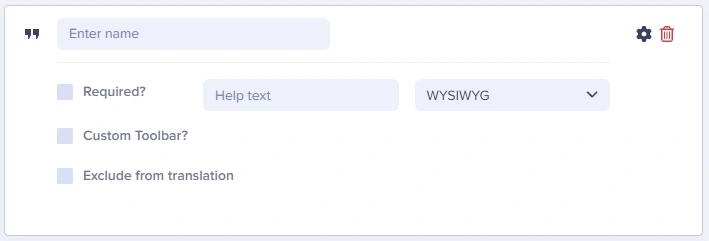
## WYSIWYG at a glance
### Input and output
Fully featured WYSIWYG text editor
`string` (HTML)
### API response example
```json theme={null}
"body_content": "Getting Started
Welcome to our guide.
"
```
### Field configuration options
Use the Custom toolbar configuration option to disable tools that don’t match the field’s intent. For example, a summary field may only need headings and bold, while a body field may include media and tables.
| `Option Name` | `Type` | `Function` |
| ------------------------ | --------------------- | -------------------------------------------- |
| Required? | boolean | Make field required to save page |
| Help text | string | Add help text to describe usage to your team |
| Custom Toolbar? | boolean, multi-select | Add/remove toolbar icons and options |
| Exclude from translation | boolean | Exclude the field from translation function |
## Editor usage
For editor‑level workflows, see [Using the WYSIWYG Editor](../../create-content/creating-editing-content/fields-basics/wysiwyg-editor).