> ## Documentation Index
> Fetch the complete documentation index at: https://buttercms.com/docs/llms.txt
> Use this file to discover all available pages before exploring further.
# Locale-based permissions
> Learn how to restrict user access to specific locales (languages/regions) based on their role in ButterCMS.
The locales feature is only available to certain plans with ButterCMS. If you don't have the feature and need access to it, please upgrade your plan or [contact support](../../support/contact-status/contact-support). Additionally, before assigning locale permissions, make sure you've configured your locales. See [Setting up Locales](./publishing-localized-content).
## What are locale permissions?
Locale permissions allow you to control which locales each user can access and edit. This is essential for organizations with:
* **Global content teams** spread across different regions
* **Translation workflows** where translators work on specific languages
* **Regional marketing teams** managing localized campaigns
* **Compliance requirements** for data residency or content governance
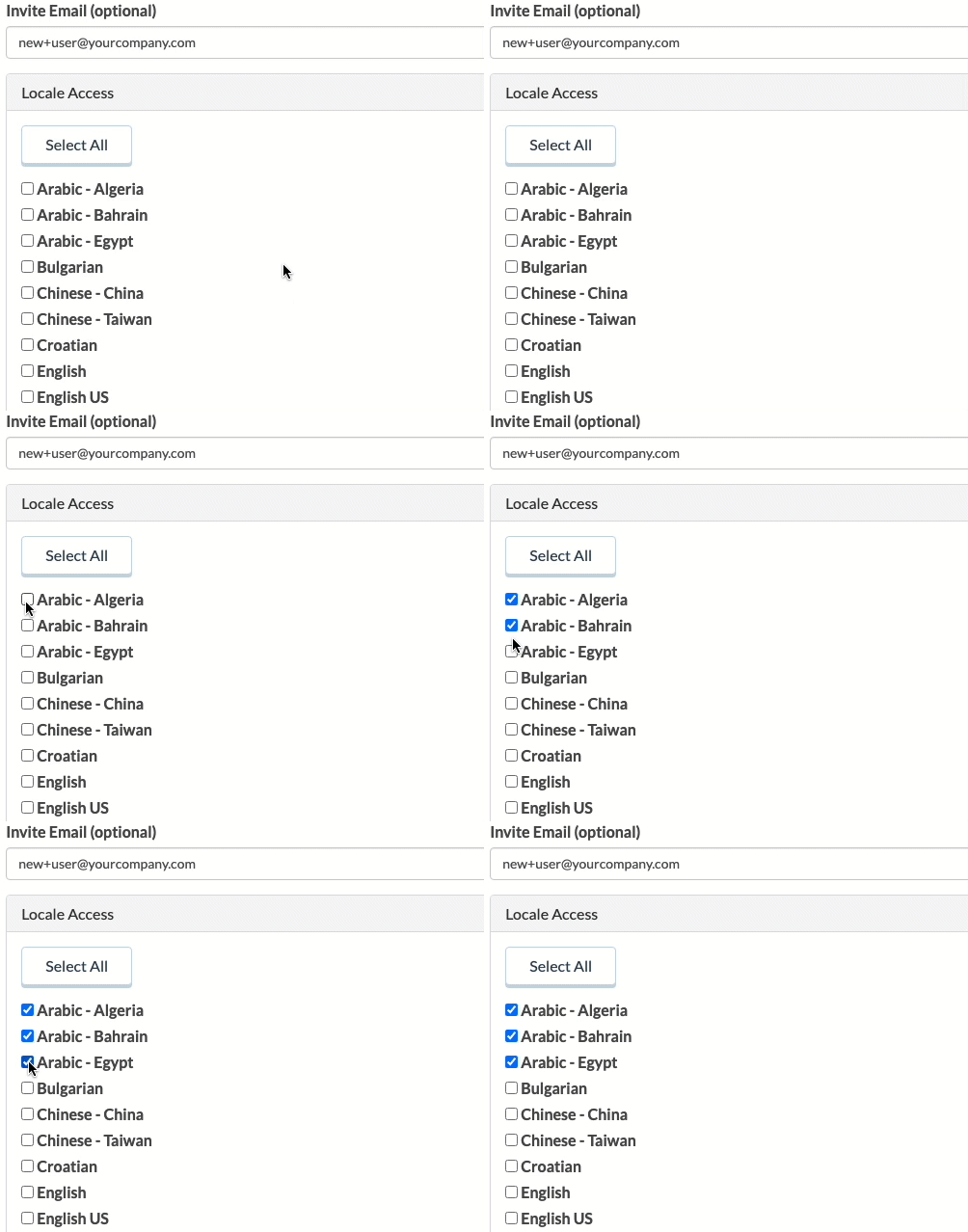
### Permission scope
When locale permissions are applied to a user:
1. **Dashboard View** - User only sees content in their permitted locales
2. **Content Editing** - User can only edit/create content in permitted locales
3. **Locale Dropdown** - Only permitted locales appear in the locale selector
4. **API Behavior** - API access is not affected (controlled separately via tokens)
## Setting up locale permissions
For instructions on assigning locale access when adding or editing a user, see the [Adding team members](../collaborating-with-teams/team-management#adding-team-members) and [Editing team members](../collaborating-with-teams/team-management#editing-team-members) sections in Team Management.
## Combining with custom roles
Locale permissions can be combined with [custom roles and permissions](../collaborating-with-teams/custom-roles-permissions) for maximum control:
### Example: regional marketing editor
```text theme={null}
User: Kenji (Japan Marketing)
Content Permissions (Custom Role):
├── All actions → Page Types → Landing Page
├── All actions → Page Types → Campaign Page
├── View → Blog posts
└── All actions → Collections → Testimonials
Locale Permissions:
└── ja-JP (Japanese)
Result:
├── Full control over Landing Pages and Campaigns
├── Can read but not edit blogs
├── Full control over Testimonials
└── ALL limited to Japanese locale only
```
## Troubleshooting
**Cause:** User doesn't have the right locale permissions
**Solution:**
1. Go to Users → Select the user
2. Check their Locale Permissions section
3. Add the missing locale(s)
4. Click Update User
**Cause:** Content may not exist in the user's permitted locales
**Solution:**
1. Verify content exists in the user's locales
2. Check if the content needs to be translated first
3. Ensure the default locale is set correctly
**Cause:** Feature may not be enabled or the plan doesn't include it
**Solution:**
1. Verify locale permissions are enabled for your account
2. Contact ButterCMS support to enable the feature
3. Ensure localization is set up on your account
## Locale permissions vs. other restrictions
| Permission type | What it controls | Available on |
| ---------------------- | ----------------------------- | ---------------- |
| **Default roles** | Actions (view, edit, publish) | All plans |
| **Custom roles** | Content type access | Enabled accounts |
| **Locale permissions** | Geographic/language access | Enabled accounts |
| **Multisite access** | Site/environment access | Enterprise |