> ## Documentation Index
> Fetch the complete documentation index at: https://buttercms.com/docs/llms.txt
> Use this file to discover all available pages before exploring further.
# Localizing content
> Manage multilingual ButterCMS content. Add locales and publication workflows. Preview drafts and handle missing translations.
For localization architecture and API usage, see [Localization Architecture](../../build-your-app/localization/localization-architecture) and [Fetching Localized Content via API](../../build-your-app/localization/fetching-localized-content-api).
## Enabling localization
To set up Localization in your ButterCMS account, navigate to **Settings > Localization** and enter the name and slug for all the Locales you want to set up:
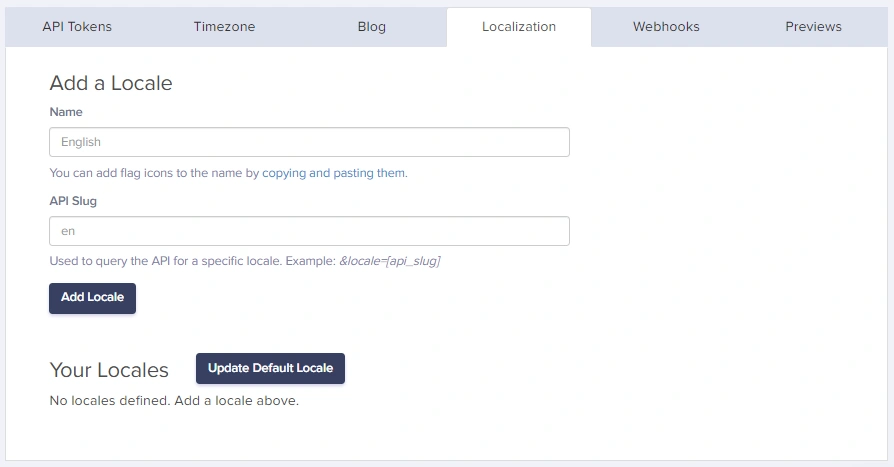
### Adding a new locale
Click on your profile name in the top-left corner, then select **Settings**.
Click on the **Localization** tab in the settings menu.
Enter the **Locale Name** (e.g., "Spanish", "French", "German") and the **API Slug** (e.g., "es", "fr", "de").
Click **Save** to add the locale to your account.
## Setting the default locale
By default, the first Locale you enter will be your **Default Locale**. You can change this anytime by clicking on the radio button for the Locale you want to set as the default:
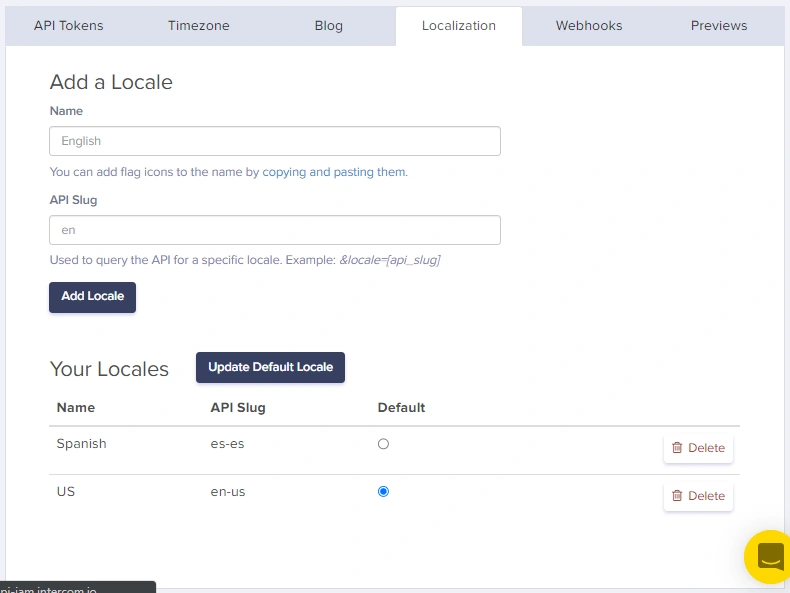
The default locale is used when no specific locale is specified in API requests.
## Common locale examples
| Language | Locale Name | API Slug |
| -------------------- | -------------------- | -------- |
| English (US) | English | `en` |
| Spanish | Spanish | `es` |
| French | French | `fr` |
| German | German | `de` |
| Portuguese (Brazil) | Portuguese (BR) | `pt-br` |
| Japanese | Japanese | `ja` |
| Chinese (Simplified) | Chinese (Simplified) | `zh-cn` |
| Arabic | Arabic | `ar` |
You can change a locale name and slug, but this will affect your API responses. Be careful changing or deleting existing locales.
{/* SOURCE: file_path="knowledge-base/how-to/enabling-localization-and-creating-localized-content.md" section="Contact" */}
## Understanding locale independence
Each locale version of a page or collection item is **independent**. Publishing, editing, or deleting content in one locale does not affect other locales.
## Fetching published localized content
For API endpoint patterns and code examples in JavaScript, Python, PHP, Ruby, and more, see [Fetching Localized Content via API](../../build-your-app/localization/fetching-localized-content-api).
## Managing publication status across locales
### Status options
Each locale can have one of these statuses:
| Status | Description | Visibility |
| ------------- | ----------------------------- | -------------------------------------------- |
| **Draft** | Work in progress | Only visible with preview mode (`preview=1`) |
| **Scheduled** | Set to publish at future date | Not yet visible |
| **Published** | Live and available | Visible to all via API |
### Viewing locale status
In the ButterCMS dashboard, you can see the publication status of each locale:
1. Navigate to **Pages** or **Collections**
2. Select the content item
3. Use the locale dropdown to switch between locales
4. Each locale shows its current status (Draft/Published)