> ## Documentation Index
> Fetch the complete documentation index at: https://buttercms.com/docs/llms.txt
> Use this file to discover all available pages before exploring further.
# Uploading assets
> Learn how to upload images, videos, documents, and other files to your ButterCMS Media Library.
## Upload methods
### Method 1: Upload Media button
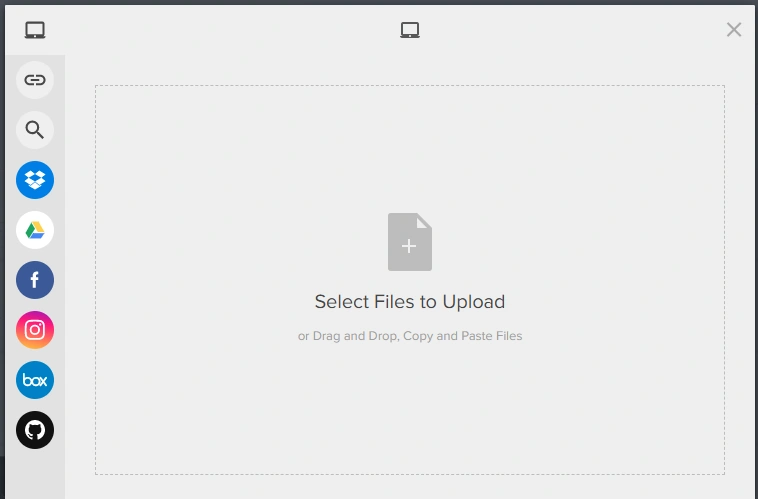
1. Click on the **Upload Media** button in your Media Library.

2. You can add one or multiple files at once from various sources:
* My Device
* URL
* Image Search
* Dropbox
* Google Drive
* Facebook
* Instagram
* Box
* GitHub
### Method 2: Drag and drop
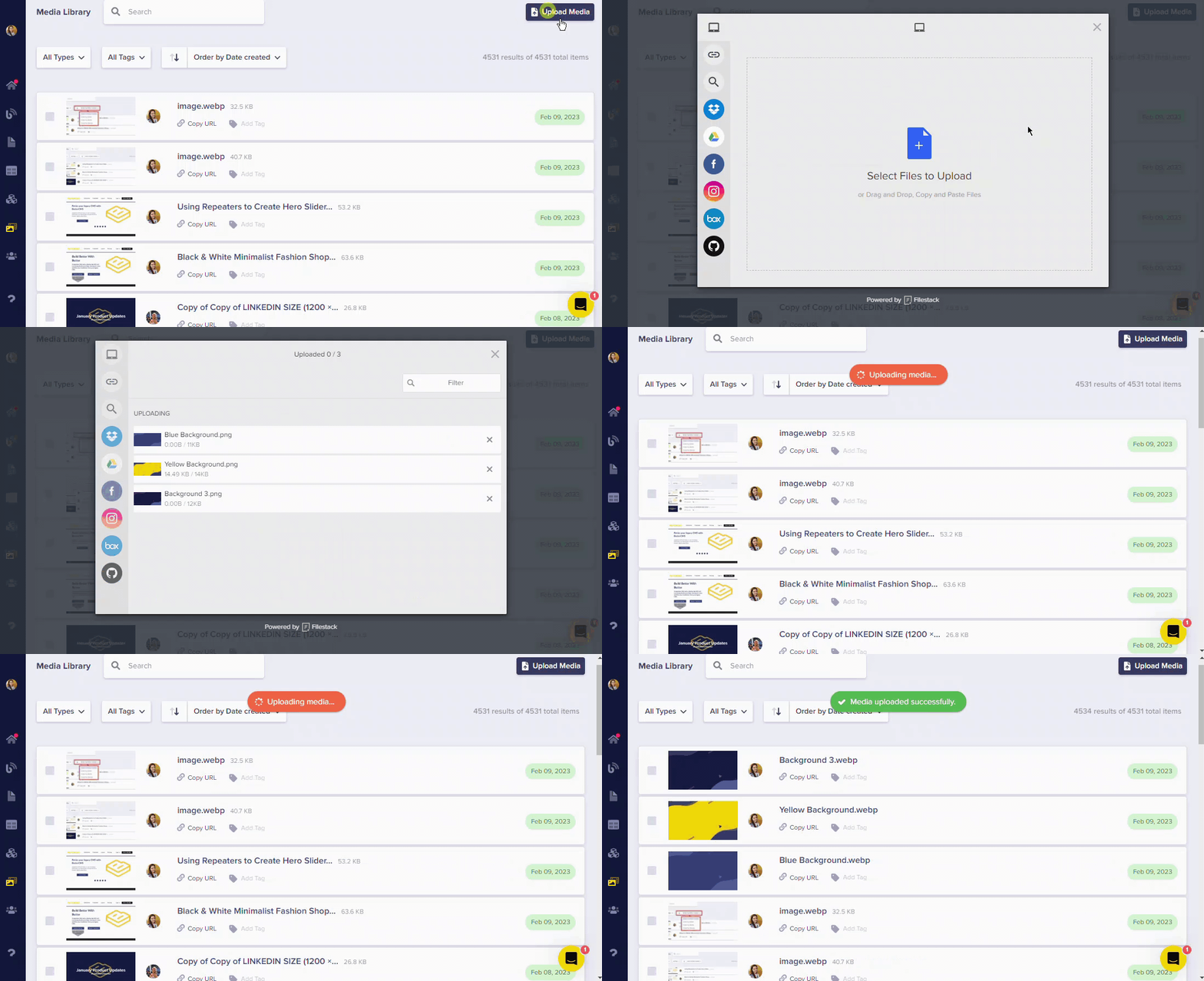
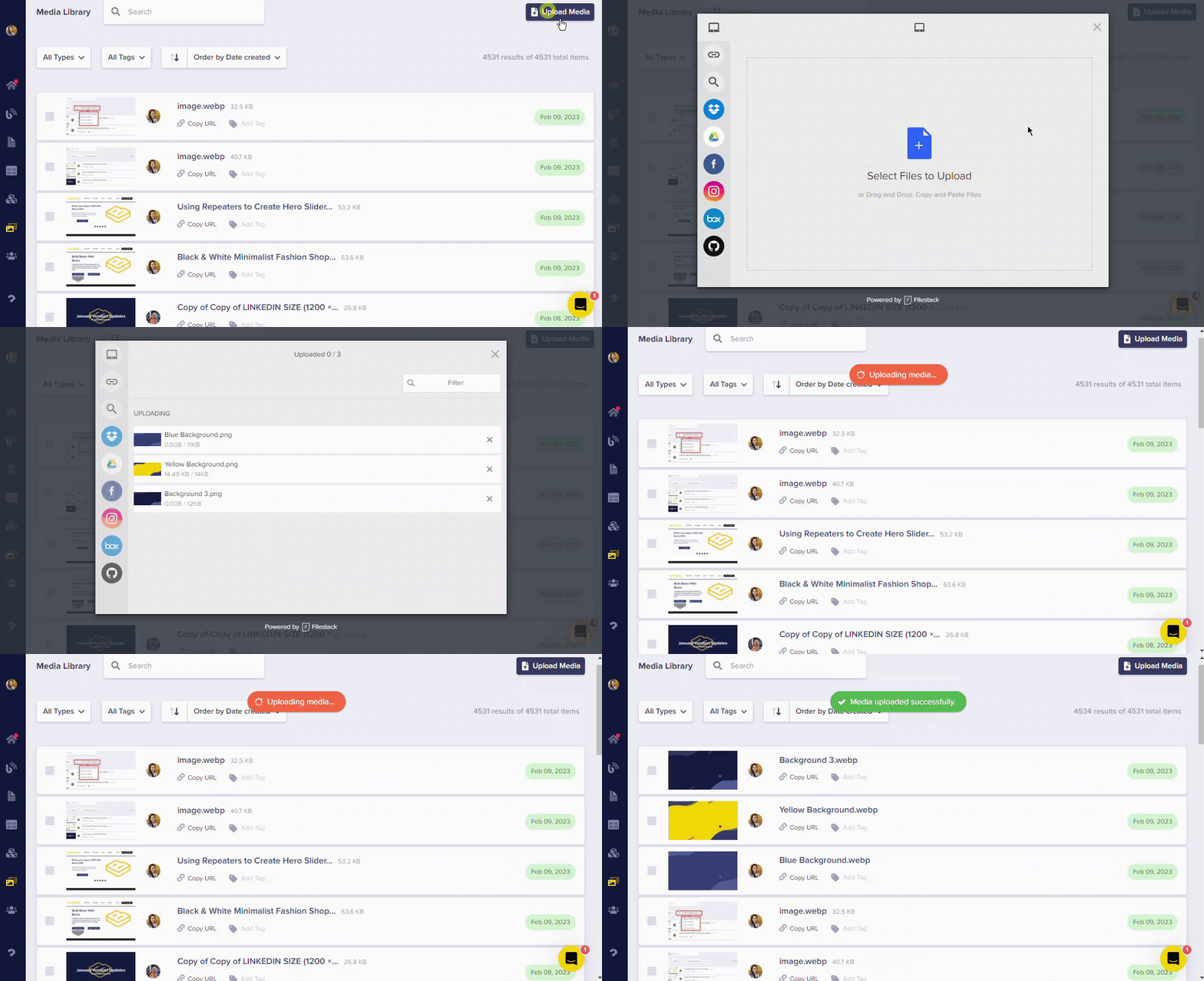
Simply drag and drop your files directly into media fields for quick uploads:
{/* SOURCE: file_path="knowledge-base/how-to/how-to-add-and-adjust-media-files-in-your-blog-posts-and-pages.md" section="Adding media to posts" */}
You can also drag and drop files directly into media fields within your content:
## Editing images during upload
Edit your images in the ButterCMS Media Library before saving them:
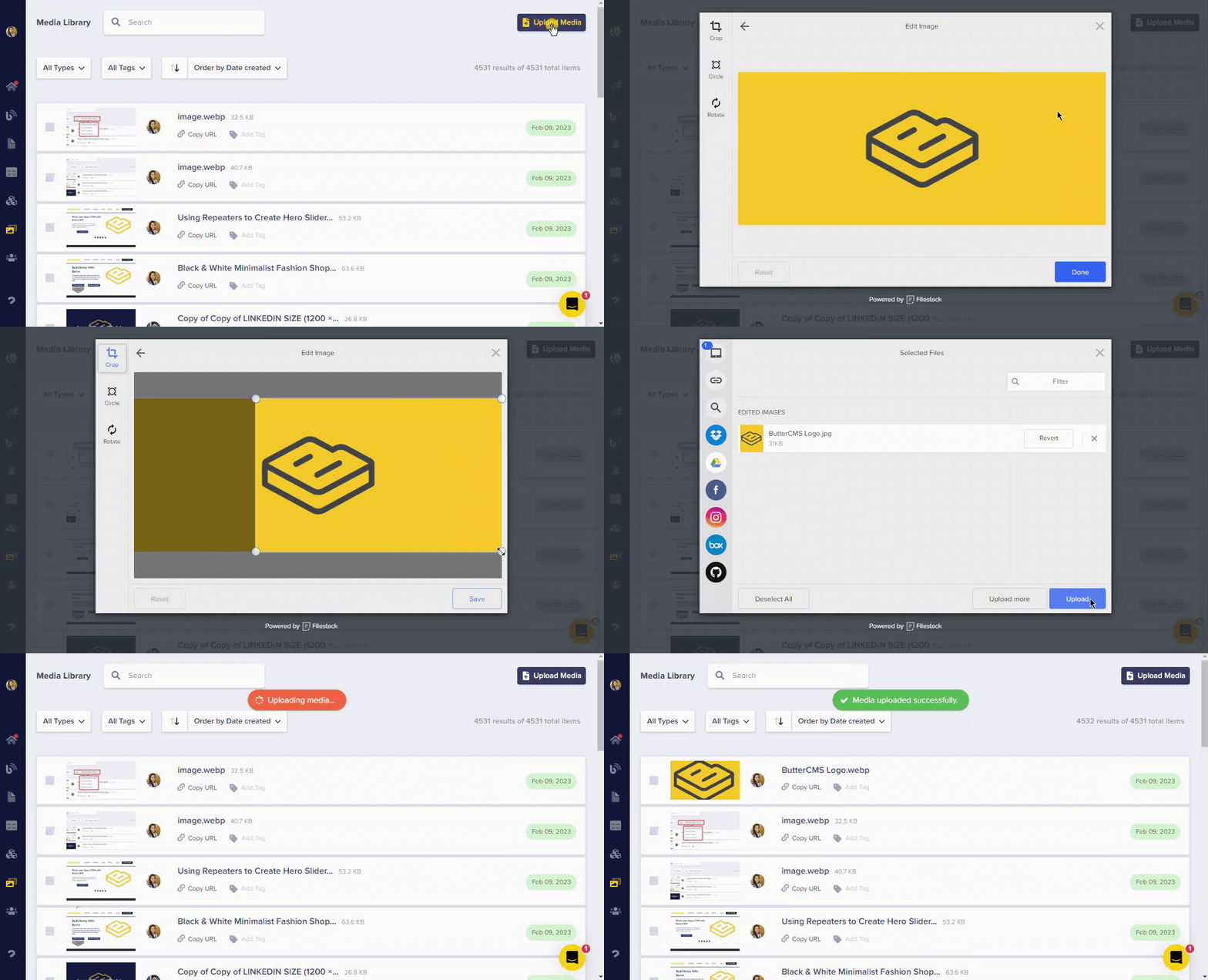
You can crop, rotate, and apply a circle crop right during the upload process. After uploading, additional transformations like resizing, filters, and adjustments are available in the [Image Editor](./image-editing-transformations).
## Optimal file sizes
For optimal page speed and appearance, follow these guidelines:
ButterCMS automatically [converts images to WebP format](automatic-image-compression-webp) for better performance.
| File Type | Recommended Size |
| ----------------------- | ------------------------- |
| Large/background images | No more than 1 MB |
| Standard images | 1200 pixels width or less |
### Best practices
* **Compress images** before uploading using tools like TinyPNG or TinyJPG
* **Resize large images** to 1200 pixels or less
* **Use appropriate formats** — JPEG for photos, PNG for graphics with transparency
* **Let ButterCMS optimize** — we automatically convert to WebP for better performance