> ## Documentation Index
> Fetch the complete documentation index at: https://buttercms.com/docs/llms.txt
> Use this file to discover all available pages before exploring further.
# SEO and ButterCMS
> ButterCMS SEO guide with implementation examples, including best practices for components and the Blog Engine.
## Integrating SEO with ButterCMS
ButterCMS Blog Posts come with a [pre-built SEO component](seo-in-blog-posts) that covers the most important fields, like titles, descriptions, and featured images. If you need more customization, you can [build a blog page type](../../build-your-app/how-to-recipes/build/building-a-blog-page-type).
For Pages, you can [build a SEO component](../../build-your-app/how-to-recipes/add-a-feature/seo-components-to-pages) to include in your content.
Collections can also be used as filterable properties for Pages, or you can add SEO fields directly to Collection items. See [SEO in Collections](seo-in-collections) for more information.
## Why SEO matters for your CMS content
Search Engine Optimization (SEO) is one of the most important aspects in building and marketing your product. It allows your website to have greater visibility on search engines, which brings in more traffic to your site from relevant audiences.
ButterCMS provides built-in features that make it easy to incorporate common SEO patterns into your site. Whether you're using a static site generator, a JavaScript framework, or a traditional server-rendered application, you can leverage these features to optimize your content for search engines. This article also includes a number of recommendations to help make the integration process more seamless.
## Essential SEO elements
Every webpage needs certain essential elements to be properly indexed by search engines:
### Page title
We recommend using a Short Text field for page titles. You can set a max length in the field's configuration options.
The title is one of the most important parts of a page's SEO. This is the title used by search engines when displaying your page in the results list, and it's also used when sharing your page on social media.
```html theme={null}
Page Title
```
### Meta description
We recommend using a Long Text field for page titles. You can set a min length and max length in the field's configuration options.
The description of the page appears below the title in search engine results. It's also the description used when your content is shared.
```html theme={null}
```
### Open Graph and social meta tags
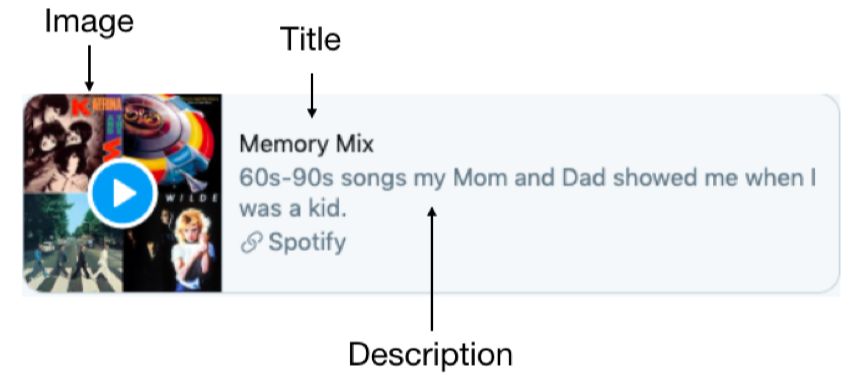
Open Graph tags are metadata added to your page's `` that control how your content appears when shared on social platforms like Facebook, LinkedIn, and Slack. They define the title, description, image, and URL that social media sites display in link previews.
We've given you suggested field types in the table below, but many of these fields can be programmatically populated in your app. Additionally, don't forget that our Blog Engine comes with a [prebuilt SEO component](seo-in-blog-posts).
#### Open Graph tag reference
| Tag | Description | Example | Recommended Field Type |
| ---------------- | ------------------------- | ------------------------------- | ---------------------- |
| `og:title` | The title of your content | "How to Build a Blog" | Short Text |
| `og:type` | The type of content | `article`, `website`, `product` | Dropdown |
| `og:image`\* | Image URL for preview | Full URL to image | Media |
| `og:url` | Canonical URL of the page | Full page URL | Short Text (URL) |
| `og:description` | Brief description | 1-2 sentences | Long Text |
| `og:site_name` | Your website name | "ButterCMS" | Short Text |
| `og:locale` | Language/locale | "en\_US" | Short Text |
\* See more about the [Open Graph Image tag](#open-graph-image) below.
In addition to open graph tags, there are X(Twitter) specific tags you can use. If you don't specify any X(Twitter) tags, it will default to using Open Graph tags; however, X(Twitter) specific tags allow you better control of formatting.
#### Twitter card types
| Card type | Description | Required tags | Image size |
| --------------------- | -------------------------------------------------------------------------------------------------------------------- | -------------------------------------------------------------------------------------------------- | ------------------------ |
| `summary_large_image` | Displays a large, prominent image above the title and description. Best for articles, blog posts, and landing pages. | `twitter:card`, `twitter:title`, `twitter:image` | 1200 x 630 pixels |
| `summary` | Shows a smaller square image beside the title and description. Good for profile pages and general content. | `twitter:card`, `twitter:title` | 144 x 144 pixels minimum |
| `player` | For video or audio content. Shows a playable media preview. | `twitter:card`, `twitter:title`, `twitter:player`, `twitter:player:width`, `twitter:player:height` | — |
| `app` | For mobile app promotion. Shows app install information. | `twitter:card`, `twitter:title`, `twitter:app:id:iphone`, `twitter:app:id:googleplay` | — |
### Open Graph image
We recommmend a Media field for the open graph image.
This tag is vital for social media sharing. It allows you to choose which image to display when the page is shared on social media websites like Twitter, Facebook, and LinkedIn.
```html theme={null}
```
#### Image alt tags
Media Fields images have native support for alt text. When fetching content with Media fields, include the `alt_text=1` query parameter, and the alt text for the media object will be returned from the API, along with the asset.
Image alt tags are increasingly important for content accessibility and are often optimized with SEO keywords.
{/* IMAGE_SOURCE: file_path="knowledge-base/how-to/pre-build-planning-checklist.md" */}
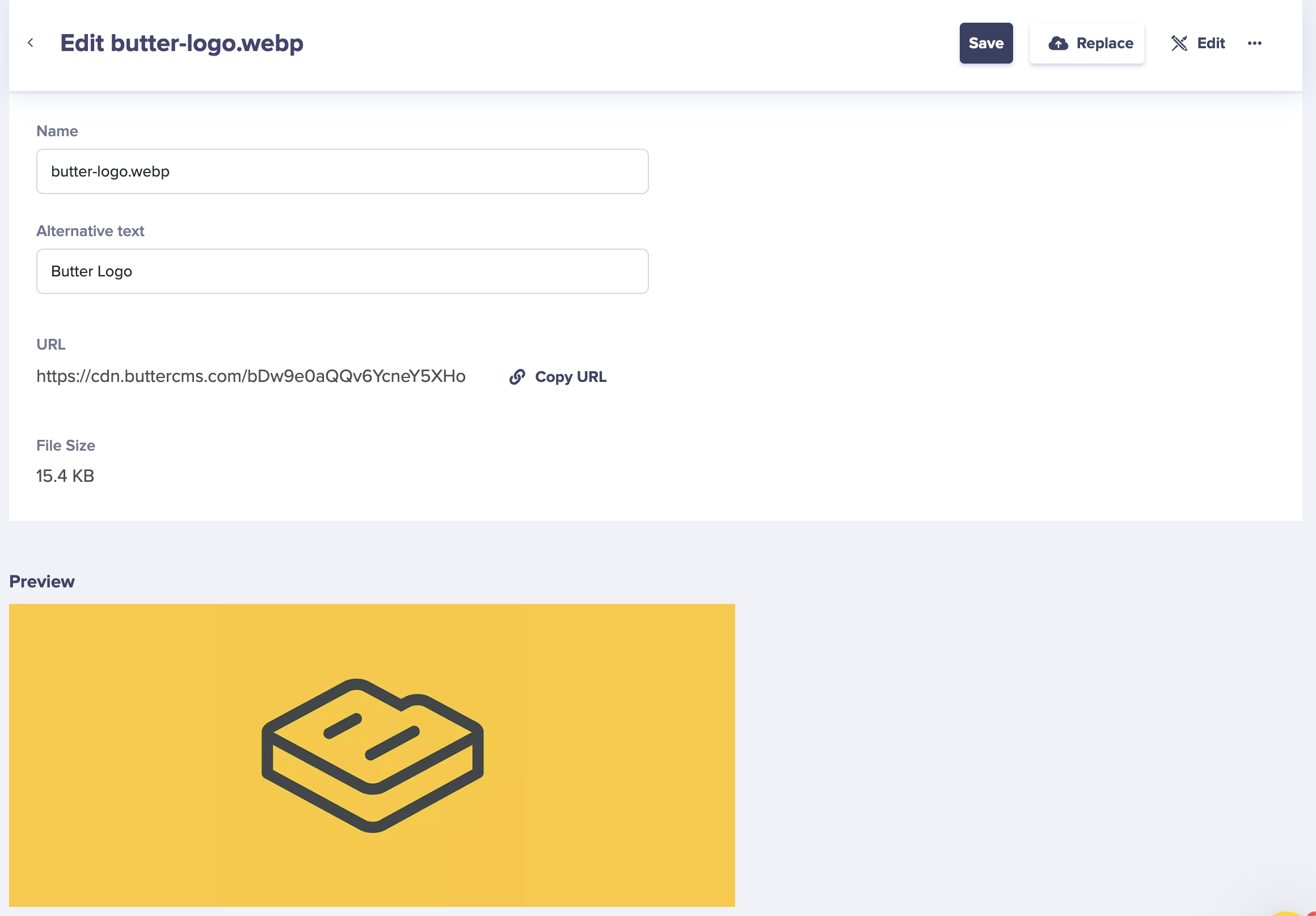
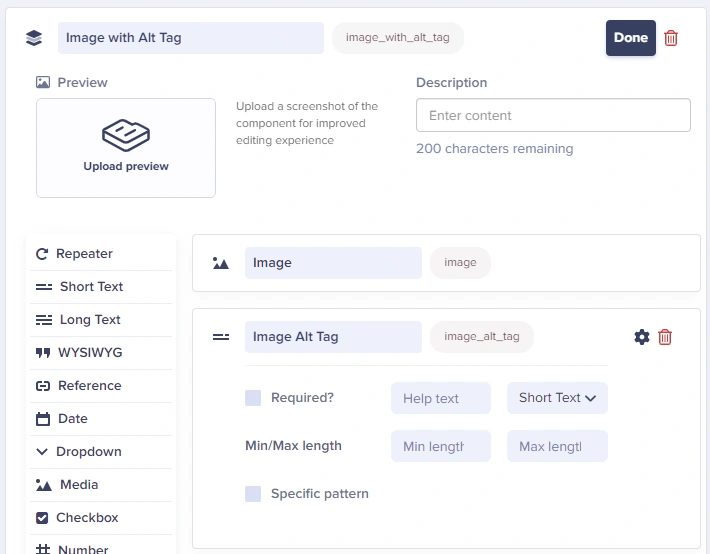
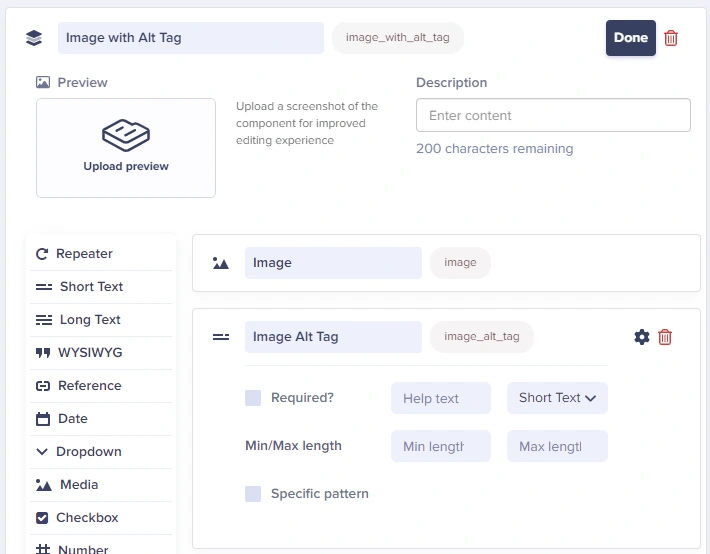
If you don't want to use the native alt text support for Media fields, you can also set up an Image Component and include 2 fields: a media field for the image and a short text field for the alt tag. Configure your app to populate the image alt tag using the manually entered data when it is present.
{/* IMAGE_SOURCE: file_path="knowledge-base/how-to/pre-build-planning-checklist.md" */}
{/* IMAGE_SOURCE: file_path="blog-posts/gsd/javascript-seo-best-practices.md" */}
#### Image requirements
Social platforms have specific image requirements. Using incorrectly sized images may result in poor previews or cropped images.
| Platform | Recommended Size | Aspect Ratio | Max File Size |
| --------- | ---------------- | ------------ | ------------- |
| Facebook | 1200 x 630 px | 1.91:1 | 8 MB |
| Twitter | 1200 x 628 px | 1.91:1 | 5 MB |
| LinkedIn | 1200 x 627 px | 1.91:1 | 5 MB |
| Pinterest | 1000 x 1500 px | 2:3 | 20 MB |
ButterCMS [automatically optimizes images via CDN](../media-management/automatic-image-compression-webp). Use URLs like `https://cdn.buttercms.com/your-image` for best performance. You can also [dynamically resize images](../media-management/image-editing-transformations#responsive-images) via the CDN.
### Canonical URLs
Canonical URLs are a must for SEO and syndication. We strongly recommend you use them on every project.
A canonical URL tells utilities like search engines and aggregators which URL variant is the authoritative, permanent version of a page.
#### Setting canonical URLs automatically
If you choose to set up canonical URLs automatically, use the absolute URL. Include your site's default settings for `http` vs `https`, and with and without `wwww`. Do not include any UTM values or other URL parameters.
| Format | Example |
| --------- | --------------------------------------------------------- |
| Correct | `https://mysite.com/reviews/{post.slug}` |
| Incorrect | `/reviews/{post.slug}` |
| Incorrect | `https://mysite.com/reviews/{post.slug}?utm_source=email` |
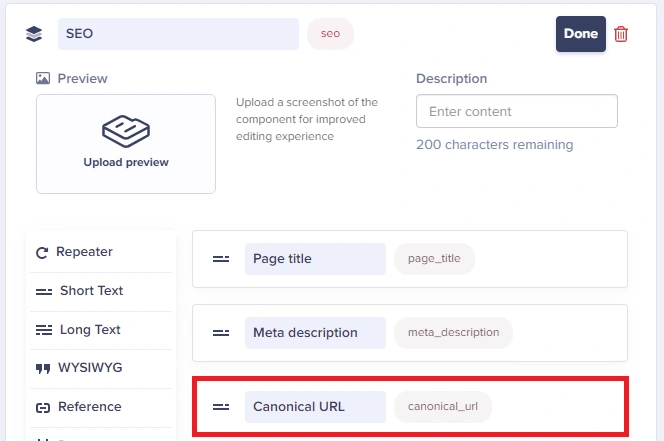
#### Setting canonical URLs manually
We recommend using a short text field when setting canonical URLs manually. You can
You can give your users a field to set the canonical URL manually whenever necessary. Set the field up on the appropriate components and/or content types, and configure your app to populate the canonical URL with that data when it is present.
{/* IMAGE_SOURCE: file_path="knowledge-base/how-to/pre-build-planning-checklist.md" */}
#### Avoiding duplicate content
When you use taxonomy like category, tag, or author, you can unintentionally create duplicate content. Depending on your architecture, you could potentially create many instances of duplicate content with a single new category, tag, or author.
For example, a new category titled "Reviews" might result in multiple URLs pointing to the same content:
| Duplicate URL Pattern |
| --------------------------------------------------- |
| `mysite.com/reviews/example-page-1/` |
| `mysite.com/category/reviews/example-page-1/` |
| `mysite.com/pages/category/reviews/example-page-1/` |
Content assigned to multiple categories can also be regarded as duplicate content:
| Multiple Category URLs |
| ------------------------------------- |
| `mysite.com/reviews/example-page-1/` |
| `mysite.com/offers/example-page-1/` |
| `mysite.com/products/example-page-1/` |
Failing to structure your taxonomy properly can result in duplicate content and/or thin content, both of which are discouraged by search engines and can negatively impact your rankings.
### Testing social previews
Before publishing, test how your content will appear when shared:
| Platform | Testing Tool |
| -------- | ---------------------------------------------------------------- |
| Facebook | [Sharing Debugger](https://developers.facebook.com/tools/debug/) |
| Twitter | [Card Validator](https://cards-dev.twitter.com/validator) |
| LinkedIn | [Post Inspector](https://www.linkedin.com/post-inspector/) |
After updating your Open Graph tags, you may need to clear the social platform's cache. Use the debugger tools above to force a refresh.
### Adding social sharing widgets
How to add social sharing buttons to your ButterCMS-powered site.
Keep your titles between **50-60 characters**. Google typically displays the first 50-60 characters of a title tag. If your title is too long, it may be truncated in search results.
Place your primary keyword near the beginning of the title. This helps both search engines and users understand what the page is about.
Every page should have a unique title that accurately describes its content. Avoid duplicate titles across your site.
Include your brand name at the end of the title, separated by a pipe (|) or dash (-). For example: "Page Title | Brand Name"
## Best practices for meta descriptions
Keep your descriptions between **150-160 characters**. Google typically shows up to 160 characters on desktop and 120 on mobile.
Encourage users to click through with action-oriented language like "Learn more," "Discover," or "Find out how."
Include relevant keywords in your description, but ensure it reads naturally. Keywords in the description may appear bold in search results when they match the user's query.
The description should accurately reflect the page content. Misleading descriptions lead to high bounce rates and poor user experience.
## SEO best practices checklist
* Set up proper canonical URLs for all content
* Generate and submit XML sitemaps
* Configure robots.txt appropriately
* Implement 301 redirects for moved content
* Ensure fast page load speeds
* Use HTTPS across your entire site
* Write unique, descriptive page titles (50-60 characters)
* Create compelling meta descriptions (150-160 characters)
* Use proper heading hierarchy (H1, H2, H3)
* Add alt text to all images
* Include internal links to related content
* Optimize URL slugs to be descriptive and concise
* Research and target relevant keywords
* Create high-quality, valuable content
* Structure content with clear headings
* Include relevant images and media
* Update content regularly
* Avoid keyword stuffing
* Configure Open Graph tags for Facebook/LinkedIn
* Set up Twitter Card meta tags
* Use high-quality images (1200x630px recommended)
* Write engaging social descriptions
* Add social sharing widgets to content
## Framework implementations
For code examples showing how to render SEO data in React/Next.js, Angular, Jekyll, Vue/Nuxt.js, and how to use ButterCMS API fields in your meta tags, see [Rendering SEO Data](../../build-your-app/seo/rendering-seo-data).