
Token types
ButterCMS provides two types of API tokens for different operations:Read API token
Used for fetching content from the API. This token is safe to use in client-side code and public applications.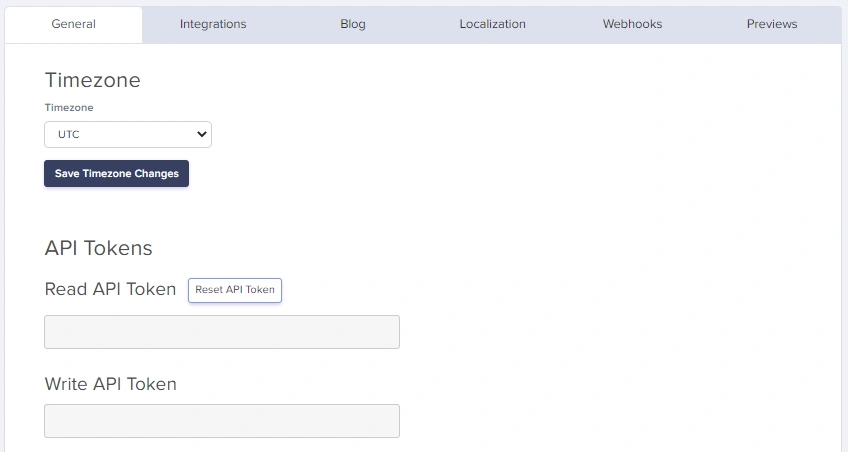
Write API token
Used for creating, updating, and deleting content. This token must be kept secure and should never be exposed in client-side code.Where to find your tokens
Navigate to the Settings page of your ButterCMS dashboard to view your tokens in the API Tokens tab.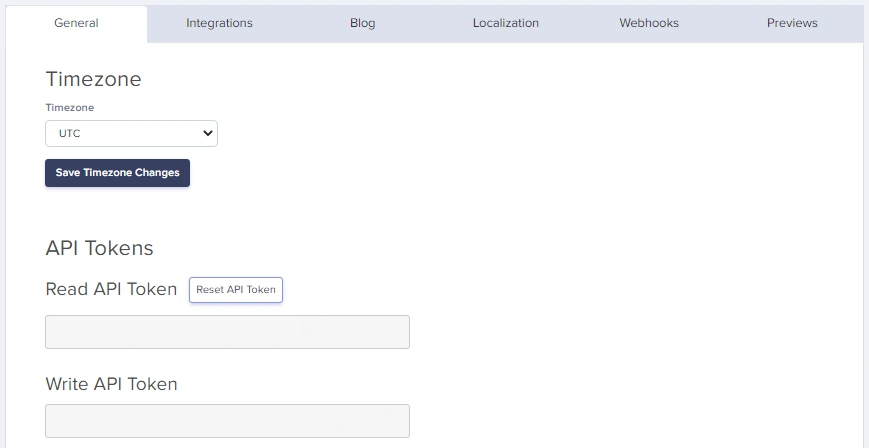
Authentication methods
Method 1: query parameter (read operations only)
Pass your API token via theauth_token parameter on every request:
Method 2: authorization header (read & write operations)
Set theAuthorization header to Token your_api_token:
The header value must include the
Token prefix before your actual token.Authentication by operation type
Code examples
Authentication errors
401 Unauthorized
Returned when the API token is missing, invalid, or insufficient for the operation. Missing token:- Missing
auth_tokenparameter orAuthorizationheader - Invalid or expired API token
- Using a Read token for Write operations
Security best practices
Do’s
- ✅ Store tokens in environment variables
- ✅ Use the Read token for public-facing applications
- ✅ Keep Write tokens on secure backend servers only
- ✅ Use HTTPS for all API requests
- ✅ Rotate tokens periodically if you suspect compromise
Don’ts
- ❌ Never commit tokens to version control (GitHub, GitLab, etc.)
- ❌ Never expose Write tokens in client-side code
- ❌ Never share tokens in public forums or documentation
- ❌ Never log tokens in application logs
Environment configuration
Requesting a write token
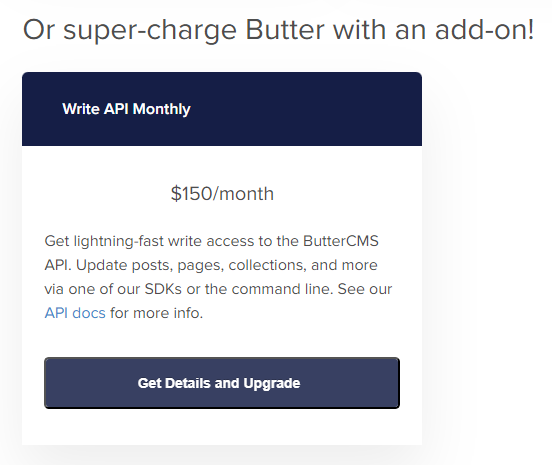
Write API is available as a paid add-on. To enable it:- Navigate to Settings > Billing in your ButterCMS dashboard
- Click on Get Details and Upgrade under the add-ons section
- Select the Write API add-on to purchase
Next steps
REST Endpoints
Explore available API endpoints
Request/Response Format
Understand JSON data structures
Error Handling
Handle authentication errors