
ButterCMS content types
Click on any of the cards below to dive into that content type in depth.Pages
Think: Building BlocksBest for: Unique layouts and flexible content structuresExamples: Landing pages, product pages, case studies
Collections
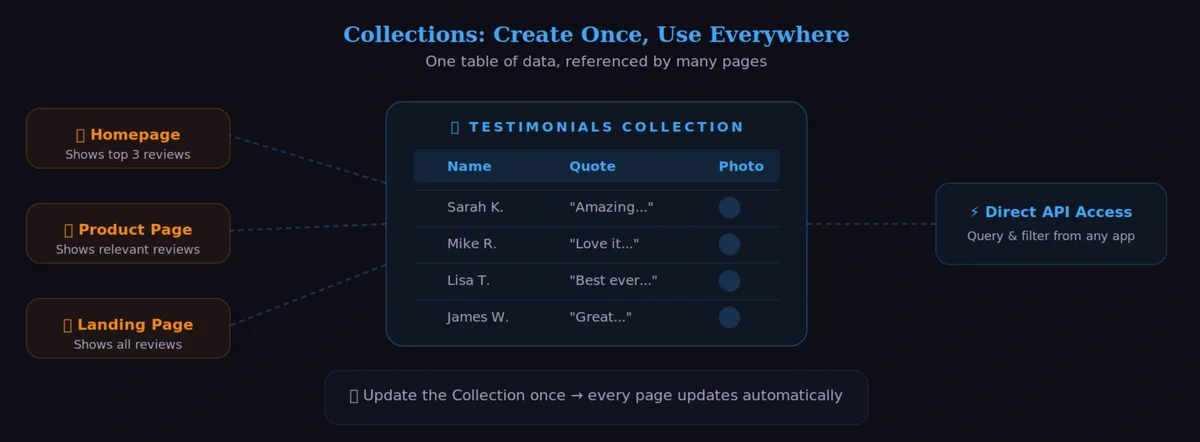
Think: A shared spreadsheetBest for: Reusable structured dataExamples: Categories, team members, FAQs, testimonials
Blog Engine
Think: Just write and publishBest for: Chronological content with built-in featuresExamples: Blog posts, news articles, updates
Mapping a website to ButterCMS
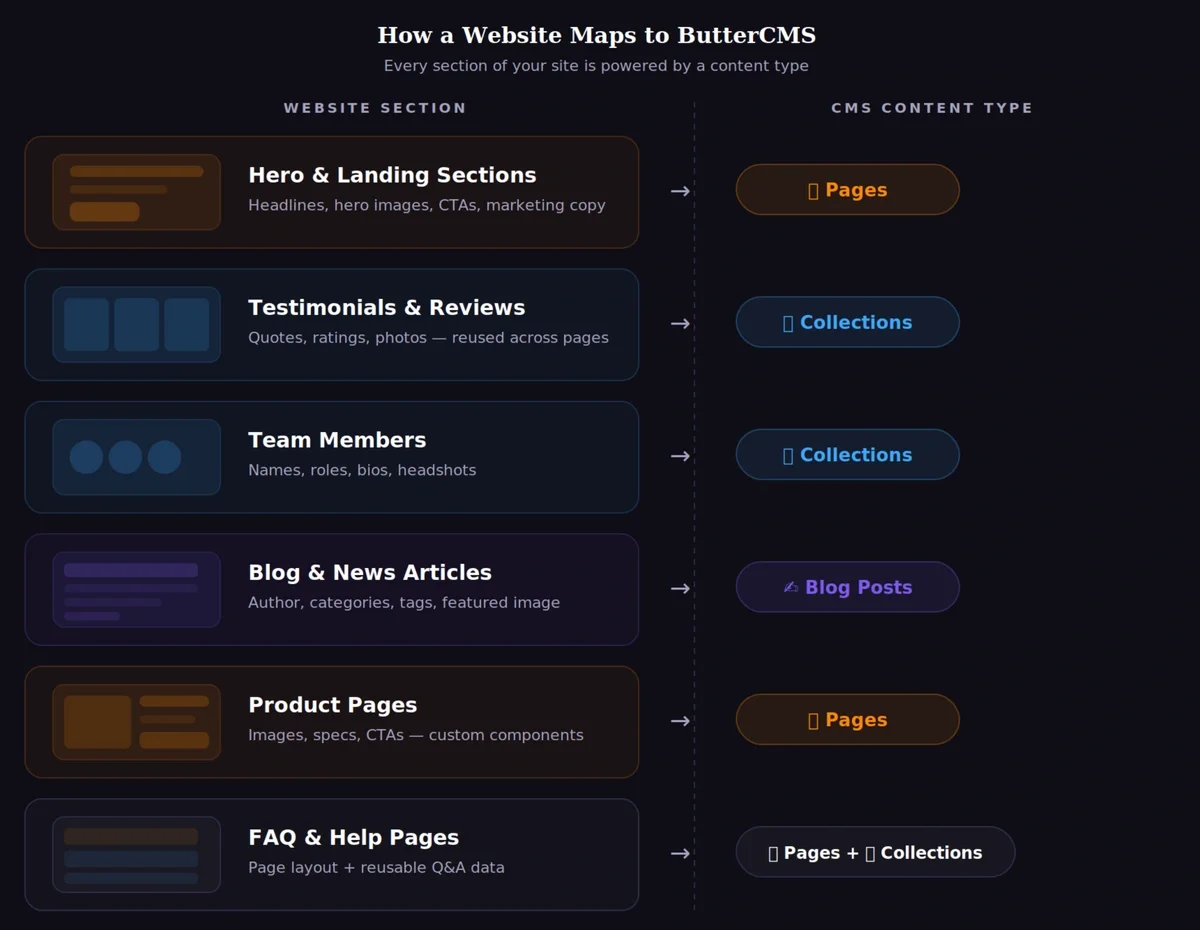
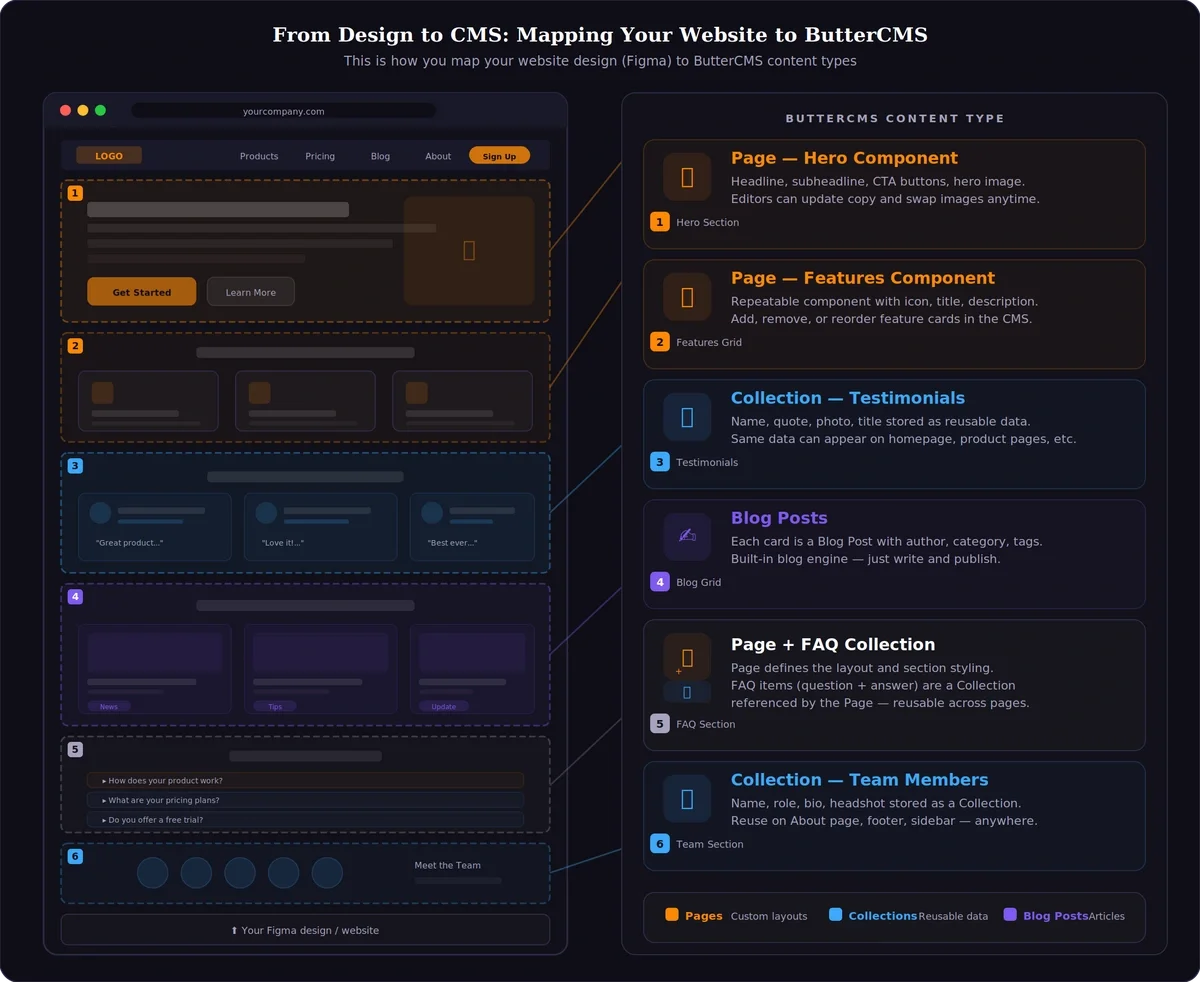
From design to CMS
Use this mental model to map a Figma (or other design) layout into ButterCMS content types:- Page sections become Page components (hero, features, CTA, etc.).
- Repeatable grids become Collections (testimonials, team members, FAQs).
- Blog lists map to Blog Posts (authors, categories, tags).
- Pages + Collections combine when a page layout pulls reusable data.
Pages
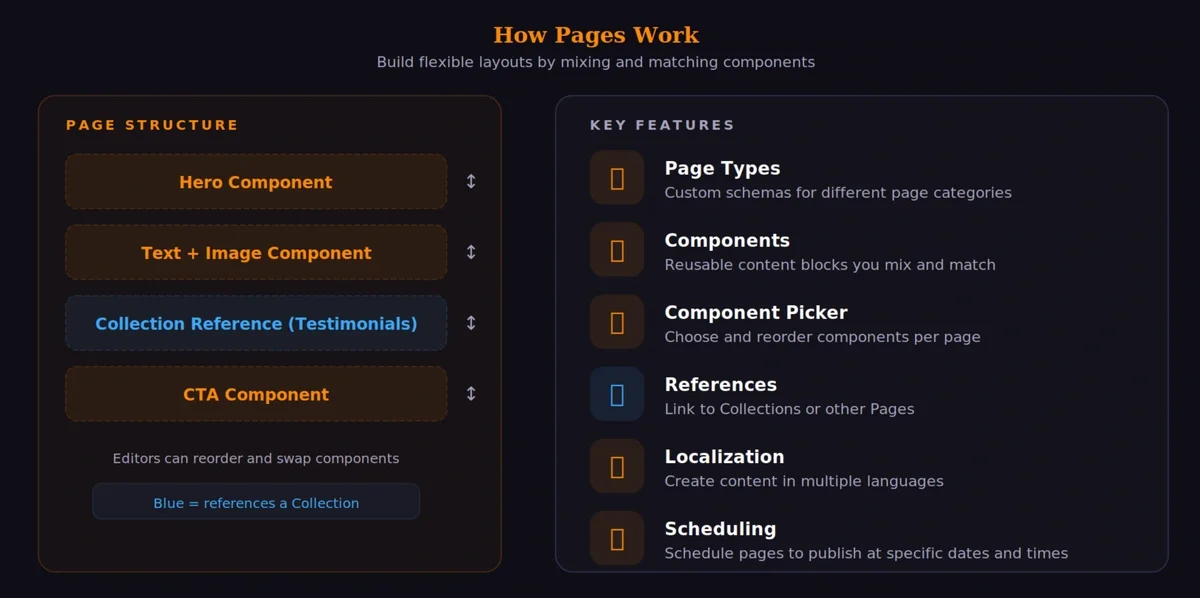
ButterCMS’s Page content type provides an easy and flexible way to manage and display complex data. Pages can break up text and images with CTAs, image galleries, forms, and other interactive content to engage with your end users.When to use Pages
Marketing Landing Pages
Marketing Landing Pages
Create dynamic landing pages with customizable sections, hero images, feature lists, and call-to-action buttons.
Product Pages
Product Pages
Build product detail pages with specifications, images, reviews, and related products.
About Us / Team Pages
About Us / Team Pages
Create company information pages with team member bios, company history, and mission statements.
Custom Blog Posts
Custom Blog Posts
When you need more flexibility than the built-in blog engine, Pages with Components offer unlimited customization.
Key features of Pages
Collections
Collections are tables of data to be referenced by Pages, extending the use cases that you can achieve with ButterCMS. Collections can also be queried from the API directly.When to use Collections
Reusable Promotional Content
Reusable Promotional Content
Store reusable content like customer testimonials, team members, or featured products that can be referenced by multiple pages.
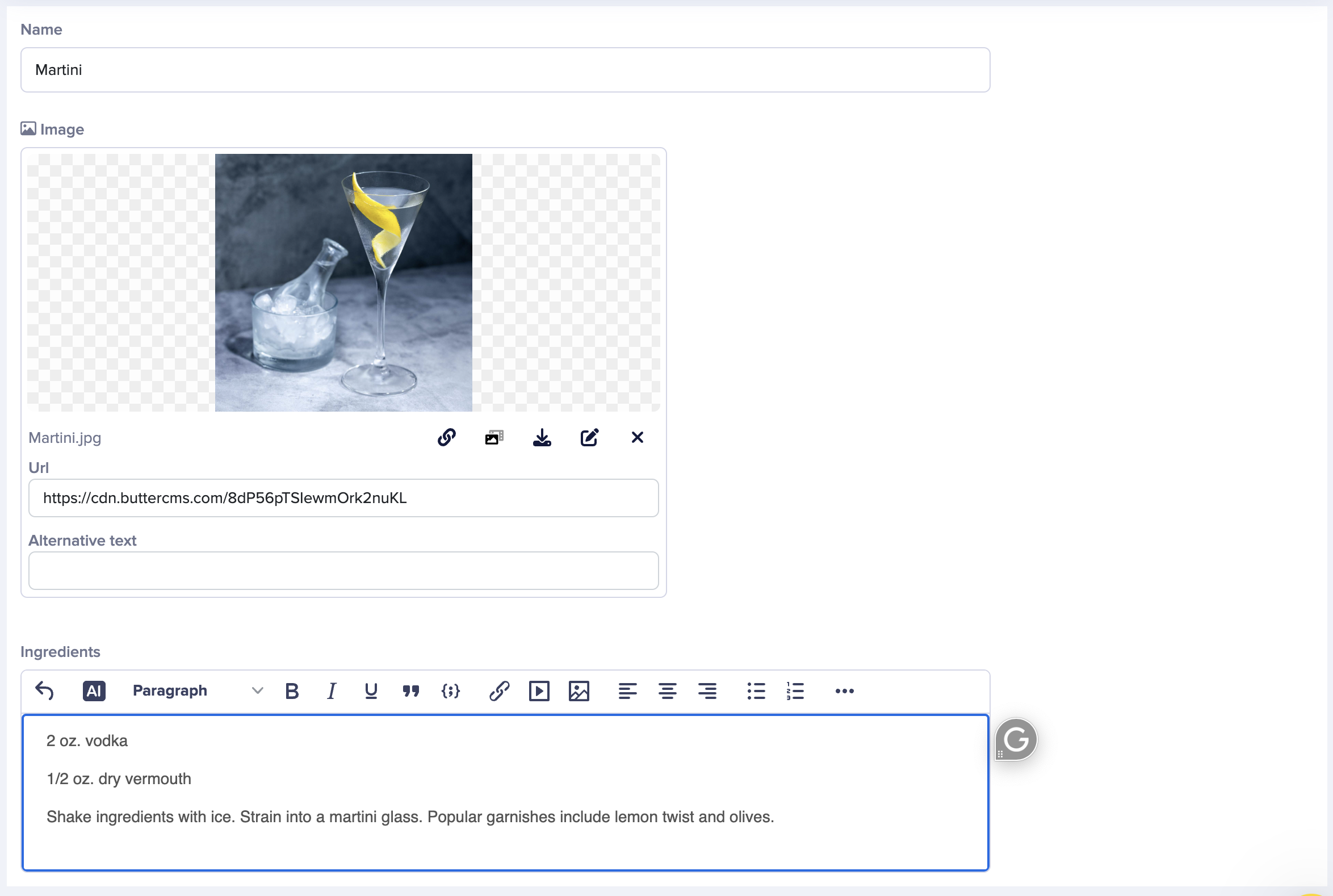
Collection examples
Blog Posts
The Blog Engine is ButterCMS’s built-in solution for managing blog content. It comes pre-configured with everything you need to run a blog.Built-in blog features
- Authors - Manage author profiles with name, bio, and photo
- Categories - Organize posts into categories
- Tags - Add multiple tags for fine-grained organization
- Featured Images - Each post can have a featured/hero image
- SEO Fields - Meta title and description for search optimization
- Rich Text Editor - Full WYSIWYG editor for post content
When to use Blog Posts
Standard Blog Articles
Standard Blog Articles
For traditional blog posts with text content, images, and standard metadata like author, date, and categories.
News & Updates
News & Updates
Company news, product updates, and announcements that follow a consistent format.
Quick Publishing
Quick Publishing
When you need to publish content quickly without setting up custom schemas.
Modeling content: making decisions
Choosing the right content type
How to figure out which content type is best for your use case, including a feature comparison matrix and example cases.
Content modeling best practices
General principles and best practices for designing a robust and scalable content model in ButterCMS.
Explore field types
Field types overview
Understand the different field types offered by ButterCMS, including what kinds of data they allow, what content types they can be used with, and some basic use cases.