
Setting up product Collections
Before using AI for product descriptions, you need a well-structured product catalog. In ButterCMS, create a Page Type or Collection called “Product” with fields like:- Title - Product name
- Description - Main product description (WYSIWYG for AI enhancement)
- Price - Product pricing
- Features - Key product features (Repeater field)
- Short description - Brief summary for listings
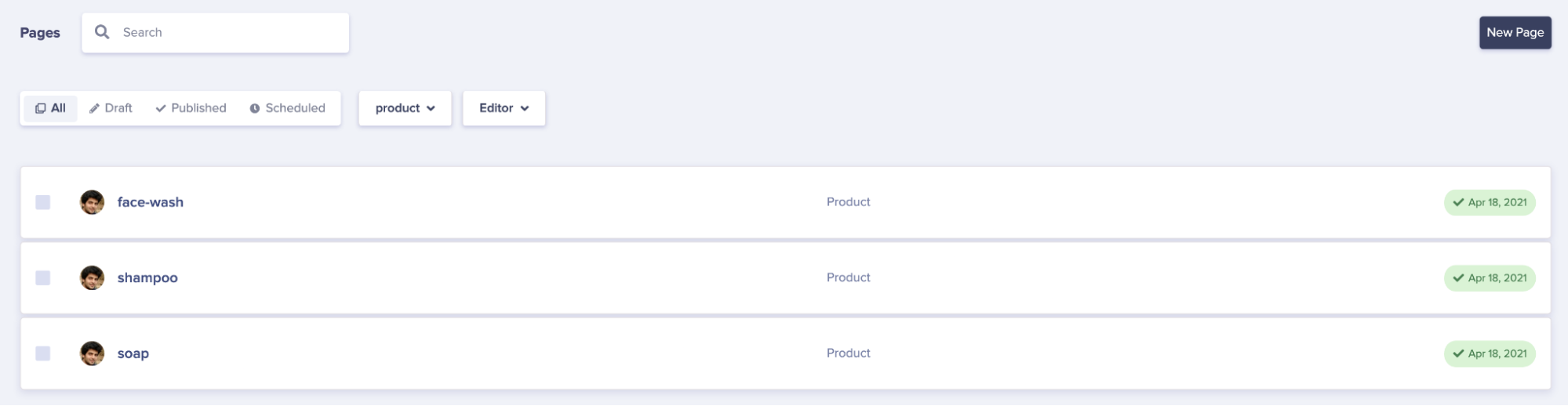
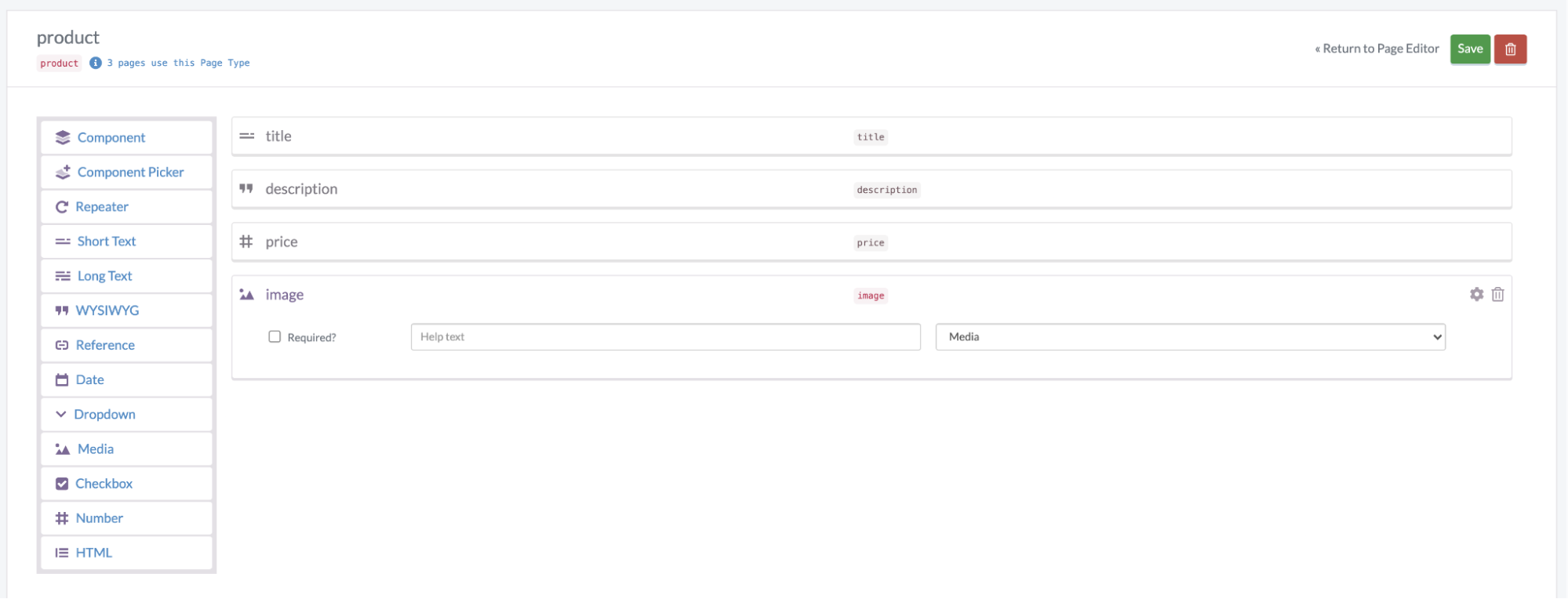 Once your schema is set up, you can add products and use the AI Assistant to enhance their descriptions.
Using the AI assistant for product descriptions
The built-in AI Assistant in ButterCMS’s WYSIWYG editor is perfect for generating product descriptions. Access it directly from the editor toolbar to:- Generate descriptions from basic product information
- Rewrite existing descriptions for different audiences
- Enhance descriptions with persuasive language
- Create variations for A/B testing
Effective prompt strategies
For best results, use structured prompts when generating product descriptions. The RACE framework is effective for structuring prompts:RACE framework for product descriptions
- Role: “You are an expert e-commerce copywriter specializing in [industry]”
- Action: “Write a compelling product description”
- Context: Provide product details, target audience, and brand voice
- Expectation: “The description should be 150-200 words, highlight key benefits, and include a call-to-action”
Example prompts for different product types
Consumer Electronics
Consumer Electronics
Prompt: “You are a tech product copywriter. Write a compelling description for a wireless Bluetooth speaker. Key features: 20-hour battery life, waterproof IPX7, 360-degree sound, pairs with 2 devices. Target audience: outdoor enthusiasts aged 25-40. Tone: energetic but informative. Include technical specs naturally.”
Fashion & Apparel
Fashion & Apparel
Prompt: “You are a luxury fashion copywriter. Create an enticing description for a cashmere sweater. Details: 100% Mongolian cashmere, hand-finished, available in 6 colors. Target: affluent professionals seeking quality basics. Tone: sophisticated, aspirational. Emphasize craftsmanship and versatility.”
Food & Beverage
Food & Beverage
Prompt: “You are a food marketing specialist. Write a mouth-watering description for an artisan coffee blend. Notes: Ethiopian single-origin, hints of dark chocolate and citrus, medium roast. Target: coffee connoisseurs. Tone: passionate, sensory-focused. Include brewing suggestions.”
Home & Garden
Home & Garden
Prompt: “You are a home decor copywriter. Describe a modern minimalist desk lamp. Features: adjustable arm, dimmable LED, USB charging port, matte black finish. Target: home office workers. Tone: clean, functional. Highlight design and practicality.”
Scaling product description generation
For catalogs with hundreds or thousands of products, consider this workflow:Batch processing workflow
- Prepare Product Data
- Export product information (name, category, features, specs)
- Organize by category for consistent prompts
- Create Category-Specific Prompts
- Develop template prompts for each product category
- Include brand voice guidelines and SEO keywords
- Generate Initial Descriptions
- Use the AI Assistant to generate descriptions
- Process similar products in batches
- Human Review & Refinement
- Review AI-generated content for accuracy
- Adjust for brand voice consistency
- Add unique selling points
- Publish & Monitor
- Track performance metrics (conversion rates, bounce rates)
- Iterate on prompts based on results
Using the Write API for automation
For large-scale automation, you can combine external AI tools with ButterCMS’s Write API to programmatically create and update product descriptions:Best practices for AI product descriptions
Do’s
Don’ts
Personalizing descriptions for different audiences
You can also use ButterCMS Collections to store different description variants for different audience segments. Create a personalization Collection that stores product description variations:- Segment Name - Customer grouping from your CRM or CDP
- Product Recommendations - Reference to relevant products
- Description Variant - Tailored description for this segment