
Why use the built-in AI assistant?
There are two key reasons to enable the TinyMCE AI Assistant:- Familiar UI for content creators - The AI tools are embedded directly in the editor interface that your team already knows
- No context switching - Everything happens within the editor—no need to switch tabs or copy/paste from external AI tools
Enabling the AI Assistant
To start using the AI Assistant, navigate to Settings > Integrations in your ButterCMS dashboard, then configure your prompts.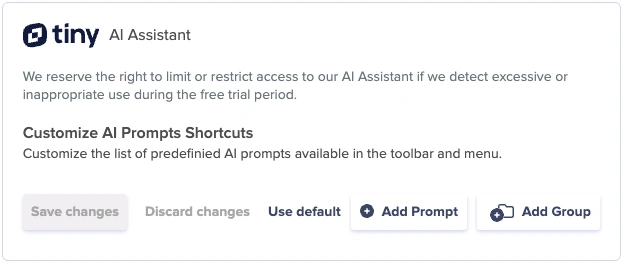
Setting up the OpenAI integration with your own key:
- Go to Settings > Integrations
- Enable the TinyMCE AI Plugin
- Add your OpenAI API key
- Configure custom prompts for your use cases
Understanding the AI toolbar buttons
The AI integration provides two main toolbar buttons:AI Assistant: Generate new content
Use the AI Assistant button when you want to create new content from scratch. Simply describe what you need, and the AI will generate it for you.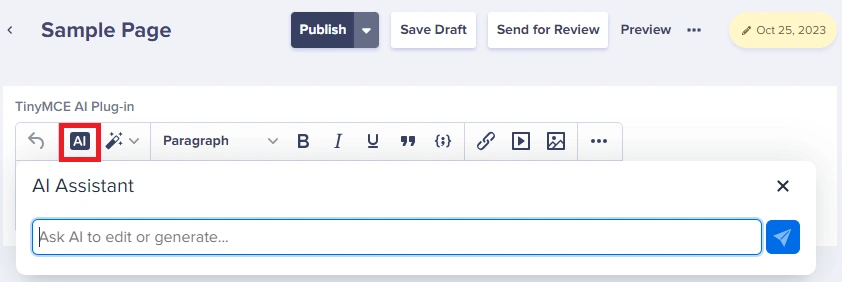 Here’s an example of the AI Assistant generating content:
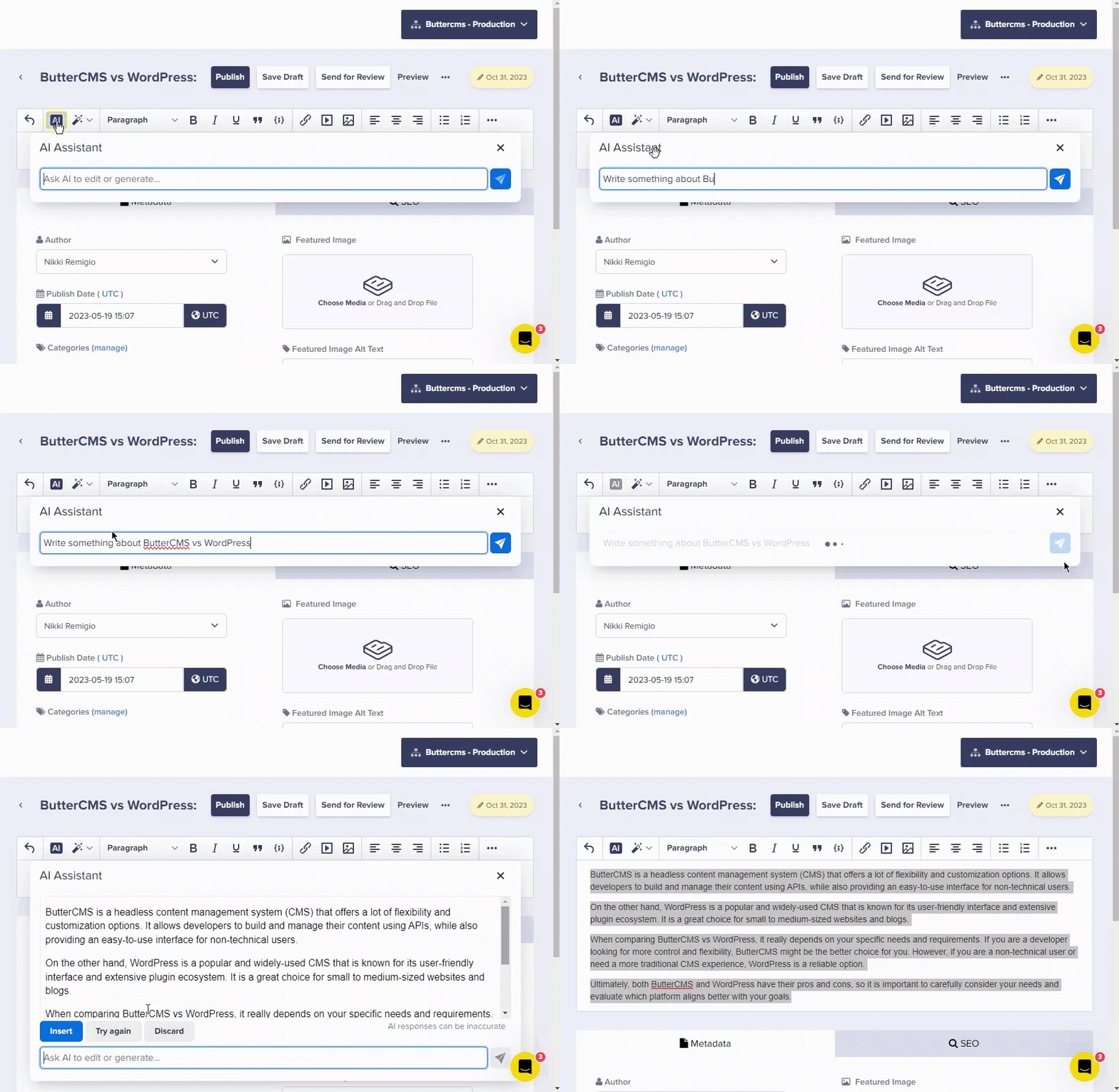
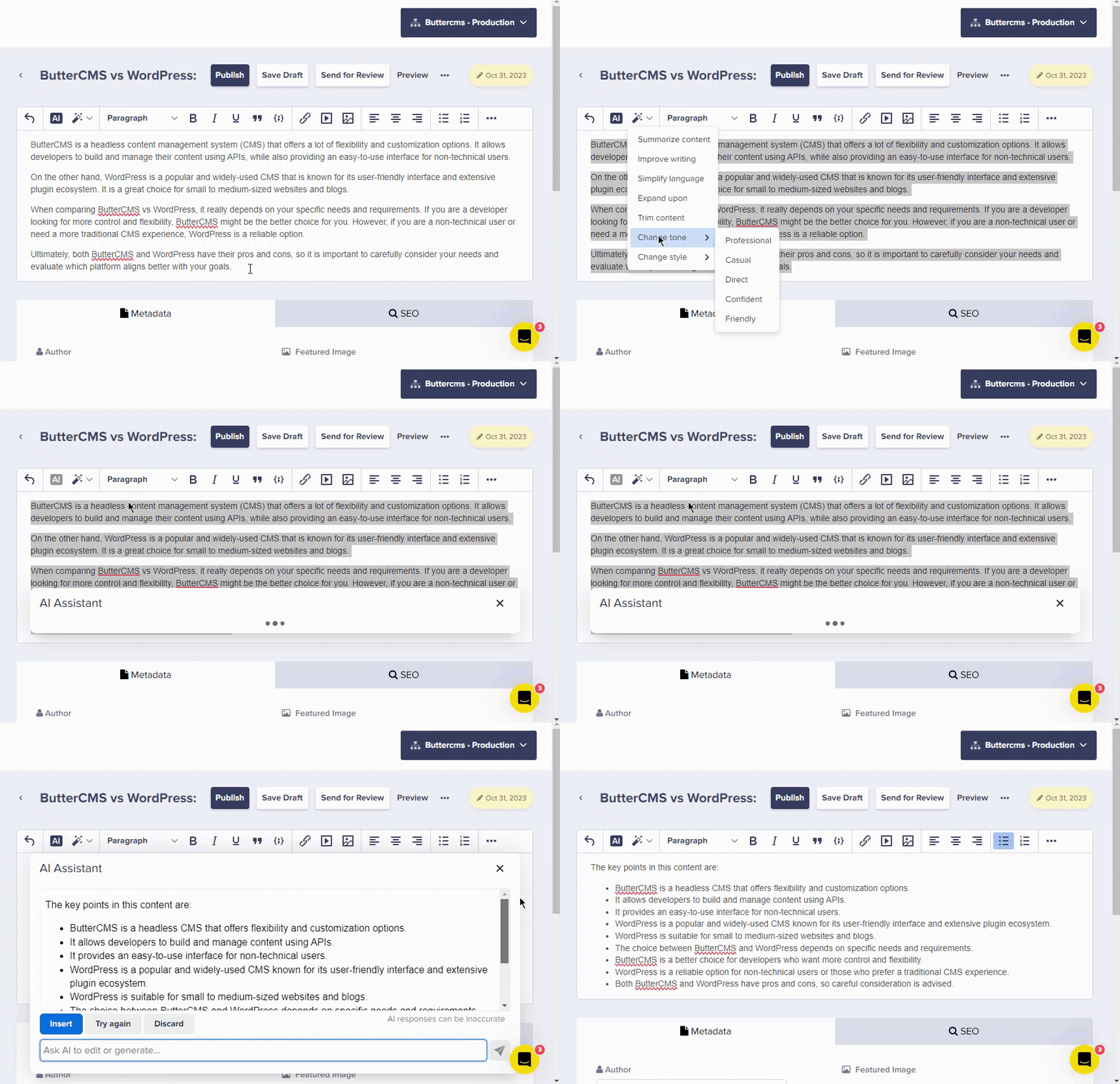
AI shortcuts: Transform existing content
Use AI Shortcuts to analyze and refine content that’s already in the editor. This is invaluable for content and marketing strategies.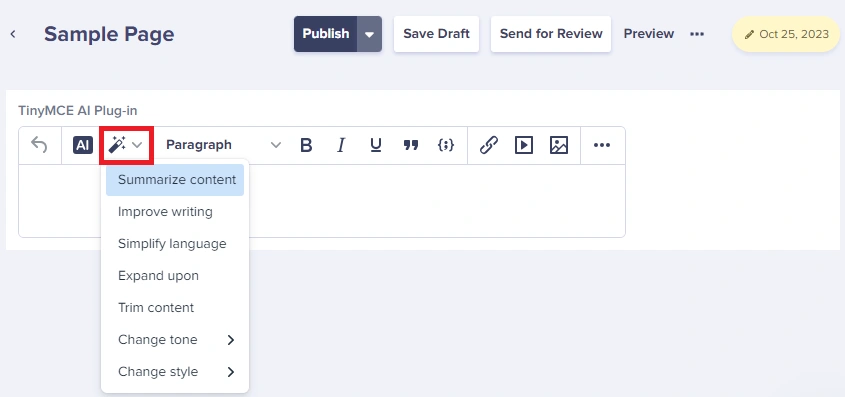 When you enable the TinyMCE AI plugin, you can:
- Use built-in default prompts provided out of the box
- Create custom prompts tailored to your specific needs
Common use cases
Content generation
- Blog Post Drafts - Generate initial drafts for blog posts based on topics and keywords
- Product Descriptions - Create compelling descriptions for product pages
- Marketing Copy - Write headlines, CTAs, and promotional content
Content improvement
- Rewriting - Transform existing content to improve clarity or change tone
- Summarization - Create concise summaries of longer content
- Expansion - Elaborate on brief points with more detail
Content optimization
- Grammar and Style - Fix grammatical issues and improve writing style
- Tone Adjustment - Shift content from formal to casual (or vice versa)
- SEO Enhancement - Optimize content for search engines
Best practices
Tips for effective AI content creation
- Be specific with prompts - The more detail you provide, the better the output
- Review and edit - Always review AI-generated content before publishing
- Maintain your voice - Use AI as a starting point, then refine to match your brand voice
- Iterate - Don’t expect perfection on the first try; refine prompts based on results
- Combine with human expertise - AI works best when paired with human creativity and judgment
Custom prompts
Creating custom prompts
To create custom prompts in ButterCMS:- Go to Settings > Integrations in your ButterCMS dashboard
- Enable the TinyMCE AI Plugin if not already enabled
- Add your OpenAI API key
- In the custom prompts section, add your prompt configurations