
Flag content for review or approval
Leave comments
Assign tasks and due dates
Track progress
Setting up a workflow
How to assign reviewers
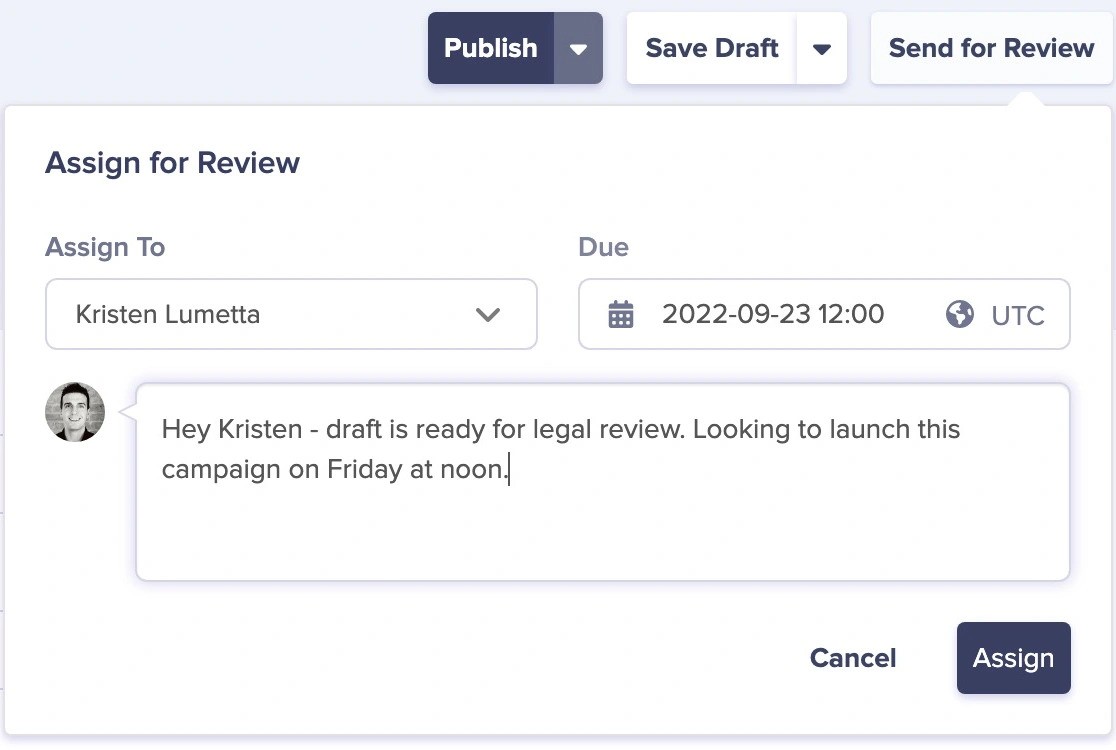
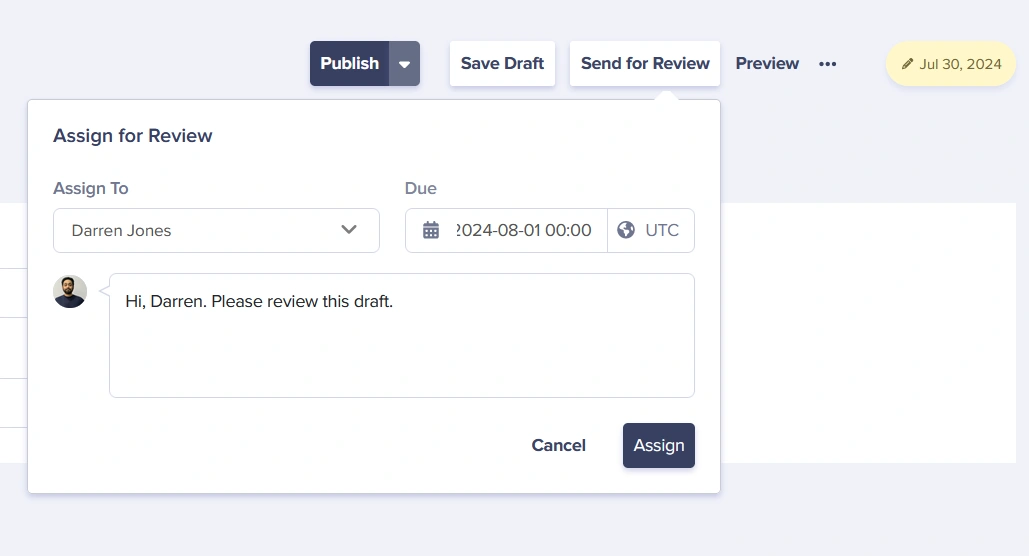
A workflow is kicked off when you assign draft content for review to someone in your organization.- Save your content as a draft
- Click the Send for Review button
- Select the team member who should review the content
- Optionally set a due date for the review
- Add any notes or instructions for the reviewer
Viewing assigned reviews
When content has been assigned to you for review:- An emailed notification will be sent to you
- The item will be marked as “Needs your review” in your dashboard
- The item will also be shown whenever the “In review” filter is selected in the dashboard list views
Complete your review
When you click on any item in the “Needs your review” section in your dashboard, you’ll be taken to a modified version history view, which will include:- Who assigned you the review, the due date, and any notes
- a workflow timeline in the history sidebar showing the actions taken on this content item
- update and save the content
- publish the content (requires publishing permissions)
- make revision requests and send it back to the requestor
- assign to someone else in your organization for review/approval
The workflow timeline
The workflow timeline is visible in a sidebar in the history view and includes:- Who reviewed it at each stage
- When it was assigned and completed
- Any notes or feedback provided