
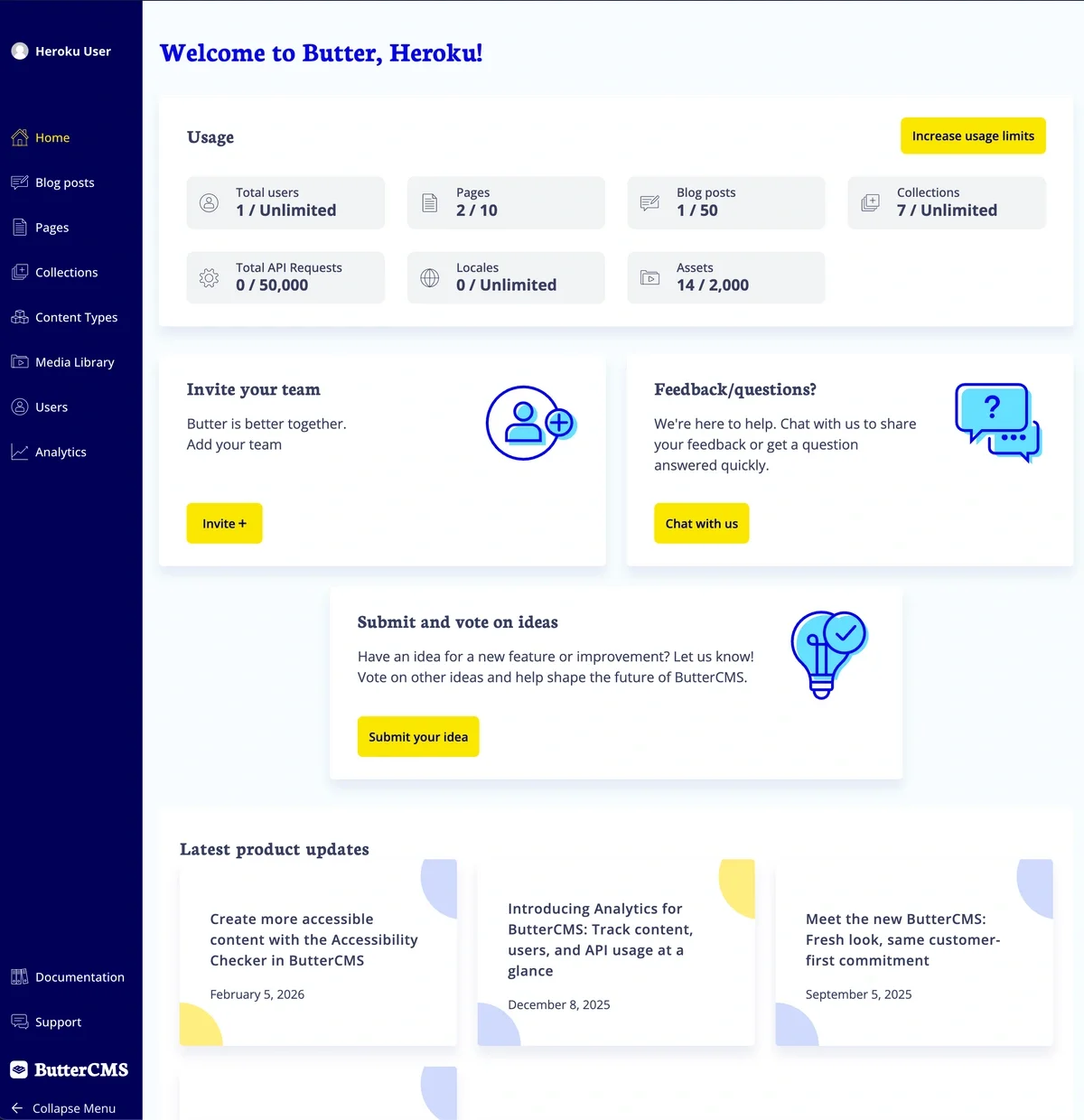
Sidebar navigation
The sidebar on the left side of your dashboard is your primary navigation tool. Here’s what you’ll find:Main sidebar links
Pages
Access all your Pages, organized by Page Type, or create new Pages.
Collections
View and manage your Collections (reusable data tables).
Blog Posts
Access the built-in blog engine to create and manage blog posts.
Content Types
View and configure Page Types, Collections, and Components.
Media Library
Upload, organize, and manage all your images, documents, and files.
Users
Add, invite, remove, and edit users and their profiles. Manage user roles and permissions.
Analytics
View usage metrics and request counts.
User profile sections
Hovering over your profile icon or name in the top left corner of the sidebar launches a secondary menu, which has access to the following account options:Settings
Access organization-level settings, API tokens, integrations, and more.
Integrations
Connect third-party services like Cloudinary, Bynder, or Typeform.
Billing
Manage plans and payments.
Environments
Configure multi-environment setups.
Multi-site
Configure multi-site setups.
Log out
Sign out of your ButterCMS account.
Editing and publishing interface
ButterCMS’s intuitive interface makes it easy to add content, save drafts, schedule publishing, check status, and more.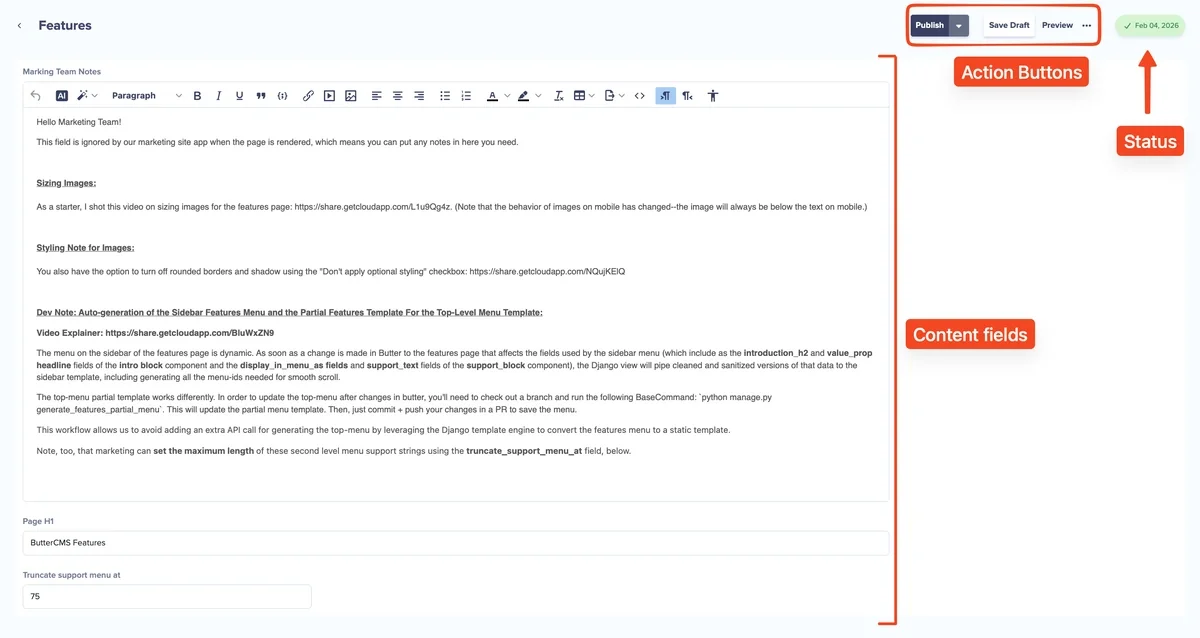 When you click on any content item, the main content area displays:
- Content fields - All the fields defined for that content type
- Status indicator - Shows whether content is Draft, Published, or Scheduled
Content in ButterCMS progresses through statuses like Draft, Scheduled, and Published. Learn more about the content lifecycle.
- Action buttons - Save, Preview, Publish, and more options
Top navigation bar
The top navigation bar provides quick access to: