
Supported field types
Repeaters can contain any combination of simple field types, including Reference Fields to other content types. They cannot contain Components, Component Pickers, or other Repeaters.Step-by-step: Creating a new Page with a Repeater
1
Create a new Page Type
First, go to your Pages dashboard, click the New Page button and a drop-down menu will appear. Choose Create new page.
2
Add the Repeater field
To create an image carousel or any repeating content, use the special field called a Repeater. This tool repeats the same set of fields over and over again.In the field selection panel on the right, find and select the Repeater field type. Give it a descriptive name like “image_carousel” or “features”.
3
Add nested fields to the Repeater
Add the fields that will be repeated for each item. For an image carousel example, add: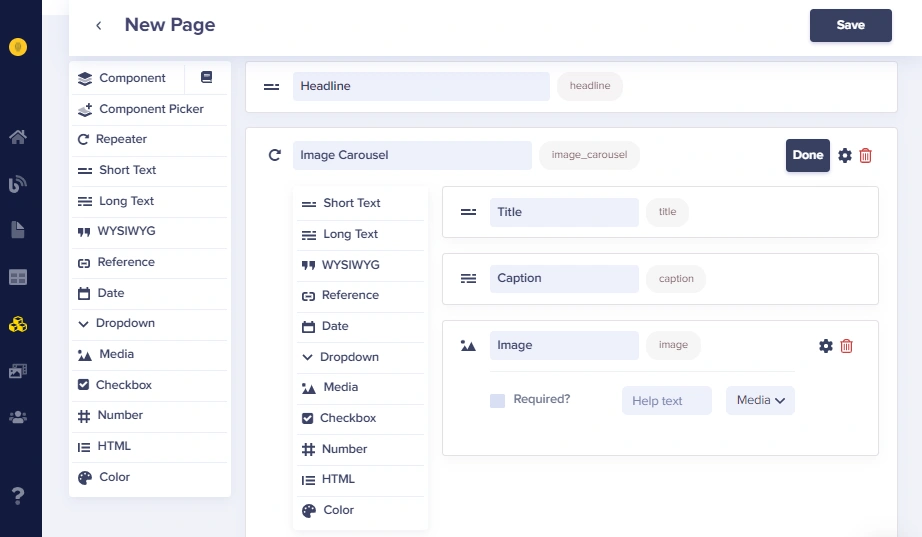
- Short Text for title
- Short Text for caption
- Media for the actual image
4
Save the Page Type
Save your page with a descriptive name and API slug. The API slug will be used when fetching this page via the API.
Common use cases
Product image carousels
In a Product Detail Page Type, you can define Product Image as a field that uses a Repeater. The field has three subsequent fields nested within it — a media field and two number fields for width and height dimensions.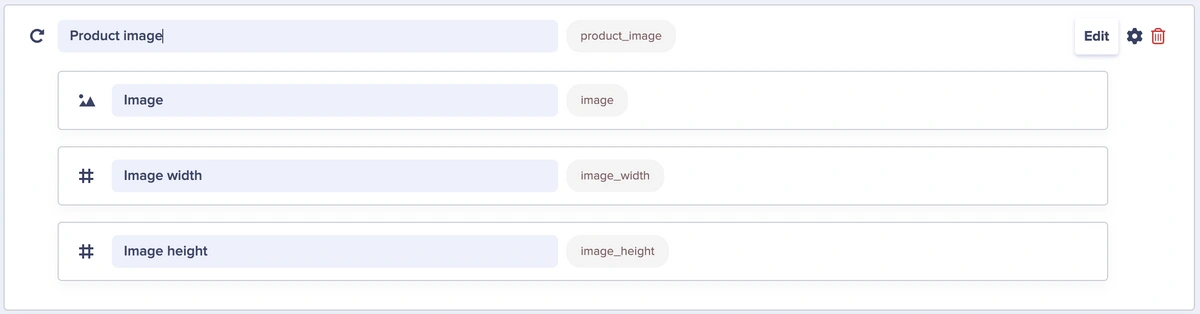 Here is an example from a product detail page with multiple product images:
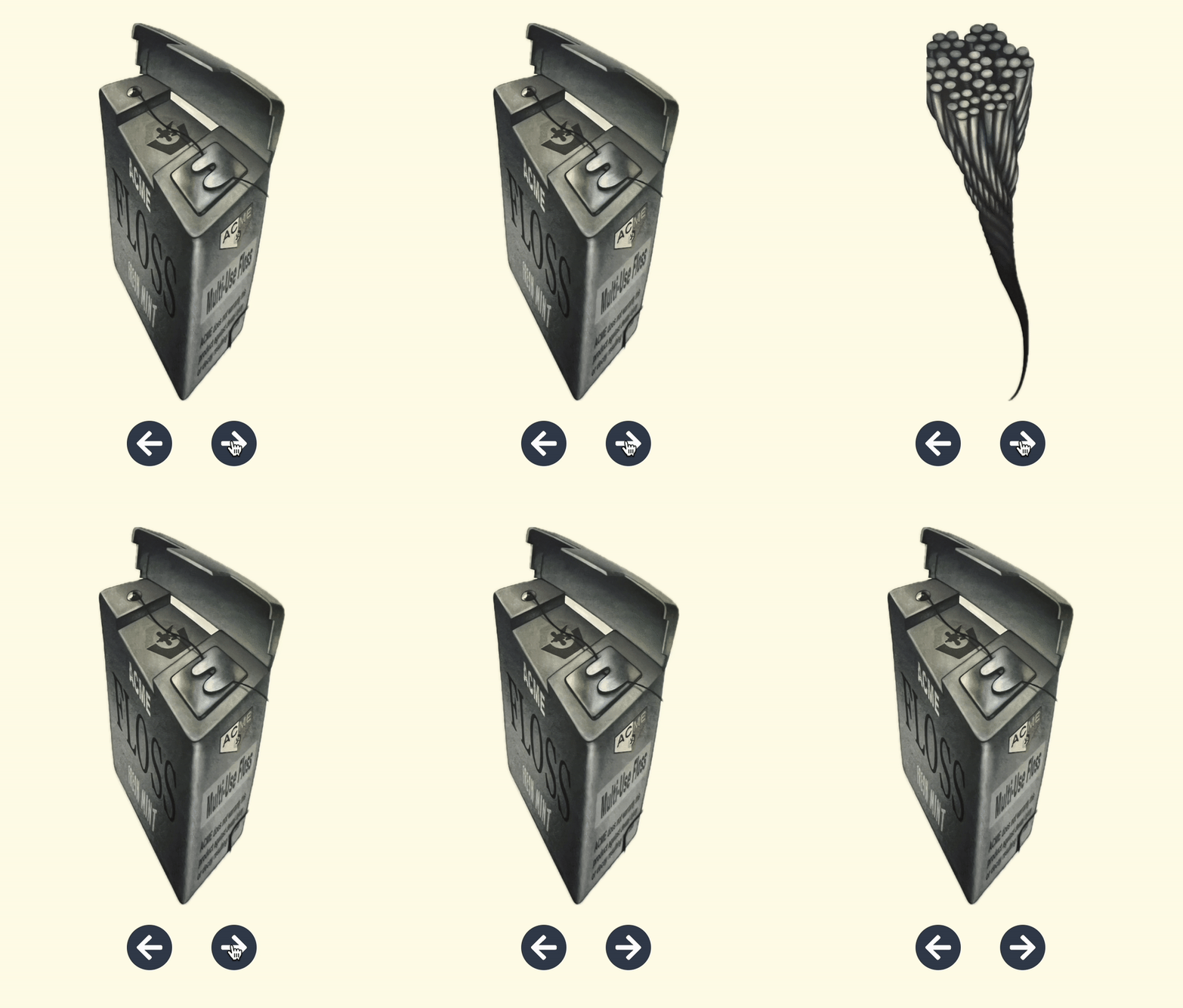
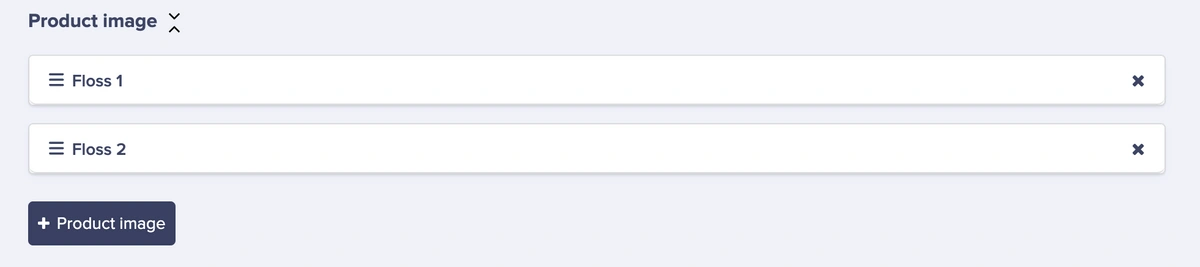 For this example, two images of the product were added, but you can always add more images. For developers, this field returns as an array, or list, of the product images. A developer can map over that list and render the images in any way they want.
Feature lists
To create a features section, use a Repeater field. With a Repeater, you can create a list containing a set of identical objects. For a features section, add the following fields to the Repeater:- Short Text named “Headline”
- Long Text named “Description”
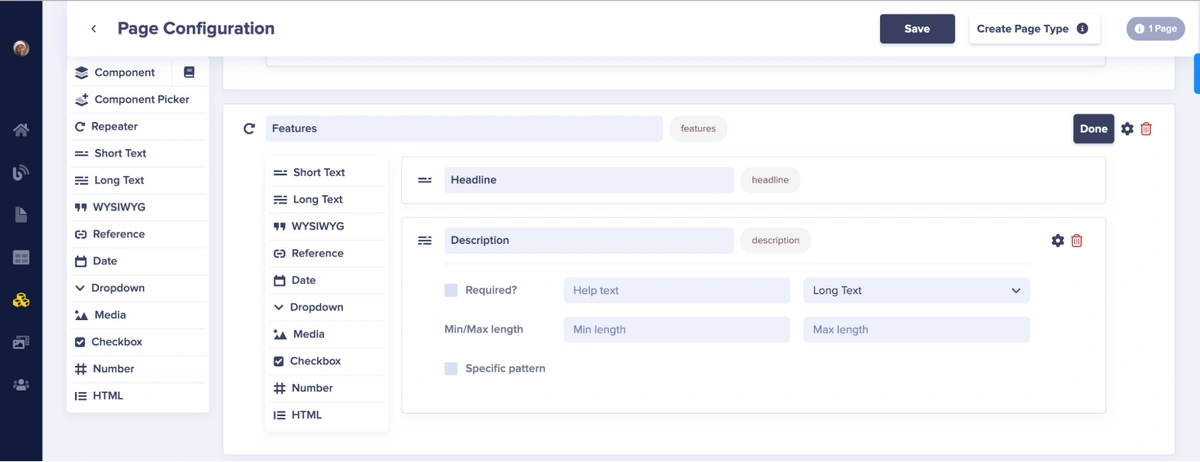
Creating a Repeater inside a component
For components that need repeating content, use a Repeater field within the component. Here’s how to create a services component with a Repeater: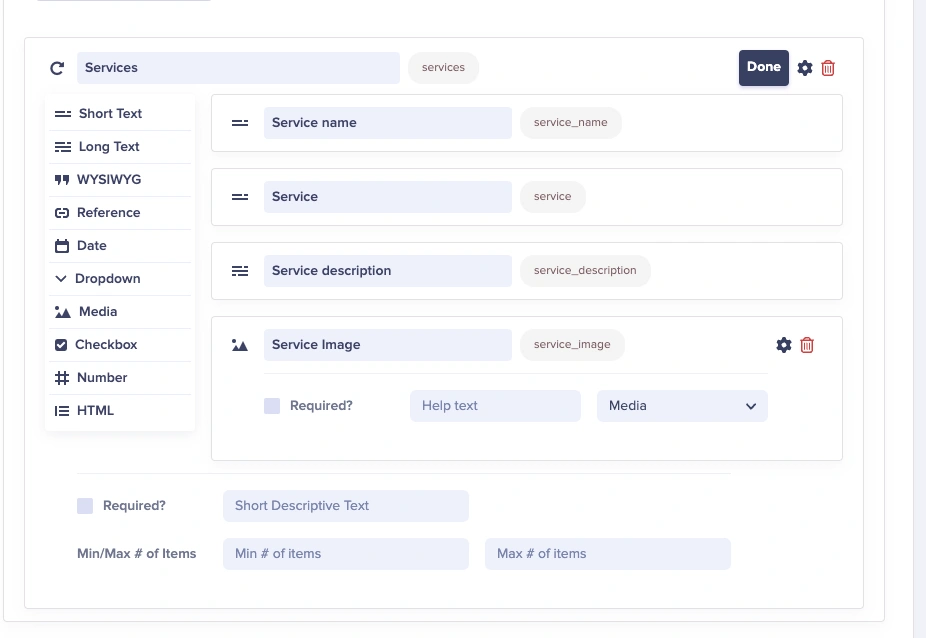 Using a Repeater field allows you to repeat the services content as many times as needed:
- Short Text for the service name
- Short Text for service tagline
- Long Text for service description
- Media for service image
More use cases
Features & benefits
Content lists
Social & testimonials
Configuring field validation
See Understanding repeaters for the configuration and validation options available to the entire Repeater field. To see the configuration and validation options available to the fields nested within the Repeater, see Configuring and validating fields.
Best practices for repeaters
Naming- Use plural names:
featuresnotfeature,testimonialsnottestimonial - Be descriptive:
product_featuresif you have multiple feature repeaters - Consistent field names within: Use the same naming conventions for subfields
- Keep Repeaters focused: 3-6 fields per Repeater is ideal
- Consider field order: Put required/primary fields first
- Add help text: Guide editors on what content is expected
- Keep structure flat: Repeaters are single-level in this codebase
- Consider pagination: For long lists, implement pagination in your frontend
- Lazy load media: For image-heavy Repeaters, use lazy loading
- Content editor freedom: Editors can add, remove, and reorder items without developer involvement
- Consistent structure: Every item follows the same schema, ensuring data consistency
- Flexible output: Developers receive clean JSON arrays to render however they choose
- No backend changes: Add new items without modifying code or database schemas