
Configuring fields
Field configuration options reference
Most field types support additional configuration. The exact configuration options for each field is documented in its corresponding core concepts article, which are all linked in the cards below.Components and Component Pickers don’t have any configuration options for the whole field. Instead, each field you add to them will have that field type’s configuration options.
Short Text field
Long Text field
WYSIWYG field
HTML field
Number field
Date field
Checkbox field
Dropdown field
Color field*
Media field
References
Repeaters*
Common configuration options
Some of the most common configuration options include:Required
Required
Required
The Required checkbox lets you mark a content field as required, so it cannot be left blank. This ensures content editors provide all necessary information before saving.When a field is marked as required:- The field displays a visual indicator (typically an asterisk *)
- Content cannot be saved or published without filling in the field
- A validation error message appears if left empty
Help text
Help text
Help text
When your content writers/editors enter content, the help text will appear to guide the types of information they should enter.Examples of effective help textMin/max text length
Min/max text length
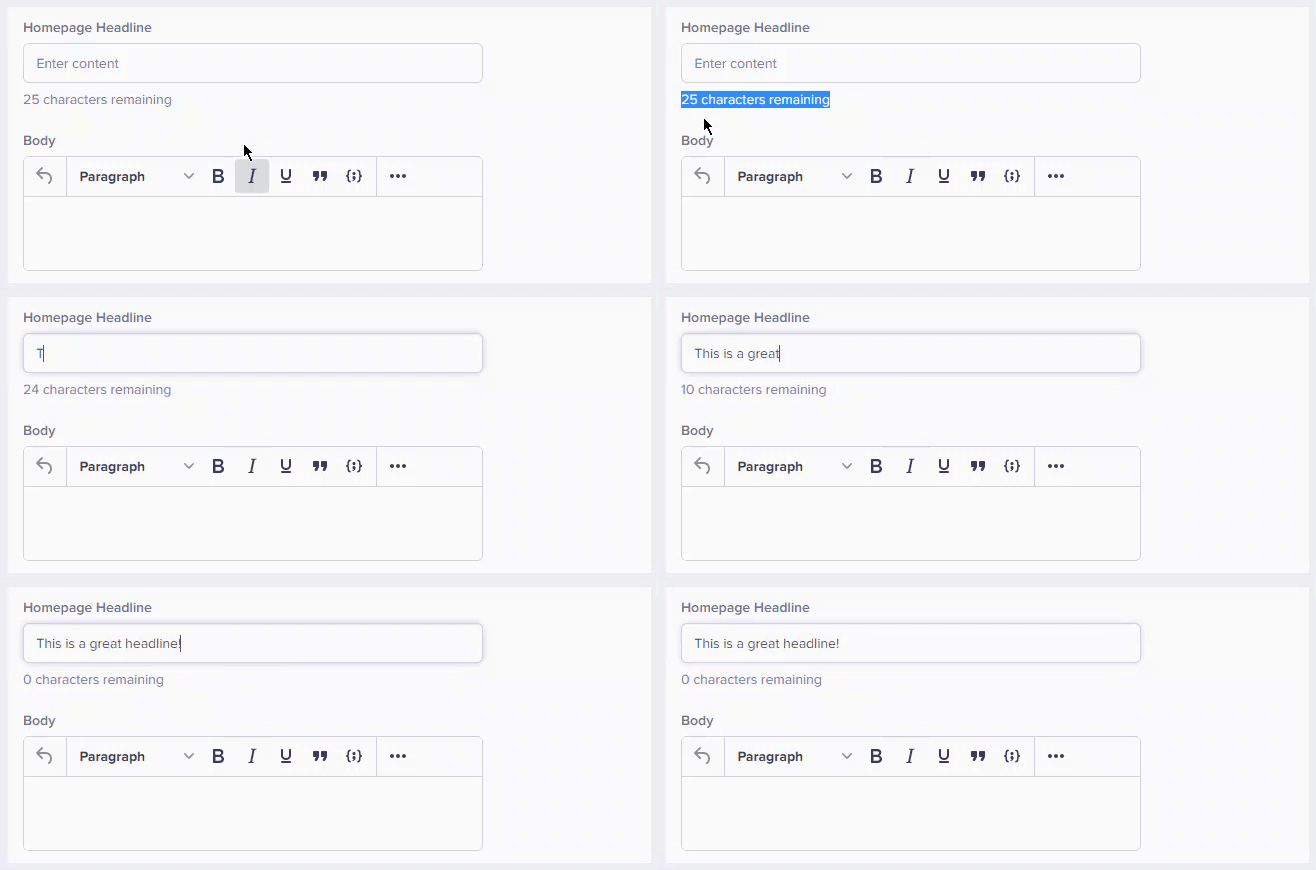
Default value
Default value
Several field types allow you to specify a default value for the field. See adding default values to fields for more information.
Validating fields
Pattern validation (specific pattern)
Short Text and Long Text fields have an additional configuration option: Regex pattern-based data validation. To use, check the Specific pattern box, and then select the pattern of your choice from the dropdown. You can select from a number of prebuilt patterns, or choose Custom and specify your own Regex. When selected, this option will ensure any data input into the field is correctly formatted before saving. Available pre-built patterns include:- URL
- US Phone number
- US Zip code
Common custom validation patterns
Here are examples of the most common custom Regex patterns used by some of our customers. Content slugsValidation limitations
ButterCMS validation is client-side and designed to guide editors. For critical data integrity, implement server-side validation in your application.
- Cross-field validation: Ensure field A is less than field B
- Uniqueness checks: Verify slugs are unique across content
- External verification: Check if URLs exist or emails are valid
- Complex business logic: Custom rules beyond basic validation
Best practices for configuring and validating fields
Be reasonable with requirements- Don’t over-require: Only mark truly essential fields as required
- Consider workflow: Allow drafts to be saved with incomplete data
- Balance strictness: Too much validation slows content creation
- Be specific: “Enter price in USD (e.g., 29.99)” not “Enter price”
- Include examples: Show what valid input looks like
- Explain the why: “Max 60 characters for SEO optimization”
- Research standards: Meta descriptions: 155-160 chars, titles: 50-60 chars
- Consider design: How much text fits in your UI?
- Allow flexibility: Minimums shouldn’t be too restrictive
- Test patterns: Verify regex works before deploying
- Keep patterns simple: Complex regex is hard to maintain
- Document patterns: Comment on what the pattern validates