
For localization architecture and API usage, see Localization Architecture and Fetching Localized Content via API.
Enabling localization
To set up Localization in your ButterCMS account, navigate to Settings > Localization and enter the name and slug for all the Locales you want to set up: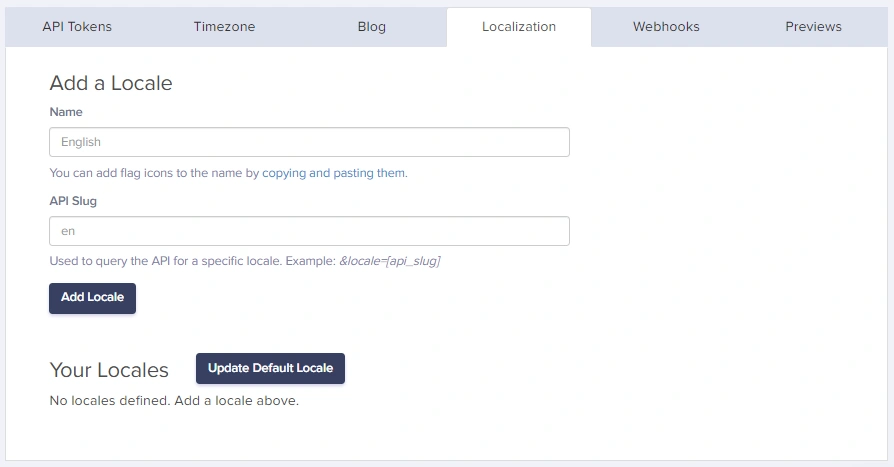
Adding a new locale
1
Navigate to Settings
Click on your profile name in the top-left corner, then select Settings.
2
Open localization tab
Click on the Localization tab in the settings menu.
3
Add locale details
Enter the Locale Name (e.g., “Spanish”, “French”, “German”) and the API Slug (e.g., “es”, “fr”, “de”).
4
Save your locale
Click Save to add the locale to your account.
Setting the default locale
By default, the first Locale you enter will be your Default Locale. You can change this anytime by clicking on the radio button for the Locale you want to set as the default: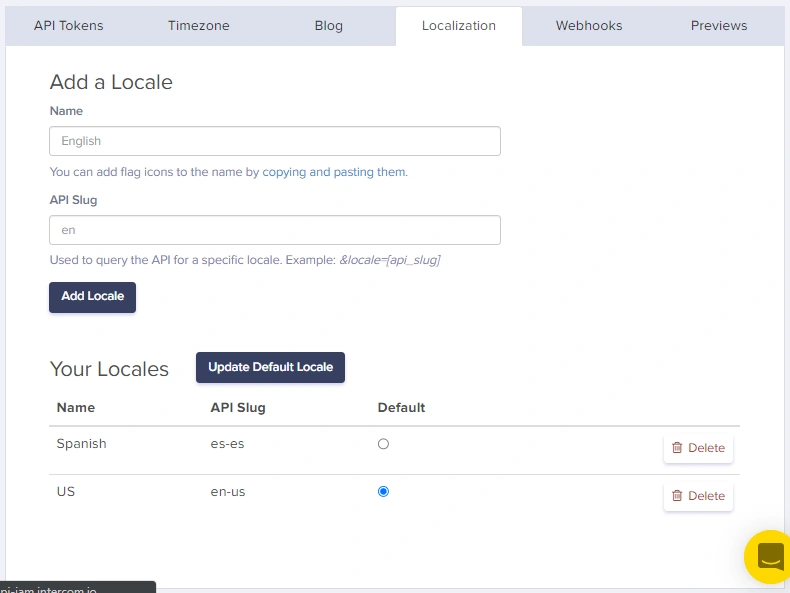
The default locale is used when no specific locale is specified in API requests.
Common locale examples
Understanding locale independence
Each locale version of a page or collection item is independent. Publishing, editing, or deleting content in one locale does not affect other locales.Fetching published localized content
Managing publication status across locales
Status options
Each locale can have one of these statuses:Viewing locale status
In the ButterCMS dashboard, you can see the publication status of each locale:- Navigate to Pages or Collections
- Select the content item
- Use the locale dropdown to switch between locales
- Each locale shows its current status (Draft/Published)