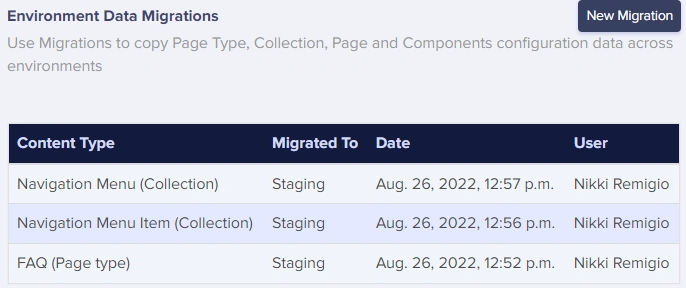
The ButterCMS migrations tool
The ButterCMS migrations tool makes migrating data across your environments and sites dead simple. With the migrations tool, you can perform any of the following operations:- Entire environment - Completely replace a target environment with the content from the source environment
- Components - Migrate components across sites and environments
- Single Pages - Great for when you want your staging and production sites to have the same structure
- Page Types - Migrate the schema along with associated pages
- Collections - Migrate collections and all their items
Schema vs. content migrations
When creating a migration for a specific type of content, you can migrate only the schema—the content’s configuration—or the content itself.Creating a migration
1
Navigate to Migrations
From the ButterCMS dashboard, navigate to Migrations in the main menu.
2
Select source environment
Choose the environment you want to migrate from (e.g., Development or Staging).
3
Select what to migrate
Choose entire environment migration, or choose the content type: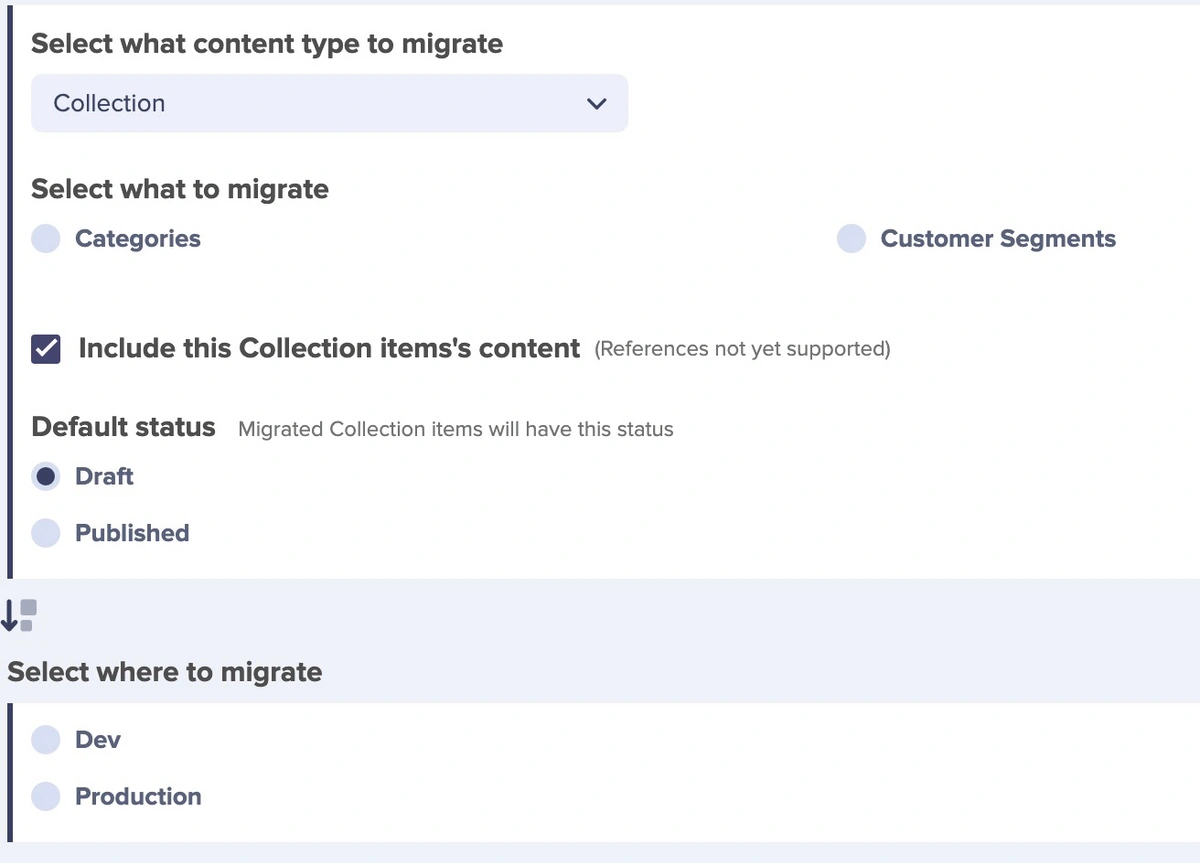
- Page Types - Select one or more Page Types
- Collections - Select one or more Collections
- Components - Select components to migrate
- Single Pages - Select individual pages
4
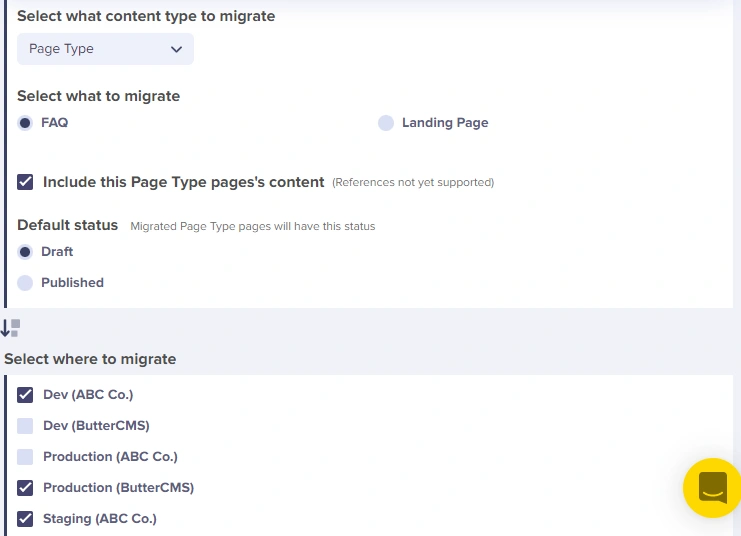
Select destination(s)
Choose one or more destination environments or sites:
- You can select multiple destinations
- Cross-site migrations are supported
5
Review and confirm
Review your migration settings and click to confirm.
Important considerations
Handling references in migrations
Reference fields allow you to create relationships between your content types. When migrating content types that include References to other content types, the migration order is important. Migrations will fail if the referenced content is not migrated first. In other words, you must migrate in dependency order.- PageTypeA has a reference to PageTypeB
- Migrate PageTypeB first
- Then migrate PageTypeA
Handling locales in migrations
When migrating localized content:- The destination site must have identical locales configured. If locales don’t match, content for missing locales will not be migrated.
- Migrate all locale versions together to maintain content consistency.
- Locale-specific content (like translated text) is environment-specific and should be verified after migration.
Migration job status
Migrations of schemas or content (other than entire environment clones) are immediately queued into jobs and are completed after a short delay (3-5 minutes). You can track the job’s status in the migration history view. If you select to clone/migrate a source environment to a target environment, a system-generated email will be sent to our customer success team with the clone details. Your clone will be performed within 48 hours.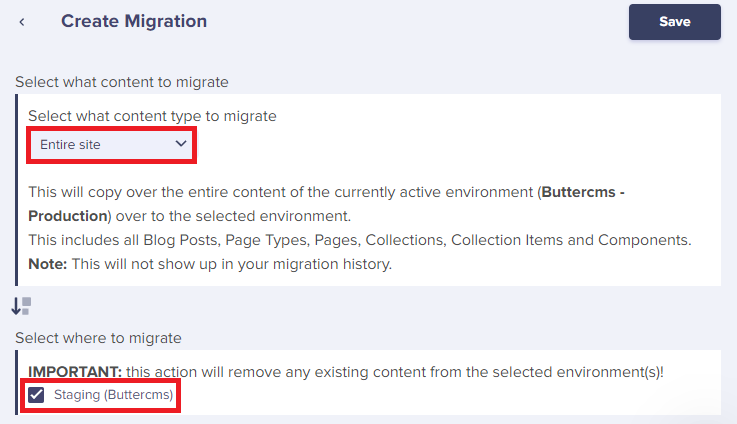
Incremental needs
The ButterCMS migrations tool currently does not support incremental updates. For incremental needs:- Use the Write API for targeted updates
- Implement custom sync logic in your application
- Track migration timestamps to identify changed content
Migration history
You can also view a log of all migrations that occurred in each environment, so you can keep track of everything.