
ButterCMS multi-site and multi-environment features are only available on specific plans. If you don’t have access to these features, and would like to, please contact support or upgrade your plan.
The below diagram illustrates this concept. As you can see, a single ButterCMS account can manage multiple sites, and each site can have multiple environments to allow for testing, staging, and deploying content. For global sites that have content in many languages, the multi-site and multi-environment features can be combined with our locales feature, which allows you to create localized versions of all of your content.
Key benefits
Centralized user management
A single login gives users access to all permitted sites and environments from one account.
Consistent content modeling
Define and maintain a shared content structure across all your sites and environments.
Site independence
Each site has its own content, schema, API keys, and locales — fully isolated even while managed from a single account.
Environment isolation
Environments run as separate instances. Safely test schema before migrating content between environments.
Site-level settings
Each site in ButterCMS has independent settings: Content configuration- Page Types - Define unique content structures per site
- Collections - Create site-specific data tables
- Components - Build reusable content blocks for each site
- Locales - Configure languages specific to each site’s audience
- Users(*) - Assign users to specific sites
- Roles(*) - Set permissions (Admin, Publisher, Author) per site
- Locale Permissions - Control language access per user
- Read API Token - For fetching published content
- Write API Token - For programmatic content creation (requires account-level enablement)
- Preview parameter - Use
preview=1with the Read API token to access draft content
Use cases
Managing multiple brands or subsidiaries
Managing multiple brands or subsidiaries
Organizations with multiple brands often struggle to maintain consistent branding and messaging across different websites. A multi-site CMS helps simplify this process and ensure a cohesive brand experience.
Expanding into new markets or regions
Expanding into new markets or regions
As a global business, you must localize content for different languages and cultures. A multisite CMS not only offers built-in localization but also allows you to easily replicate a website for new regions without starting from scratch.
Preparing for growth
Preparing for growth
If you are planning to add new websites, brands, or regions to your digital ecosystem, a multisite CMS helps avoid scalability challenges and the heavy costs associated with managing separate website infrastructures.
Frequent acquisitions or partnerships
Frequent acquisitions or partnerships
Frequent acquisitions, mergers, or partnerships can lead to a complex digital landscape. With a multisite CMS, content management for all sites is centralized, making integration easier.
Agency site management
Agency site management
Multisite also works well for agencies that need to manage multiple client websites. As an agency, you can switch between client websites to provide them with the support they need, all from one place.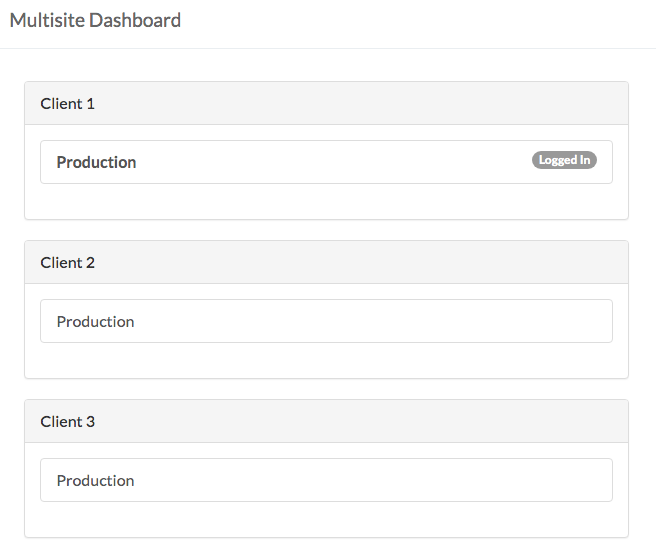
Best practices
Recommended environment structure
For most teams, we recommend a three-environment setup:Development environment
Staging environment
Production environment
Implementation best practices
Start with a strategic plan
Start with a strategic plan
Before implementation, establish a clear strategy that outlines your goals and needs. Articulate what you want to achieve with your multisite CMS—whether it’s improved website performance, streamlined content management, enhanced customer experience, or all of the above.
Enforce strong multi-user management
Enforce strong multi-user management
Set up a clear system for user roles and permissions to control access across all your sites. Use the CMS’s built-in user roles features to maintain accountability, streamline management, and prevent unauthorized access to sensitive data.
Craft a comprehensive content strategy
Craft a comprehensive content strategy
A well-defined content strategy can make multisite management easier. This strategy should align with your business objectives and govern workflows related to content creation, approval, and publication.
Maintain consistent patterns
Maintain consistent patterns
- Use similar Page Type structures across sites when possible
- Create a shared component library for brand consistency
- Document naming conventions for your organization
Regular audits
Regular audits
- Review user access quarterly
- Audit content across sites for consistency
- Check for unused or orphaned content