
The three default roles
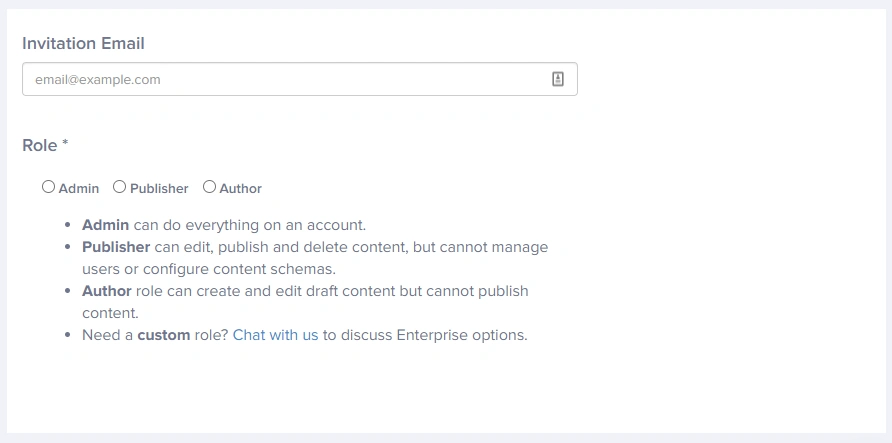
ButterCMS provides three built-in roles that cover the most common team structures:- Admin - Can do everything on an account. You’ll want to use this for your developers as they deal with the content configuration that is used within your project’s code.
- Publisher - Can edit, publish, and delete content, but cannot manage users or configure content schemas.
- Author - Can create and edit draft content (Blog Posts, Pages, Collections) but cannot publish content live to your site.
Role capabilities matrix
The following table provides a detailed breakdown of what each role can and cannot do:Content operations
Configuration & administration
User and account management
Important: Only admins can delete pages and collection items if localization is enabled.
Admin role
The Admin role provides complete access to all features in ButterCMS. This is the most powerful role and should be assigned carefully.Who should be an admin?
- Developers - Who configure content schemas, set up webhooks, and manage API integrations
- Technical leads - Who oversee the ButterCMS implementation
- Account owners - Who need access to billing and account settings
- IT administrators - Who manage user access across the organization
Publisher role
The Publisher role is designed for content managers who need to control what goes live but shouldn’t modify the underlying content structure.Who should be a publisher?
- Content managers - Who oversee editorial calendars and publishing schedules
- Senior editors - Who approve and publish content from other team members
- Marketing leads - Who need to launch campaigns and update live content
- Project managers - Who coordinate content releases across teams
Publisher capabilities
Publishers can:- Full Content Control - Create, edit, publish, unpublish, and delete all content types
- Schedule Content - Set future publication dates for content
- Media Management - Upload, organize, and edit media assets
- Preview Changes - Review content before publishing
- Modify content schemas (Page Types, Collections, Components)
- Add or remove users from the account
- Access API tokens or account settings
- Configure webhooks or integrations
Author role
The Author role provides the ability to create and edit content without the risk of accidentally publishing unfinished work.Author capabilities
Authors can:- Create Content - Draft new blog posts, pages, and collection items
- Edit Drafts - Modify unpublished content
- Upload Media - Add images and files to the media library
- Save Work - Preserve progress on content pieces
- Publish content to the live site
- Delete any content
- Modify content schemas
- Manage users or account settings
Choosing the right role
Use this quick guide to determine which role to assign:Should this user configure content schemas?
Should this user configure content schemas?
If YES: Assign Admin role. Only Admins can create or modify Page Types, Collections, and Components.
Should this user publish content to the live site?
Should this user publish content to the live site?
If YES: Assign Publisher role (or Admin if they also need configuration access).If NO: Assign Author role.
Should this user manage other team members?
Should this user manage other team members?
If YES: Assign Admin role. Only Admins can add, remove, or modify user accounts.
Is this a developer or technical user?
Is this a developer or technical user?
If YES: Assign Admin role. Developers typically need access to API tokens, webhooks, and schema configuration.
Default role limitations
- No Granular Content Access - Default roles apply to all content types equally
- No Locale Restrictions - Locale access is configured on a user’s profile and not tied to their role in ButterCMS