|
TL;DR
|
What a CMS actually does (and why the right one matters)
A content management system (CMS) is a platform that controls how you create, organize, and publish website content. At its core, a CMS gives non-technical users the ability to create, edit, and publish content without writing code. It handles page layouts, media, blog posts, landing pages, and more through a user-friendly interface that your whole team can access.
That sounds simple enough. But the CMS you choose determines how quickly your team can publish, how well your site performs in search engines, and how easily your organization can scale. The right CMS streamlines workflows, supports collaboration across teams, and grows with your business. It empowers your team to manage content across channels and move fast without waiting on developers.
Start with your goals, team, and content strategy
Before you compare CMS platforms, define what you're building, who will use it, and how fast you expect to grow. This single step brings clarity to the rest of the process.
Every CMS decision should begin with three questions:
|
Question |
Why it matters |
|---|---|
|
What type of digital experience are you building? (Blog, e-commerce site, marketing hub, member portal, app, etc.) |
Different CMS types are optimized for different use cases. A blog has different requirements than a multi-language e-commerce platform. |
|
Who will manage content day-to-day? |
If your team is mostly marketers and content editors, you need a user-friendly interface and visual editor. If you have developers, you can consider code-centric CMS options. |
|
How fast do you expect to grow? |
A CMS that handles 10 pages today should handle 10,000 tomorrow. You shouldn't have to choose between launching fast and scaling well. |
Remember: stakeholder alignment is one of the highest-leverage steps you can take. When teams have a voice early, you build buy-in that drives adoption from day one. Choosing a CMS is a cross-functional decision, and the people who use it daily need a voice in the process.

CMS types explained: which one fits your team?
There are six CMS categories, and each one trades off control for convenience differently. Your team size and technical expertise determine which trade-off is right.
Understanding the different CMS platforms available is the most important step in narrowing your shortlist. Here's how each type works and who it's best for.
Open-source CMS platforms like WordPress and Drupal give you full code access and infinite customization. They're community-driven, with large plugin and theme ecosystems. The trade-off is that they require hosting, ongoing maintenance, and technical expertise.
SaaS CMS platforms are cloud-hosted and fully managed by a third-party provider. Setup is fast, updates are automatic, and you don't manage infrastructure. They're ideal for small teams or marketing-led organizations that want a user-friendly CMS without operational overhead.
Headless CMS platforms focus solely on content management, delivering content via APIs to any front-end, like website, mobile apps, IoT devices, or anything else. They offer maximum flexibility for omnichannel delivery but require development skills. This is the right CMS for modern engineering teams building multi-channel experiences.
Hybrid CMS platforms combine traditional WYSIWYG editing with headless API delivery. They're best for organizations transitioning from legacy systems to modern architectures who need both a marketer-friendly content editor and API-first flexibility.
Proprietary CMS platforms are closed-source and vendor-managed, with built-in security features and guaranteed support. Customization options are more limited, but the trade-off is simplicity and enterprise-grade governance.
Custom CMS solutions are built from scratch for highly specialized workflows. They carry the highest cost and are rarely necessary given the maturity of today's CMS ecosystem.
|
CMS types explained: A quick comparison table |
||
|---|---|---|
|
CMS type |
Best for |
Key trade-off |
|
Open-source (e.g., WordPress, Drupal) |
Dev teams wanting full control |
Requires hosting + ongoing maintenance |
|
SaaS |
Small teams, marketing-led orgs |
Less backend control |
|
Headless |
Multi-channel, API-first teams |
Requires development skills |
|
Hybrid |
Teams needing both editing + APIs |
Can be complex to manage |
|
Proprietary |
Regulated enterprises |
Limited customization |
|
Custom |
Highly specialized workflows |
Highest cost, hardest to maintain |
Once you've identified the right CMS type, comparing specific platforms makes the decision concrete. If you're leaning headless, start with a comparison of the best headless CMS platforms to see how vendors stack up on the criteria that matter most.
7 key factors to evaluate any CMS
Once you know which CMS type fits, evaluate your shortlist against these seven criteria. Ease of use and integration capabilities tend to be the make-or-break factors for most teams.
1. Ease of use
Your CMS must offer a user-friendly interface so non-technical users can create, edit, and publish content without relying on developers. Look for visual editors, real-time preview, and intuitive content editing with reusable components. If your team dreads logging in, adoption will fail regardless of how powerful the platform is. And the learning curve matters. A CMS that requires weeks of training for basic tasks may not be the right fit.
2. Scalability and performance
The CMS should support growth in traffic, content volume, and user activity without compromising performance. Cloud-native platforms and headless architectures typically handle scaling automatically, while traditional CMS platforms usually require manual server configuration and capacity planning. Think about where your business needs will be in two to three or even ten years, not just where they are today.
3. Security features
Look for built-in security features including regular updates, automated backups, data protection, and compliance with regulations like GDPR and HIPAA. The CMS should also support version control and user permissions to prevent unauthorized changes. Security isn't optional; it's table stakes for any organization handling customer data.
4. Integration capabilities
Your CMS must connect with your existing tools: CRM systems (like Salesforce or HubSpot), marketing automation platforms, analytics tools (like Google Analytics), e-commerce systems, and payment processors. Integration capability is often the single most decisive factor in CMS evaluation. A CMS that doesn't play well with your tech stack creates data silos and manual workarounds.
5. SEO and analytics
Many CMS platforms come with built-in SEO tools and analytics integrations for search engine optimization. Look for customizable URLs, meta field editing, structured data support, sitemap generation, and performance tracking. The ability to optimize content directly within your CMS (without third-party plugins) saves time and improves consistency.
6. Customization and flexibility
Can you build custom templates and layouts? Extend functionality with APIs? Deliver content across multiple channels including websites and mobile apps? Popular CMS platforms like WordPress offer extensive template libraries, while headless CMS solutions provide maximum frontend freedom for developers. Match the level of design control to your team's actual needs.
7. Multilingual and multisite support
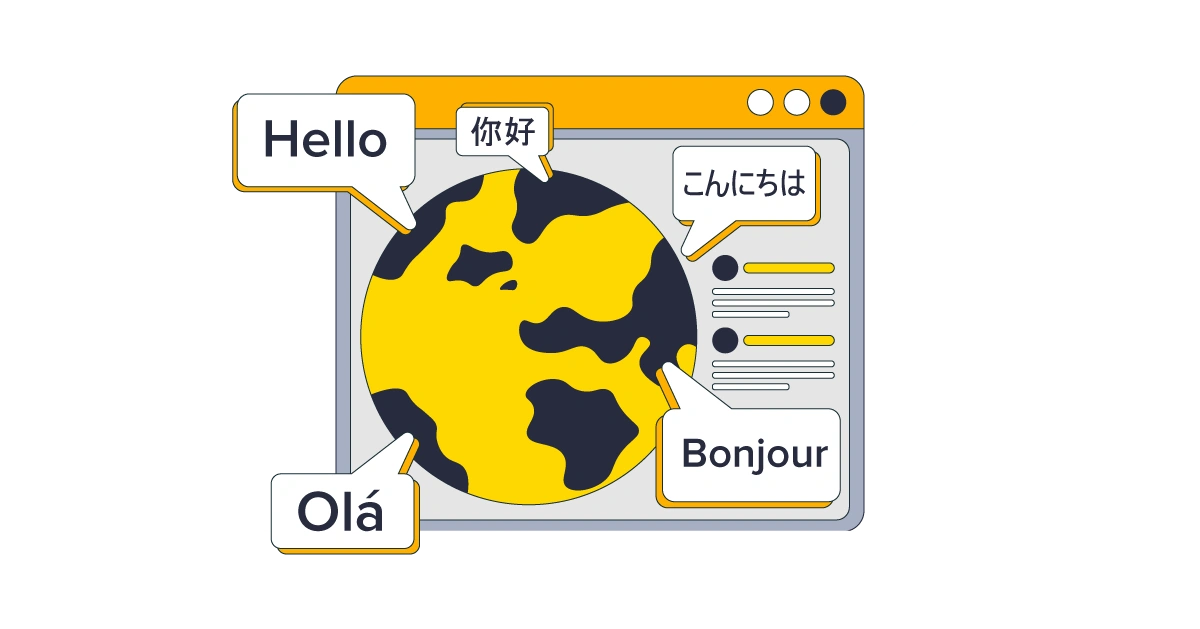
If you serve multiple regions, your CMS should support multiple languages, regional URLs, local currencies (for ecommerce), and regional content workflows. Multisite support enables organizations to manage multiple websites (brand variants, campaign microsites, or regional sites) from a single platform. This capability directly impacts international SEO and conversion rates.
But multilingual and multisite aren't just content features, they're infrastructure decisions. Running multiple websites or language variants from a single CMS puts real pressure on performance. The technical architecture behind it matters more than most buyers realize. We've broken down key technical architecture considerations below:
|
Technical requirement |
What it does |
Why it matters for multisite |
|---|---|---|
|
Cloud infrastructure |
Distributes resources dynamically across servers |
Prevents one high-traffic site from starving the others |
|
Load balancing |
Spreads incoming traffic across multiple servers |
Keeps all sites responsive during traffic spikes, not just your primary domain |
|
Caching layers |
Stores frequently accessed content closer to the user |
Reduces server load when you're serving the same content in multiple languages or regions |
|
Global CDN |
Delivers static assets from servers geographically close to each visitor |
Critical for international sites; a visitor in Tokyo shouldn't wait for a response from a server in Virginia |
|
High-performance APIs |
Enables fast content delivery to multiple front-ends simultaneously |
Essential if you're using a headless CMS to power websites, mobile apps, and regional microsites from the same content hub |
|
Horizontal scaling |
Adds more servers as demand grows rather than upgrading a single server |
Lets you launch new regional sites or campaign microsites without re-architecting your infrastructure |
Headless and SaaS CMS platforms typically handle this scaling automatically since it's usually built into the hosting model. Traditional and open-source CMS platforms usually require you to configure load balancing, caching, and CDN layers yourself, which means more technical expertise and higher ongoing maintenance costs. If multisite is on your roadmap, factor these infrastructure requirements into your CMS evaluation early too.
|
Factor |
What to look for |
Red flag |
|---|---|---|
|
Ease of use |
Drag-and-drop, real-time preview, low learning curve |
Requires developer involvement for basic content updates |
|
Scalability |
Cloud-native infrastructure, auto-scaling, CDN support |
Performance degrades as content or traffic grows |
|
Security |
GDPR/HIPAA compliance, automated backups, user permissions |
No clear update schedule, no data encryption |
|
Integrations |
Native CRM, analytics, and marketing tool connectors |
Requires custom development for basic integrations |
|
SEO & analytics |
Built-in meta fields, structured data, analytics dashboard |
No URL customization, no sitemap generation |
|
Customization |
Custom templates, API extensibility, omnichannel delivery |
Locked templates, no API access |
|
Multilingual/multisite |
Language management, regional URLs, centralized admin |
Manual duplication required for each language or region |

Understanding total cost of ownership
Total cost of ownership includes hosting, maintenance, support, training, and future scaling. It varies dramatically by CMS type and understanding the full picture helps put you in control.
CMS platforms charge fees differently. Open-source CMS platforms like WordPress are free to install, but you'll pay for hosting, developer time, plugin licenses, and ongoing maintenance. SaaS CMS platforms bundle hosting, security, and updates into a predictable subscription. Proprietary platforms carry licensing fees plus enterprise-grade support costs. Custom-built solutions require a full engineering team.
The hidden trap: low upfront cost can lead to high long-term cost. Technical debt, performance issues, and plugin maintenance pile up quickly with open-source solutions that aren't properly resourced. Before making an informed decision, map out what you'll spend over three to five years, and even ten. Remember budget doesn't exist in a vacuum: consider scalability, security, integrations, and user experience alongside TCO when choosing a CMS, because a cheaper platform that fails on any of those fronts can cost you more in the long run.
|
CMS type |
Upfront cost |
Ongoing cost profile |
|---|---|---|
|
Open-source |
Low (free to install) |
Variable: hosting, dev time, plugins, maintenance |
|
SaaS |
Medium (subscription) |
Predictable: hosting, security, updates included |
|
Proprietary |
Medium–high (licensing) |
Structured: enterprise support included |
|
Custom |
Highest (full dev build) |
Highest: requires dedicated engineering team |

Future-proofing your CMS and evaluating vendors
A CMS that can't evolve with your business needs becomes the bottleneck it was supposed to eliminate. Look for API-first architecture, a clear product roadmap, and an experienced implementation partner.
The right CMS should support where your organization is going, not just where it is today. Future-proof platforms share a few characteristics: API-first architecture, microservices compatibility, cloud-native deployment, and readiness for AI, personalization, and IoT use cases. Understanding the vendor's product roadmap protects you against platform stagnation and vendor lock-in.
The implementation partner is equally important. An experienced partner plays a crucial role in the success of a CMS project — from initial configuration to data migration to training your team. Evaluate their track record, industry expertise, and the depth of their onboarding resources.
And always test before committing. Run a demo, start a free trial, or build a proof of concept with real content and real workflows. A CMS that looks great in a sales presentation may feel very different when your content team is using it daily.
Questions to ask every CMS vendor:
|
Question |
What the answer tells you |
|---|---|
|
What does your 12 – 24-month product roadmap look like? |
Whether the platform is actively evolving or stagnating |
|
What uptime SLAs do you guarantee? |
How seriously they take reliability |
|
What migration tools or partner support exist? |
How painful the switch will be |
|
What is the estimated TCO over 3–5 years? |
Whether the pricing is truly predictable |
|
How do you support omnichannel content delivery? |
Whether they're built for modern, multi-channel experiences |
Choose your CMS with confidence
You don't need to evaluate every CMS on the market, just the ones you've identified are right for your specific goals.
Here's the framework in one sequence: define your goals and content strategy, assess your team's technical skills, get input from stakeholders, identify the right CMS type, evaluate your shortlist against the seven key factors, calculate total cost of ownership, and test before you commit.
Ready to see how it works in practice? Start a free trial or request a personalized demo to explore whether ButterCMS is the right CMS for your team.
For more articles about how to choose a CMS, check out: