
Scheduling Blog Posts
Single Blog Post
On the Metadata tab of your Blog engine, simply click on Publish Date and choose the date and time when you want your post to go live.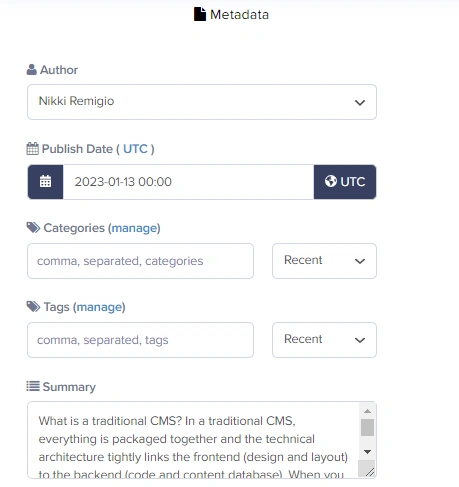
Multiple Blog Posts
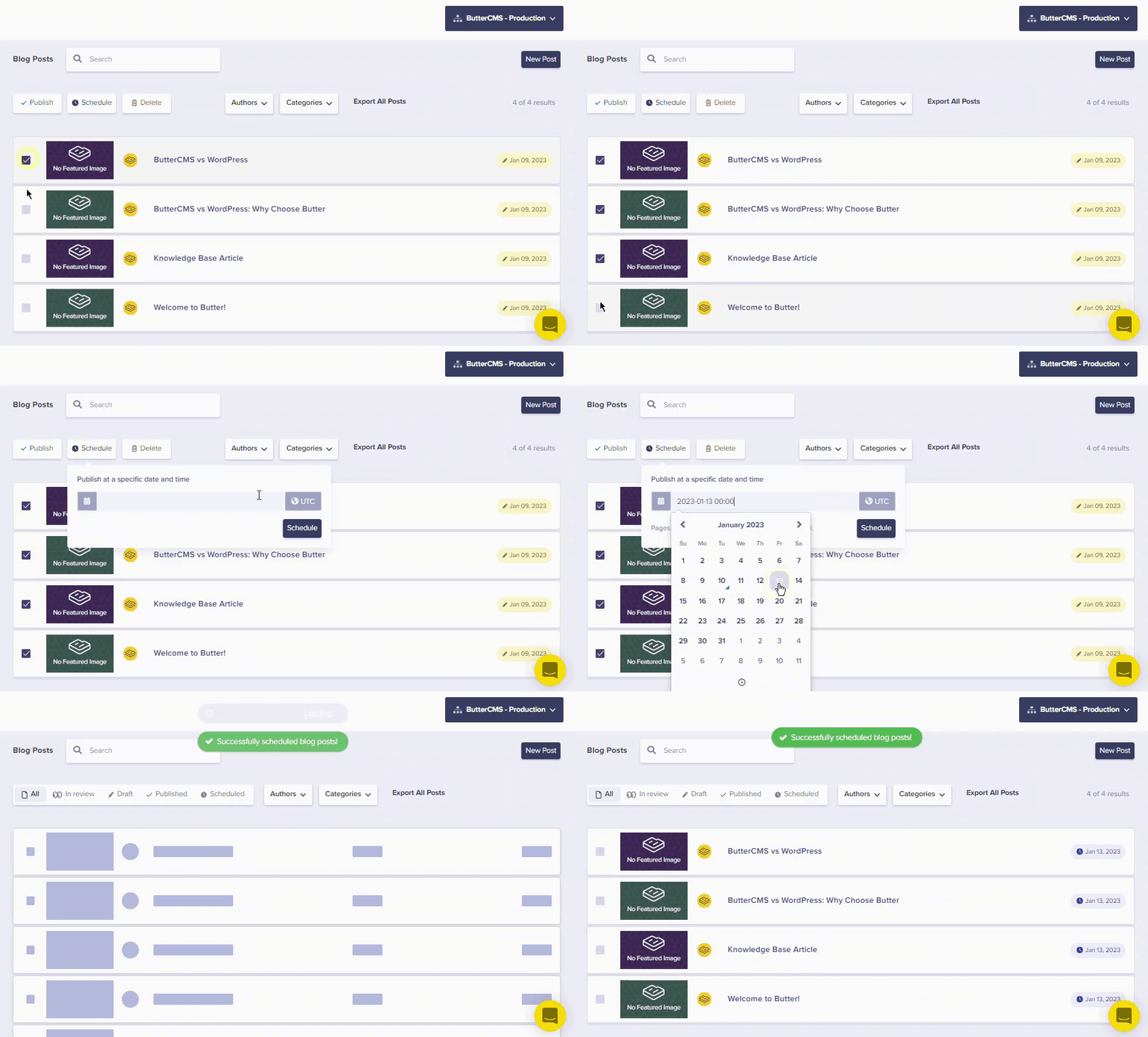
You can schedule multiple Blog Posts to go out on the same exact date and time from the Blog Post Dashboard:- Select the posts you want to schedule using the checkboxes
- Choose the bulk action to schedule
- Set your desired date and time
Scheduling Pages
Single Page
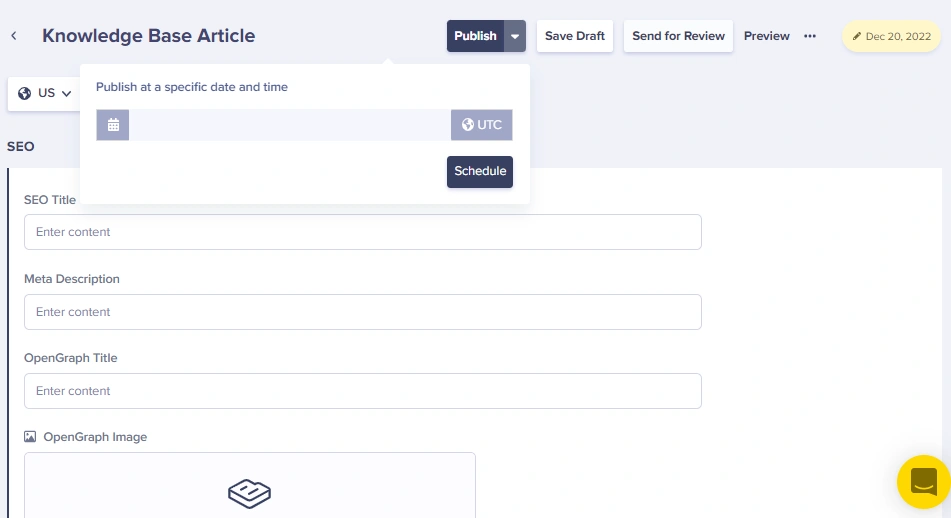
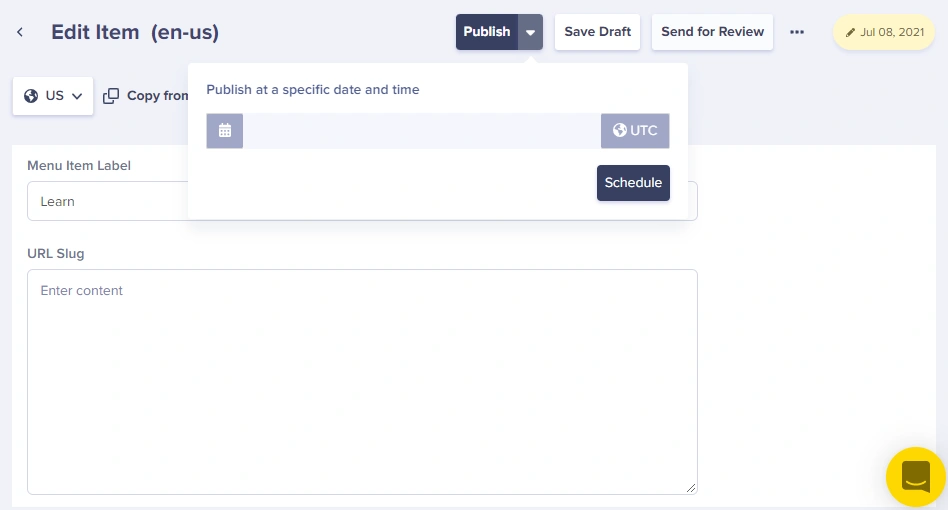
To schedule a single page:- Click on the drop-down arrow on the Publish button
- Choose “Publish at a specific date and time”
- Select your desired date and time
- Click Schedule
Multiple Pages
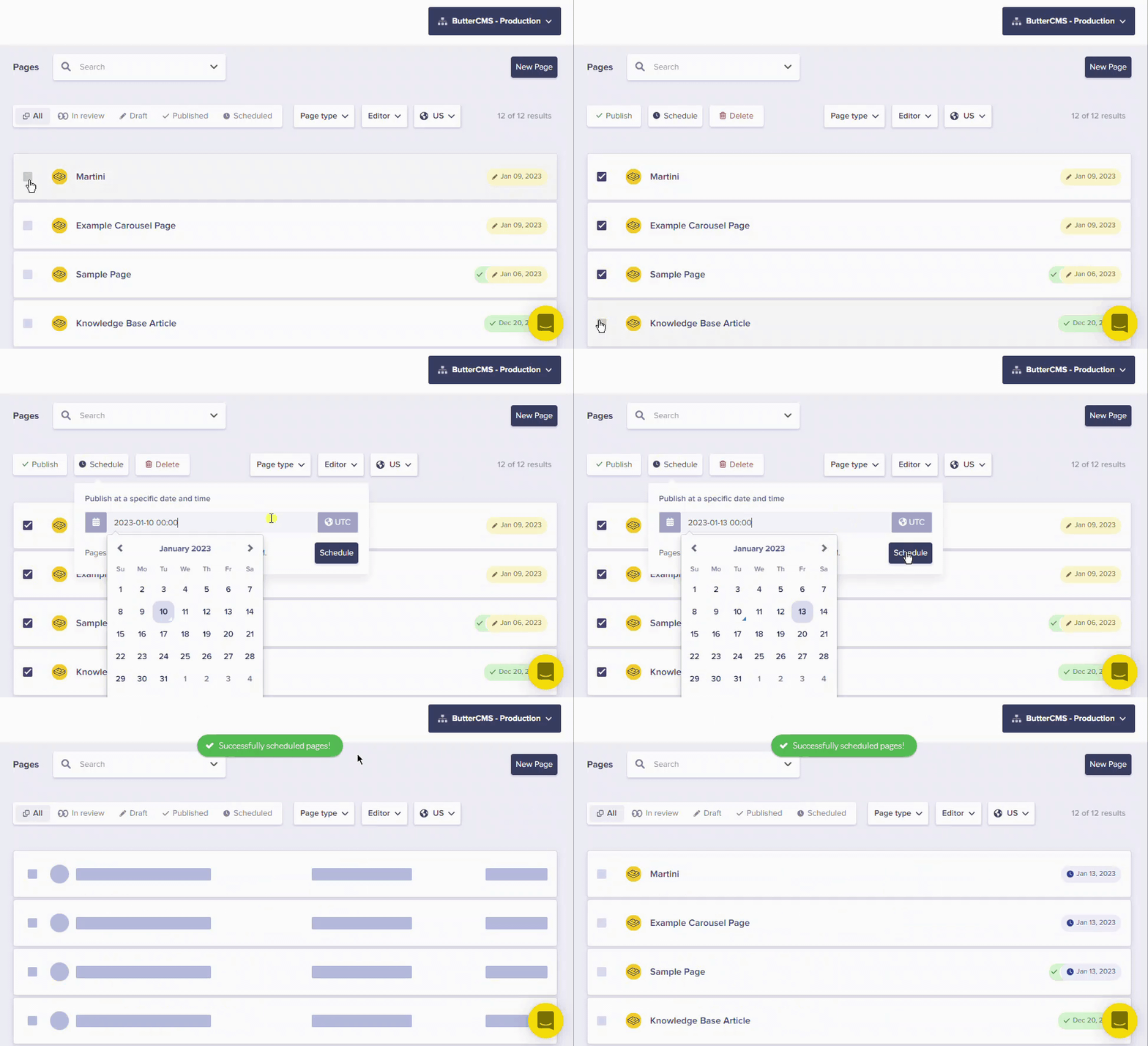
To schedule multiple Pages to Publish on the same exact date and time:- Go to the Pages Dashboard
- Select each Page you want to schedule using the checkboxes
- Set the scheduled publish date for all selected pages
Scheduling Collections
To schedule a Collection item:- Open the Collection item
- Click on the drop-down arrow on the Publish button
- Choose a date and time for your item to go live
- Click Schedule
Updating scheduled content
Once content has been scheduled, you can still make changes to it:Scheduled unpublishing
In addition to scheduling when content goes live, you can also schedule when content should be unpublished.Scheduled unpublishing of a Page
Click on the ellipsis button (three dots) > Schedule Unpublish to set a future date/time for the page to be automatically unpublished.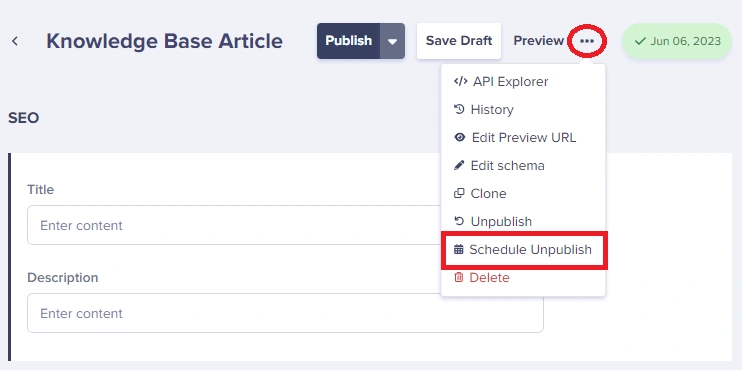
Scheduled unpublishing of a Collection
You can schedule a Collection item to get unpublished by clicking on the ellipsis button (three dots) > Schedule Unpublish.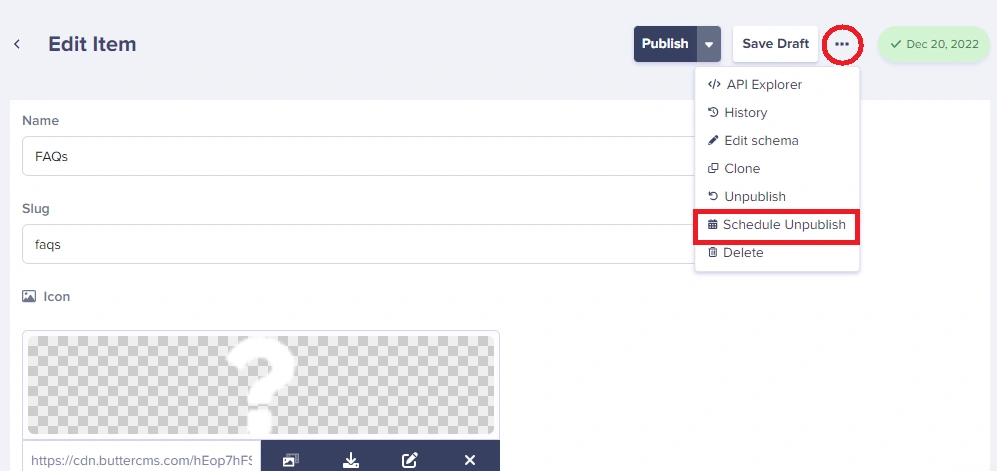
Scheduling best practices
Coordinate content releases
Coordinate content releases
Use bulk scheduling to publish related content (e.g., landing pages, blog posts, and collection updates) at the same time for campaign launches.
Consider time zones
Consider time zones
ButterCMS schedules are based on your account’s timezone settings. Make sure your timezone is configured correctly in your account settings.
Plan for seasonal content
Plan for seasonal content
Use scheduled unpublishing for time-sensitive content like holiday promotions or limited-time offers that should automatically disappear after a certain date.
Review before scheduling
Review before scheduling
Always preview your content before scheduling to ensure everything looks correct. Once scheduled, the content will go live automatically without additional review.