
SEO in Blog Posts
The ButterCMS blog engine is designed from the ground up for creating SEO-friendly blog posts. This guide covers the built-in SEO features and best practices for maximizing your blog’s search visibility.Built-in SEO features
The blog engine is designed for creating SEO-friendly blog posts. Key SEO variables such as page title, meta description, URL slug, and image ALT tags are built into the default post template which can be optimized to improve search engine rankings. Blog Posts include built-in SEO optimization features such as automatic XML sitemap generation, RSS feed creation, and structured data markup that enhance search engine discoverability without additional configuration.Blog Post SEO fields
Great SEO is a major focus and benefit of ButterCMS. To customize the SEO Title and Meta Descriptions for your blog posts, click on the SEO tab at the bottom of your blog engine.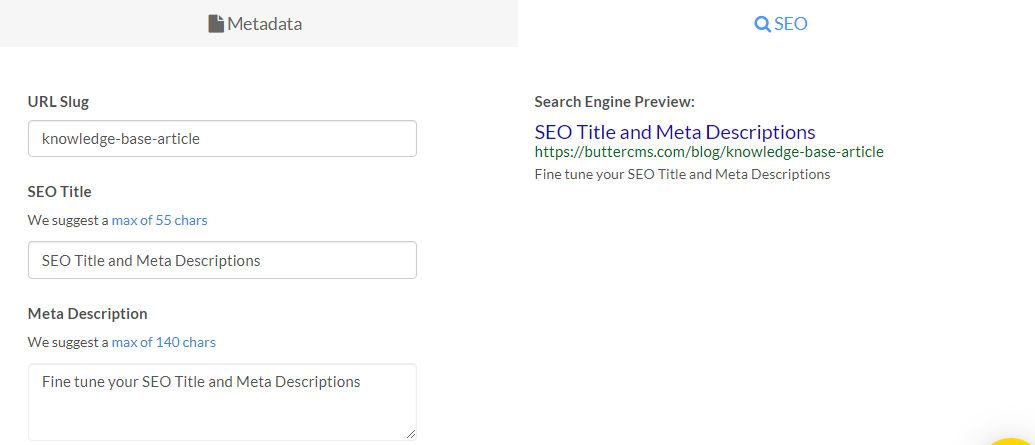
Available SEO fields
Auto-generated SEO fields
If you save a draft of the blog post before providing any content for the URL Slug, SEO Title, Meta Description, or Summary fields, they will automatically populate for you:- The URL Slug and SEO Title are automatically generated to match the post’s Title
- The Meta Description and Summary fields will contain the first 140 characters from the body of the post
Search engine preview
Alongside these SEO fields, ButterCMS provides a real-time preview of what your blog post will look like in search engine results.URL slug optimization
The initial default slug will be a slugified version of your post title. To update or change the slug of your post, click on the SEO tab at the bottom of your blog engine.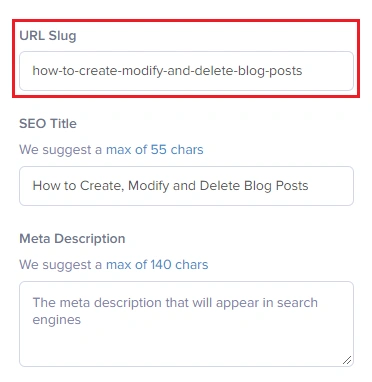
URL slug best practices
Examples:
- Good:
seo-best-practices-guide - Bad:
2024_01_15_seo_best_practices_guide_for_beginners
Categories and tags for SEO
You can choose the Categories and Tags for multi-level filtering of each post. To create a new category or tag for blog posts, just type it inside their corresponding boxes.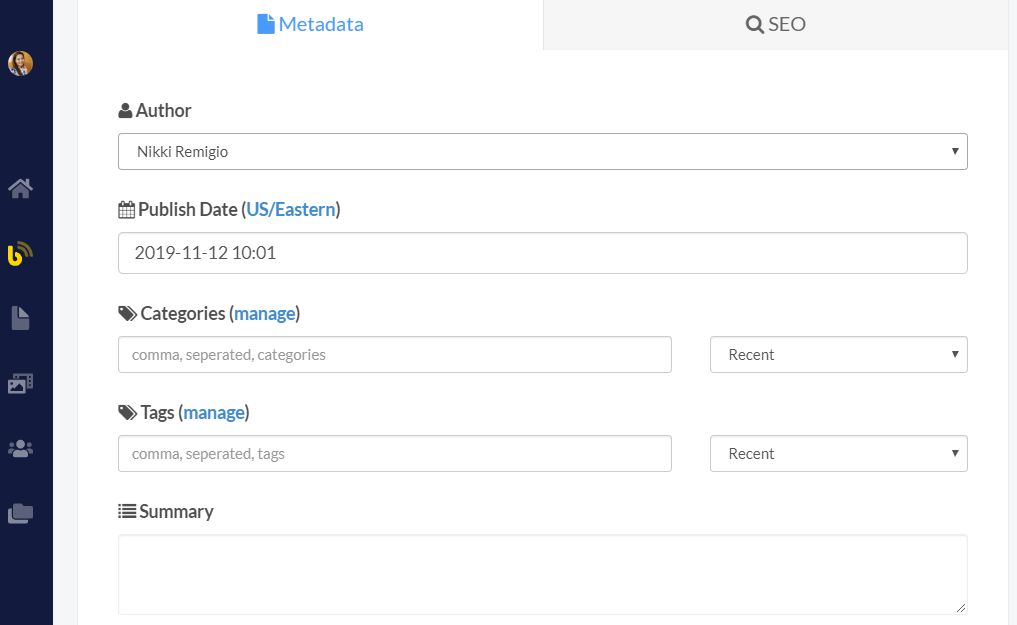 Use categories for broad content themes and permanent organizational structure, while using tags for specific topics, campaigns, or temporal content connections that may evolve over time.
Featured images
To add a Featured Image, just click on Insert Media and upload a new image or choose one from your Media Library. You can also drag & drop an image.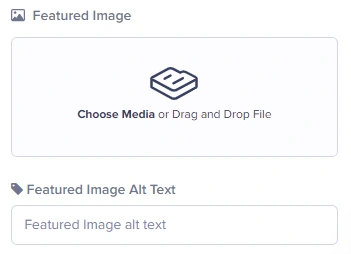
Featured image SEO tips
Alt Text
Alt Text
Always add descriptive alt text that includes relevant keywords. This improves accessibility and helps search engines understand your images.
File Names
File Names
Before uploading, rename image files with descriptive names like
seo-best-practices-guide.jpg instead of IMG_12345.jpg.File Format
File Format
Use WebP for best compression, JPEG for photos, or PNG for graphics with transparency. ButterCMS CDN automatically optimizes images.
Open Graph and social meta tags
ButterCMS blog posts map directly to Open Graph fields for social sharing. For the full tag reference, image size requirements, and Twitter Card types, see SEO and ButterCMS. Your blog post fields map to OG tags as follows:Authors for E-E-A-T
Blog Posts include comprehensive metadata and built-in features that provide professional blogging capabilities:- Author Profiles: Dedicated author entities with names, biographies, profile images, and social links
- Author Management: Centralized author management for multi-author blogs
Why authors matter for SEO
Google’s E-E-A-T guidelines (Experience, Expertise, Authoritativeness, Trustworthiness) emphasize the importance of author credentials:Implementing Blog Post SEO in templates
For framework-specific code (React/Next.js, Angular, Vue/Nuxt.js, Jekyll), see Rendering SEO Data. The examples there use the samepost.seo_title, post.meta_description, and post.featured_image fields available in blog posts.
Article schema markup
For Article schema implementation, see Structured Data & Schema Markup.Blog Post SEO checklist
Before Writing
Before Writing
- Research target keywords
- Check search intent for your topic
- Analyze competing content
- Plan content structure with headings
During Writing
During Writing
- Include primary keyword in title and first paragraph
- Use H2s and H3s with related keywords
- Write naturally—avoid keyword stuffing
- Include internal links to related posts
- Add external links to authoritative sources
Before Publishing
Before Publishing
- Write compelling SEO title (50-60 characters)
- Create unique meta description (150-160 characters)
- Optimize URL slug (short, descriptive)
- Add featured image with alt text
- Select relevant categories and tags
- Review in search engine preview
After Publishing
After Publishing
- Share on social media
- Submit URL to Google Search Console
- Build internal links from other content
- Monitor performance in analytics
- Update content periodically
Built-in feeds for SEO
ButterCMS Blog Posts include:- RSS Feeds: Automatic RSS 2.0 and Atom feed generation for content syndication
- XML Sitemaps: Search engine sitemap integration for improved discoverability
- Previous/Next Navigation: Automatic post navigation for chronological content browsing
- Related Posts: Built-in content relationship suggestions based on categories and tags