
Why SEO matters for your CMS content
Search Engine Optimization (SEO) is one of the most important aspects in building and marketing your product. It allows your website to have greater visibility on search engines, which brings in more traffic to your site from relevant audiences. ButterCMS provides built-in features that make it easy to incorporate common SEO patterns into your site. Whether you’re using a static site generator, a JavaScript framework, or a traditional server-rendered application, you can leverage these features to optimize your content for search engines. This article also includes a number of recommendations to help make the integration process more seamless.Essential SEO elements
Every webpage needs certain essential elements to be properly indexed by search engines:Page title
The title is one of the most important parts of a page’s SEO. This is the title used by search engines when displaying your page in the results list, and it’s also used when sharing your page on social media.Meta description
The description of the page appears below the title in search engine results. It’s also the description used when your content is shared.Open Graph and social meta tags
Open Graph tags are metadata added to your page’s<head> that control how your content appears when shared on social platforms like Facebook, LinkedIn, and Slack. They define the title, description, image, and URL that social media sites display in link previews.
Open Graph tag reference
* See more about the Open Graph Image tag below.
Twitter card types
Open Graph image
This tag is vital for social media sharing. It allows you to choose which image to display when the page is shared on social media websites like Twitter, Facebook, and LinkedIn.Image alt tags
Image alt tags are increasingly important for content accessibility and are often optimized with SEO keywords.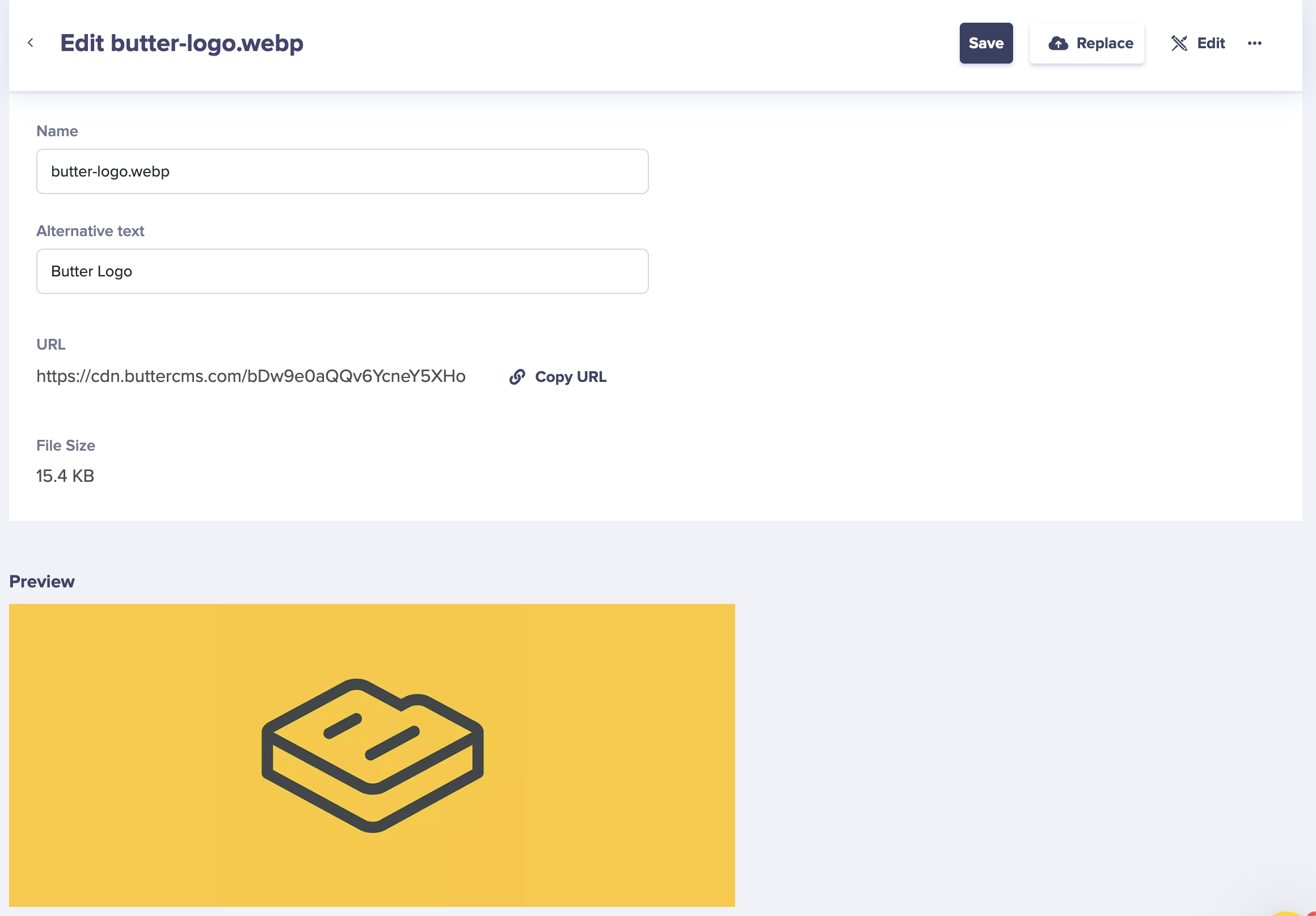 If you don’t want to use the native alt text support for Media fields, you can also set up an Image Component and include 2 fields: a media field for the image and a short text field for the alt tag. Configure your app to populate the image alt tag using the manually entered data when it is present.
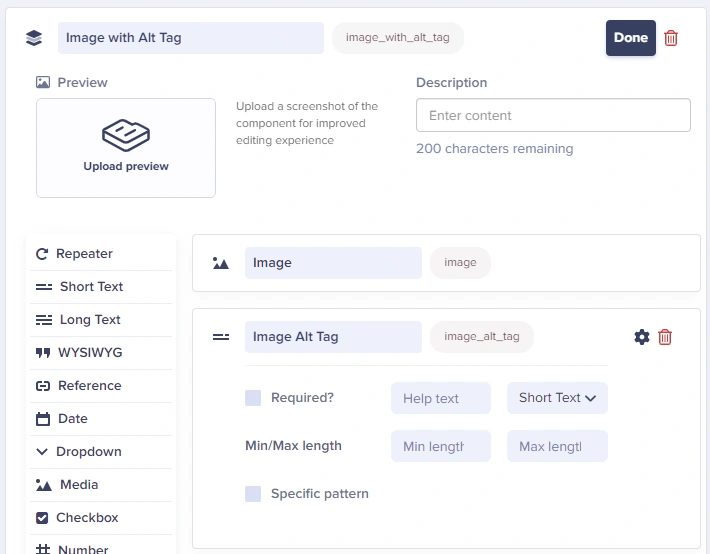
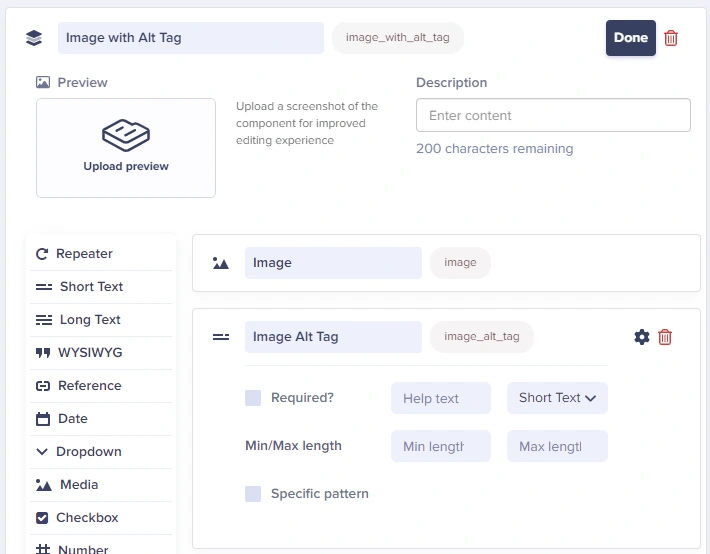
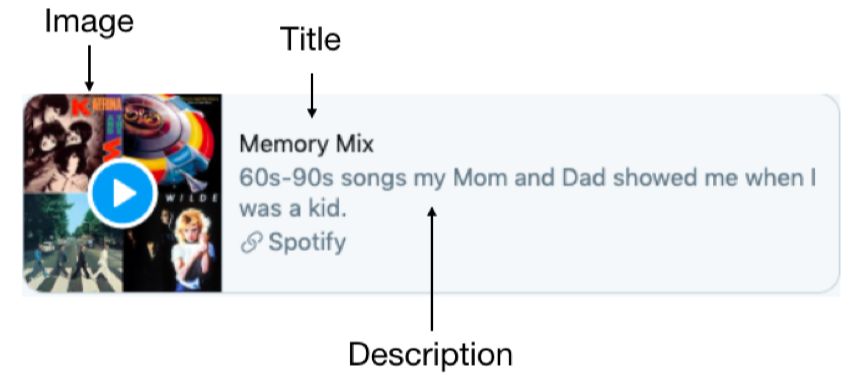
Image requirements
Canonical URLs
Canonical URLs are a must for SEO and syndication. We strongly recommend you use them on every project. A canonical URL tells utilities like search engines and aggregators which URL variant is the authoritative, permanent version of a page.Setting canonical URLs automatically
If you choose to set up canonical URLs automatically, use the absolute URL. Include your site’s default settings forhttp vs https, and with and without wwww. Do not include any UTM values or other URL parameters.
Setting canonical URLs manually
You can give your users a field to set the canonical URL manually whenever necessary. Set the field up on the appropriate components and/or content types, and configure your app to populate the canonical URL with that data when it is present.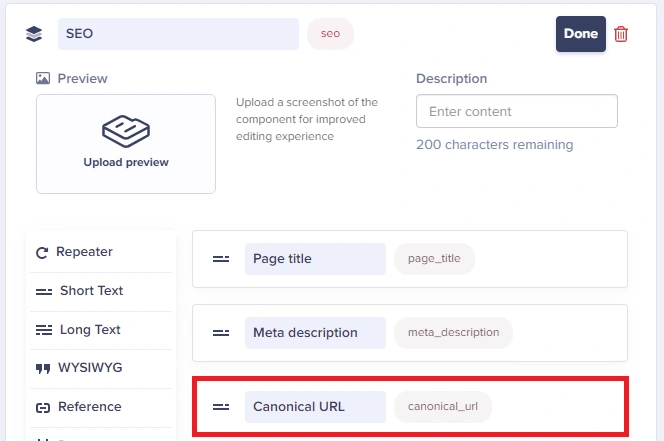
Avoiding duplicate content
When you use taxonomy like category, tag, or author, you can unintentionally create duplicate content. Depending on your architecture, you could potentially create many instances of duplicate content with a single new category, tag, or author. For example, a new category titled “Reviews” might result in multiple URLs pointing to the same content:
Content assigned to multiple categories can also be regarded as duplicate content:
Testing social previews
Before publishing, test how your content will appear when shared:Adding social sharing widgets
Social sharing buttons
How to add social sharing buttons to your ButterCMS-powered site.
Title length
Title length
Keep your titles between 50-60 characters. Google typically displays the first 50-60 characters of a title tag. If your title is too long, it may be truncated in search results.
Include primary keywords
Include primary keywords
Place your primary keyword near the beginning of the title. This helps both search engines and users understand what the page is about.
Make it unique
Make it unique
Every page should have a unique title that accurately describes its content. Avoid duplicate titles across your site.
Brand positioning
Brand positioning
Include your brand name at the end of the title, separated by a pipe (|) or dash (-). For example: “Page Title | Brand Name”
Best practices for meta descriptions
Description length
Description length
Keep your descriptions between 150-160 characters. Google typically shows up to 160 characters on desktop and 120 on mobile.
Include a call to action
Include a call to action
Encourage users to click through with action-oriented language like “Learn more,” “Discover,” or “Find out how.”
Include keywords naturally
Include keywords naturally
Include relevant keywords in your description, but ensure it reads naturally. Keywords in the description may appear bold in search results when they match the user’s query.
Accurately describe content
Accurately describe content
The description should accurately reflect the page content. Misleading descriptions lead to high bounce rates and poor user experience.
SEO best practices checklist
Technical SEO
Technical SEO
- Set up proper canonical URLs for all content
- Generate and submit XML sitemaps
- Configure robots.txt appropriately
- Implement 301 redirects for moved content
- Ensure fast page load speeds
- Use HTTPS across your entire site
On-Page SEO
On-Page SEO
- Write unique, descriptive page titles (50-60 characters)
- Create compelling meta descriptions (150-160 characters)
- Use proper heading hierarchy (H1, H2, H3)
- Add alt text to all images
- Include internal links to related content
- Optimize URL slugs to be descriptive and concise
Content SEO
Content SEO
- Research and target relevant keywords
- Create high-quality, valuable content
- Structure content with clear headings
- Include relevant images and media
- Update content regularly
- Avoid keyword stuffing