
Bulk operations
Bulk select and delete
You can delete media files in bulk without having to open each file individually. This is a huge time saver when cleaning up your Media Library.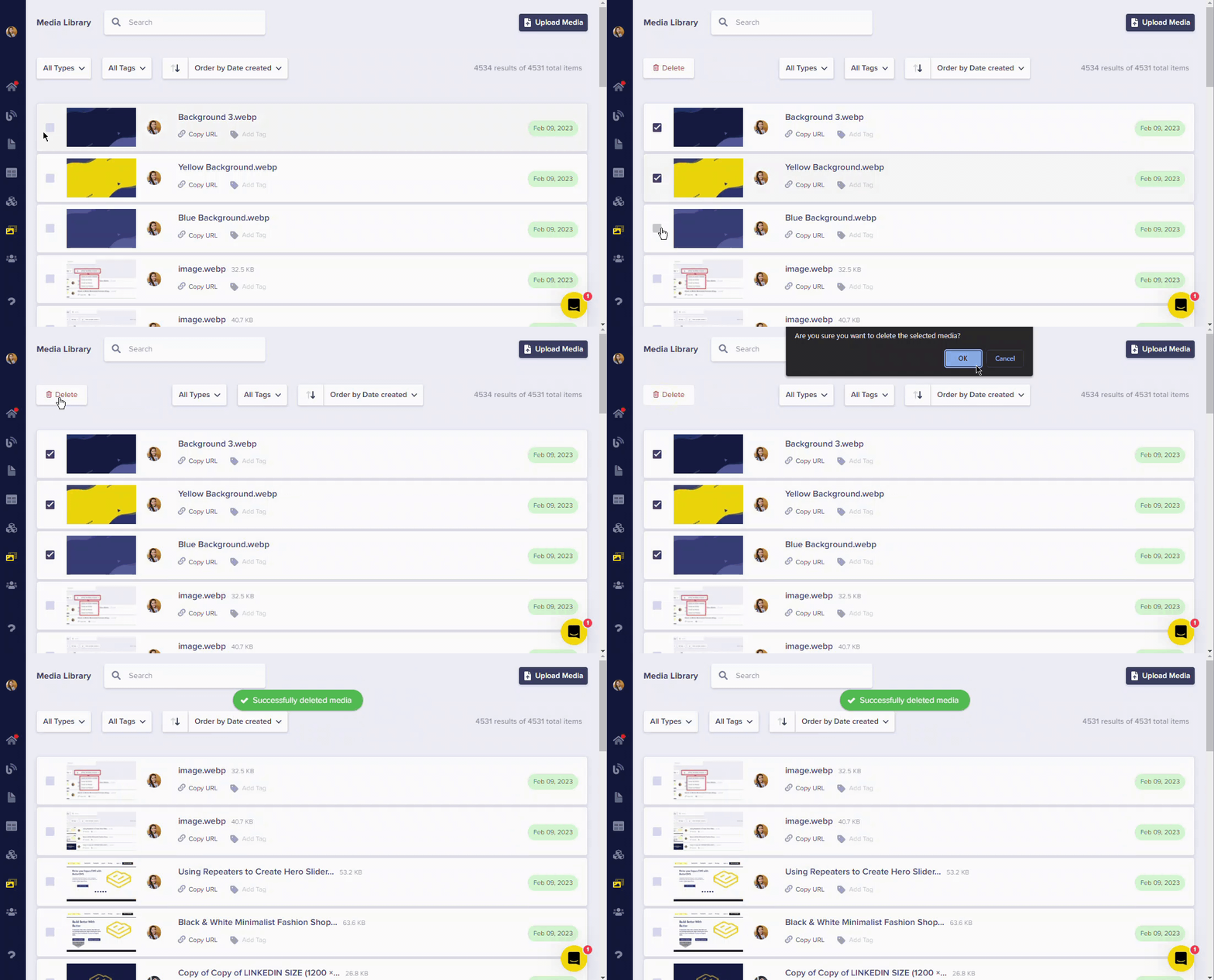
How to bulk delete files
- Hover over files and click the checkbox to select them
- Continue selecting all files you want to delete
- Click the Delete Selected button that appears
- Confirm the deletion