
You’ll need a configured ButterCMS webhook before connecting to any automation platform. See Configuring Webhooks in the Dashboard.
Tutorial: automated email campaigns with Mailchimp
This tutorial shows how to automatically send email campaigns when you publish new blog posts, using Pipedream as the middleware.Prerequisites
- ButterCMS account
- Mailchimp account
- Pipedream account
- Basic knowledge of Node.js
Step 1: create a Pipedream workflow
- Create a free Pipedream account at pipedream.com
- Navigate to Workflows and click New
- Select HTTP/Webhook as the trigger
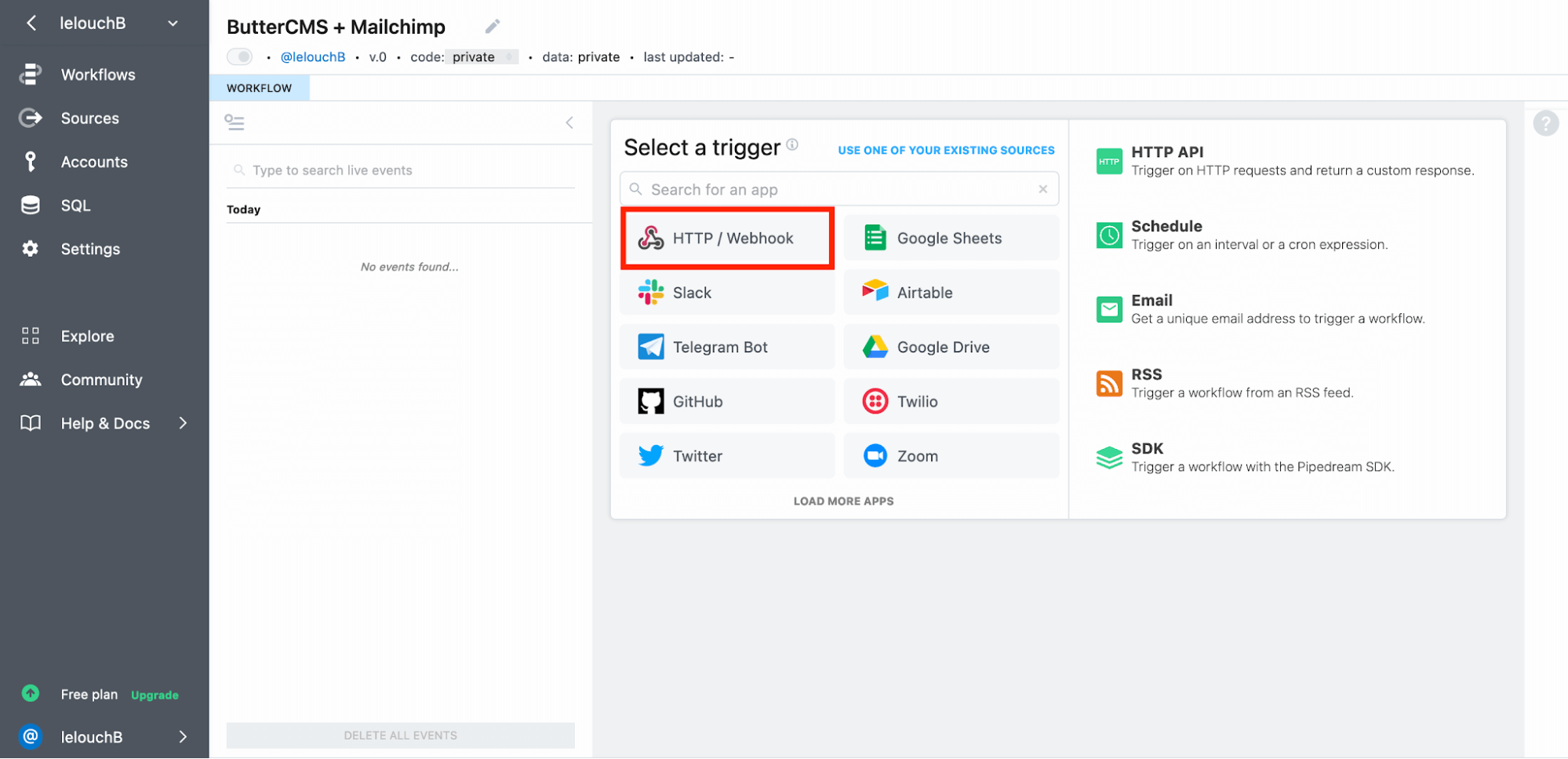
- Choose New Requests (Payload Only)
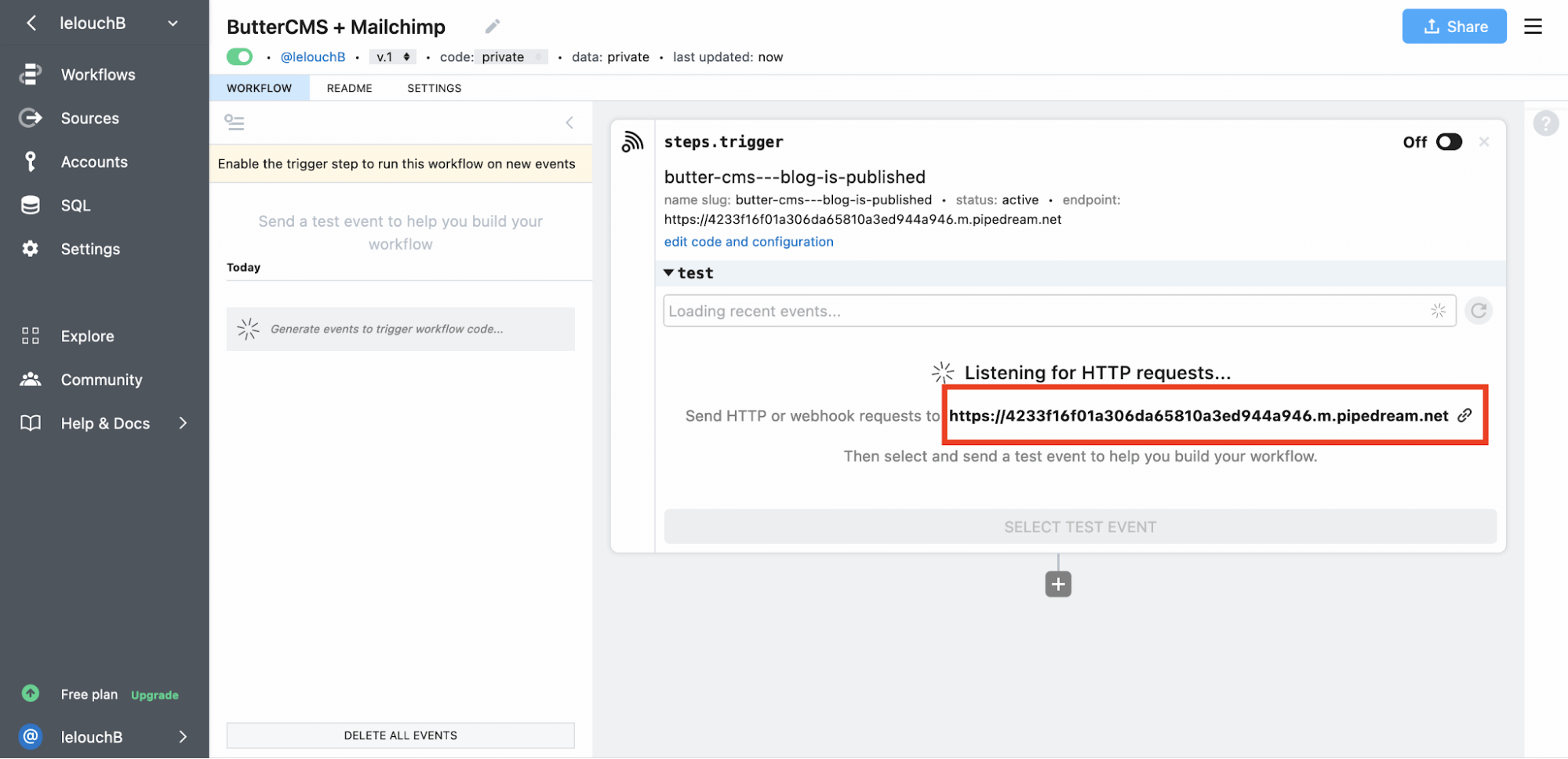
- Name your source (e.g., “ButterCMS - Blog Published”)
- Copy the generated webhook URL
Step 2: configure ButterCMS webhook
- Go to Settings > Webhooks in ButterCMS
- Paste your Pipedream URL
- Select the
post.publishedevent - Save your webhook
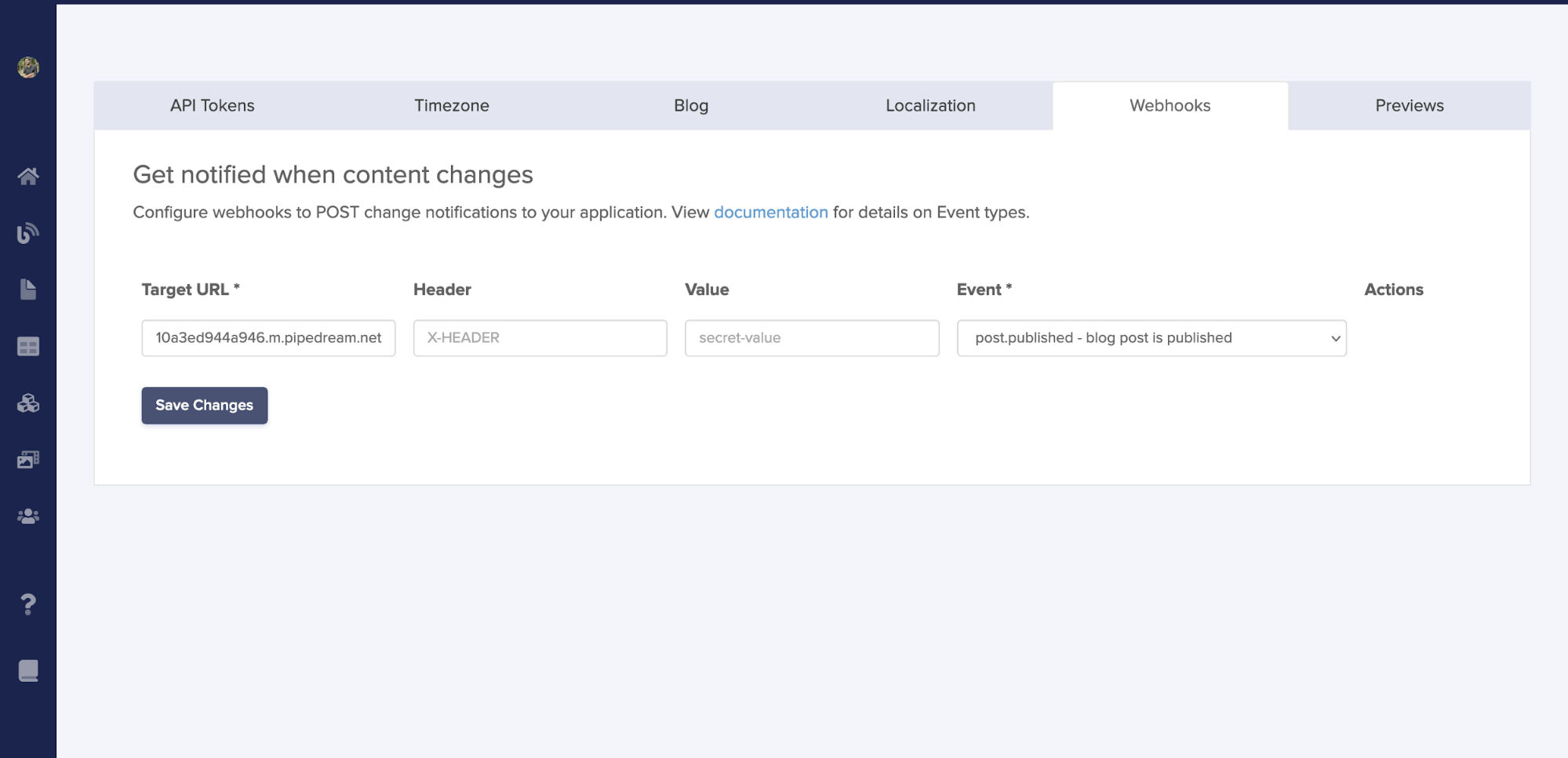 Now, whenever you publish a blog post in ButterCMS, Pipedream receives the webhook payload and can trigger downstream actions — such as creating a Mailchimp campaign with the new post content.
Step 3: fetch post data in Pipedream
Add a Node.js code step to fetch the full blog post:Step 4: send Mailchimp campaign
Add the Mailchimp integration code:
Other automation platforms
Zapier
Zapier connects ButterCMS to 5,000+ apps without coding:- Create a Zap with Webhooks by Zapier as the trigger
- Configure it to receive the ButterCMS webhook payload
- Add actions for any Zapier-connected app
- Post to Slack when content is published
- Add new blog posts to a Google Sheet
- Create Trello cards for content review
- Update social media automatically
Make (formerly Integromat)
Make offers visual workflow building with advanced logic:- Conditional routing based on content type
- Data transformation and formatting
- Error handling and retry logic
- Scheduled content aggregation
n8n (Self-Hosted)
For privacy-focused or complex workflows, n8n provides:- Self-hosted deployment options
- Advanced data transformation
- Custom code execution
- No vendor lock-in
Common automation scenarios
Content distribution:- Automatically post to social media channels
- Sync content to email marketing platforms
- Push updates to mobile apps
- Trigger DeepL translations when content is published
- Notify translation teams via Lokalise or Crowdin
- Automate multilingual content publishing
- Trigger static site rebuilds on content changes
- Invalidate CDN caches automatically
- Sync content across environments
Related
Webhook Configuration
Set up webhooks in the ButterCMS dashboard
Event Types Reference
All available webhook events
Cache Invalidation
Automate cache management
Real-Time Synchronization
Sync content to search indexes and databases