
How webhooks work
- Configure Endpoints: Set up webhook URLs in your ButterCMS account settings
- Choose Events: Select which content events should trigger notifications
- Receive Notifications: ButterCMS sends HTTP POST requests to your endpoints
- Process Changes: Your application processes the webhook payload and takes action
What is a webhook?
Webhooks are automated messages or notifications sent from apps to a specified destination when an event occurs or is triggered. Unlike traditional APIs that require you to poll for updates, webhooks push data to you when something happens.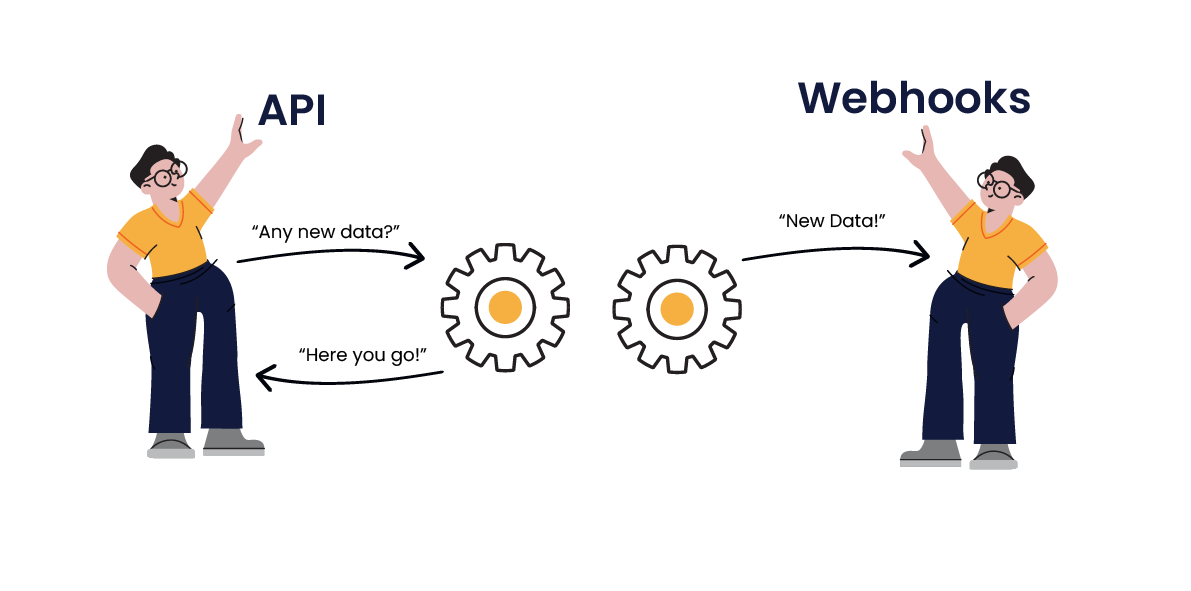 To use a real-world example, an API is like calling your favorite store to ask if they have a specific product available. If the answer is “no,” you might end up repeatedly calling to get an update. Webhooks, however, are like saying, “call me when you have them in stock.” This process saves time for both parties.
Key benefits of webhooks
ButterCMS Webhook Events
ButterCMS supports webhooks for all major content types — pages, blog posts, collection items, and media. See Event Types Reference for the complete list of available events.Common use cases
Real-time cache invalidation
Clear CDN cache when content updates. When a page is published, automatically purge the cached version so users see the latest content immediately.Multi-channel publishing
Sync content to social media, email lists, and mobile apps. When a new blog post is published, automatically share it across your channels.Automated workflows
Trigger deployments or notifications on content changes. Rebuild your static site when content is updated, or notify your team when content is ready for review.Email marketing integration
There are many use cases where integrating ButterCMS with your Email Service Provider can help boost your marketing campaigns:- Notifying your audience of new content with an automated content workflow—no more manual grunt work
- Automated newsletters using ButterCMS webhooks to create weekly/biweekly/monthly newsletters to keep your audience engaged
- Team notifications about changes to your ButterCMS content

Webhook architecture
The workflow is straightforward:- Content changes in ButterCMS trigger an event
- ButterCMS sends an HTTP POST request to your configured endpoint
- Your server receives the webhook payload with event details
- Your application processes the payload and takes appropriate action
Locale support
For organizations with localization enabled, webhooks include alocale field when events occur for specific locales. The locale field is null for content in the organization’s default locale.
This allows you to take locale-specific actions, such as:
- Invalidating only the cache for a specific language
- Triggering region-specific notifications
- Updating locale-specific search indexes
Getting started
Ready to set up webhooks for your ButterCMS project? Here’s what you’ll need:- A publicly accessible endpoint to receive webhook requests
- HTTPS support for secure data transmission
- Quick response times (within 5 seconds) to avoid timeouts