
- add logos and images
- enforce validation for strings, numbers, and URLs
- nest multiple levels of navigation
Modeling your menu in ButterCMS
Create a single level menu
Follow the below steps to create a simple, flat menu with the following hierarchy:Main menu
Home
About
Features
Try it
Testimonials
Blog
1
Create the Menu Item Collection
First, build the schema for your menu items. Important fields include: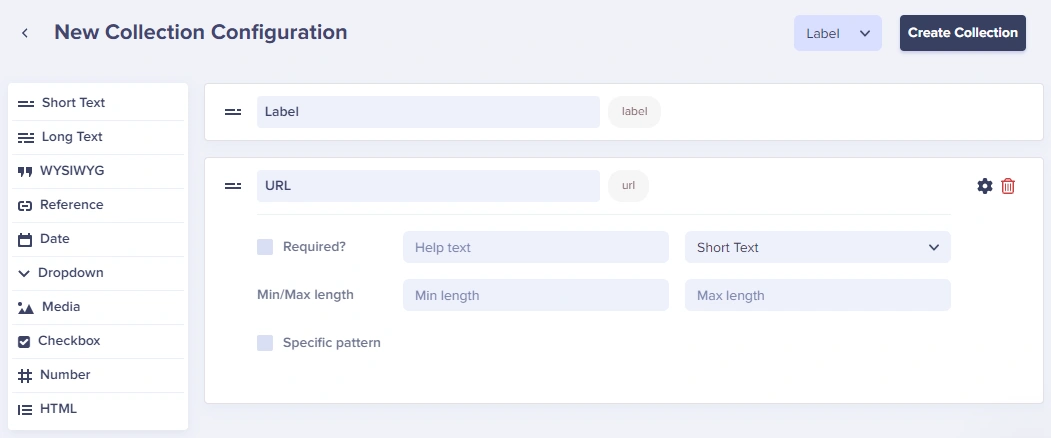 Save it as “Navigation Menu Item”: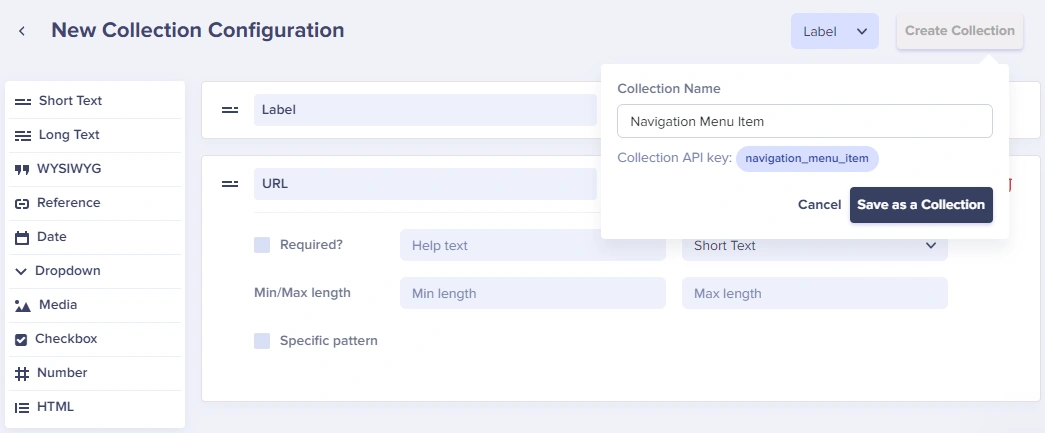
- Label - The display text
- URL - What the item links to
Save it as “Navigation Menu Item”:2
Create the Parent Menu Collection
Create a second Collection for the main menu that references the menu items: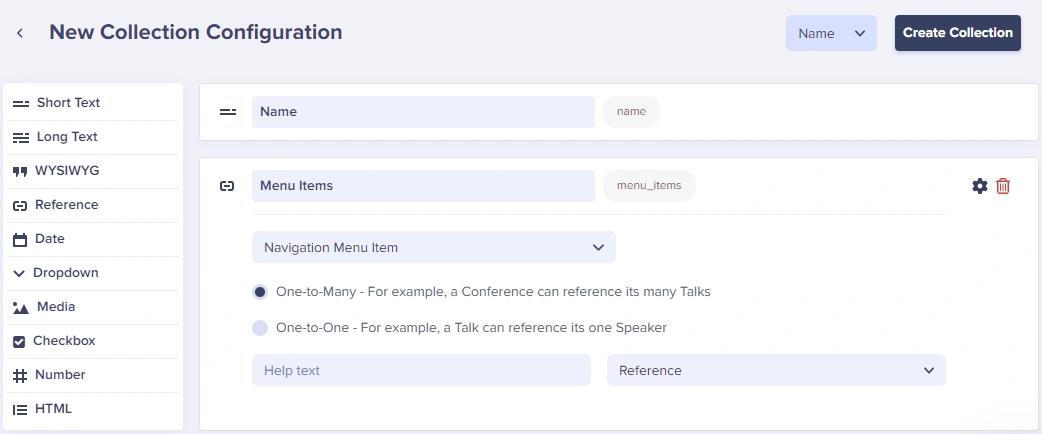
- Name - The navigation menu name
- Menu Items - A Reference field linking to Navigation Menu Item (One-to-Many)
3
Add Menu Items
Click New item to add items to your Collection: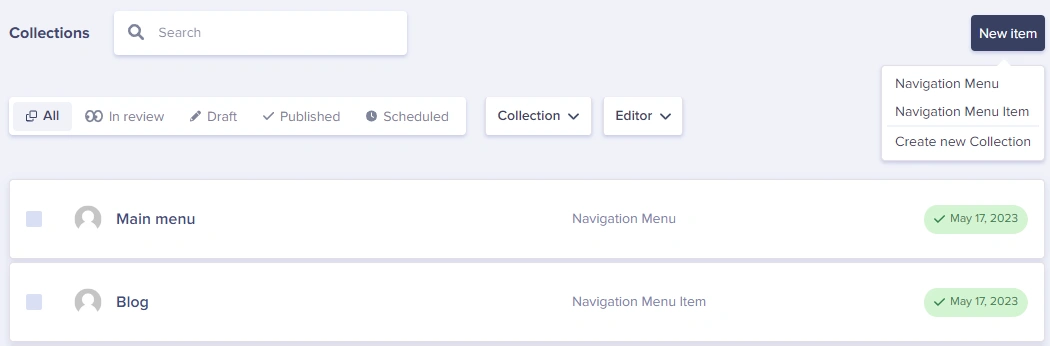 Add each navigation item with its label and URL: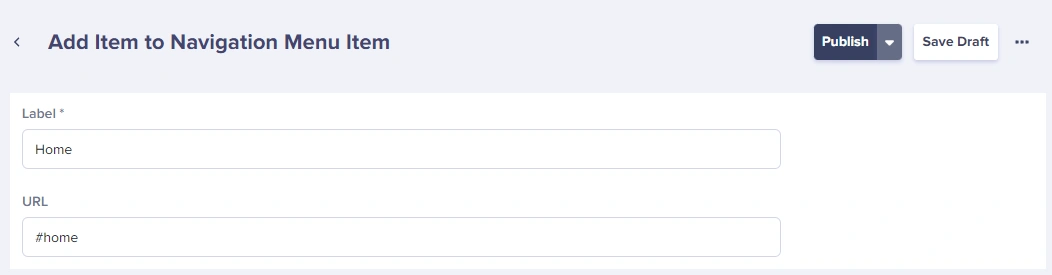
Add each navigation item with its label and URL:4
Link Items to the Menu
In your main Navigation Menu, click Add Reference and select all the items you want: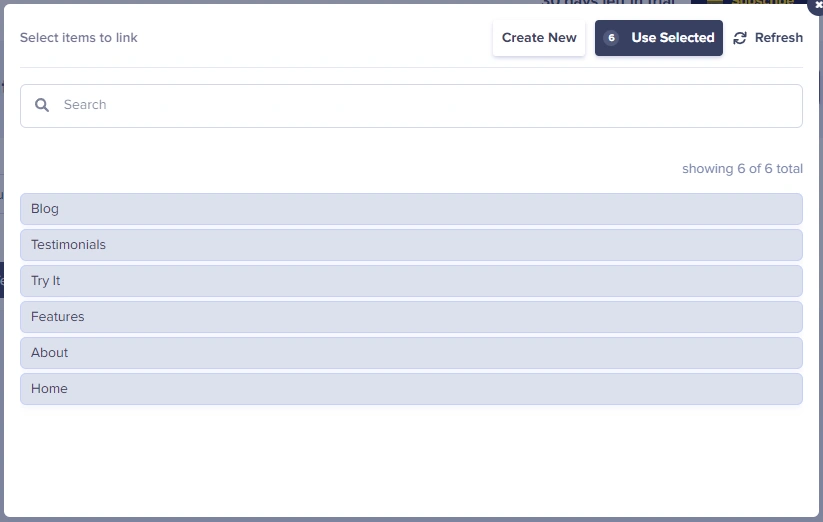
Building a complex multi-level menu
For complex menus with multiple levels, create separate Collections for each level. Here’s an example hierarchy: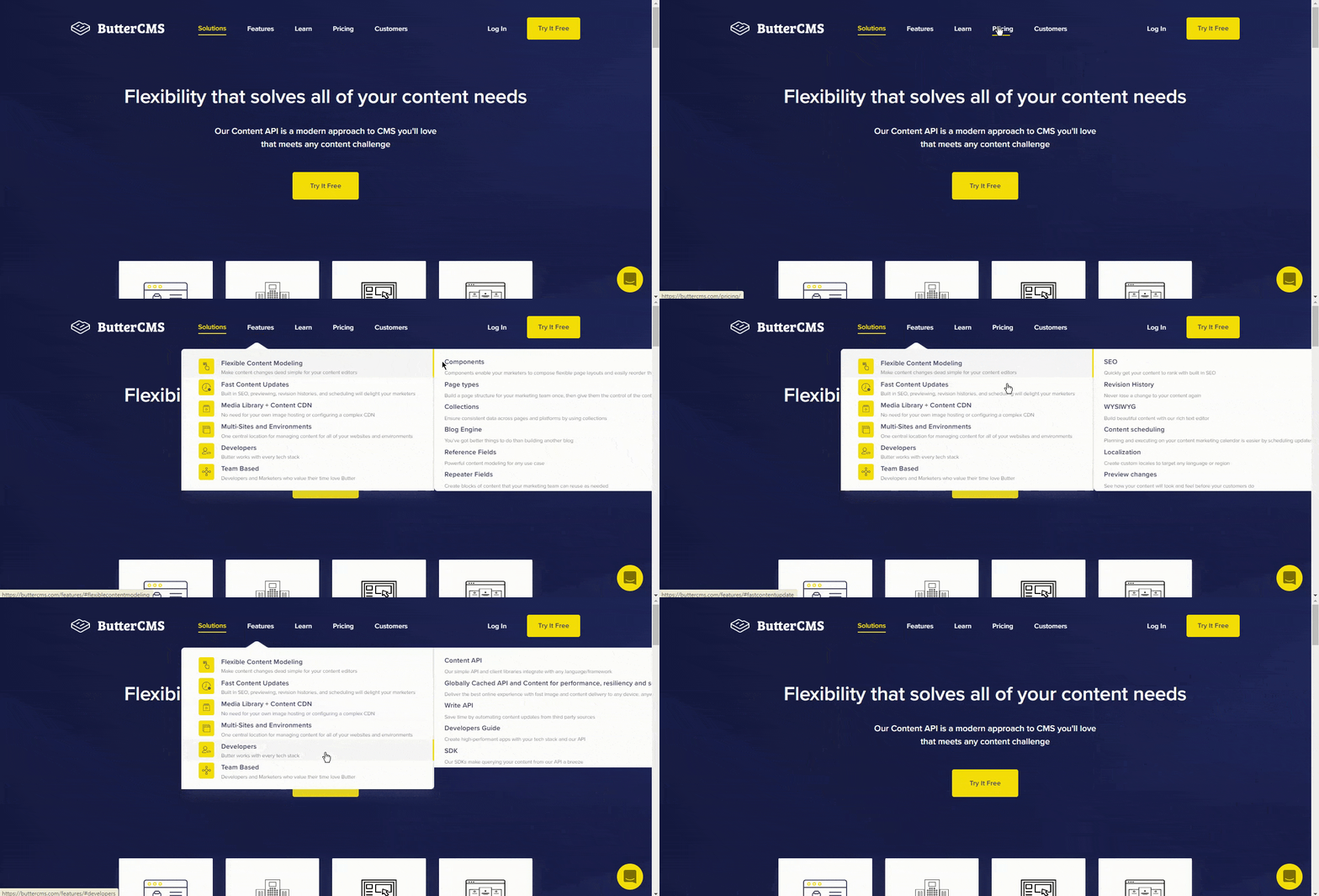
1
Create third-level collection
Start with the lowest-level children. Create “Menu - Third Level”: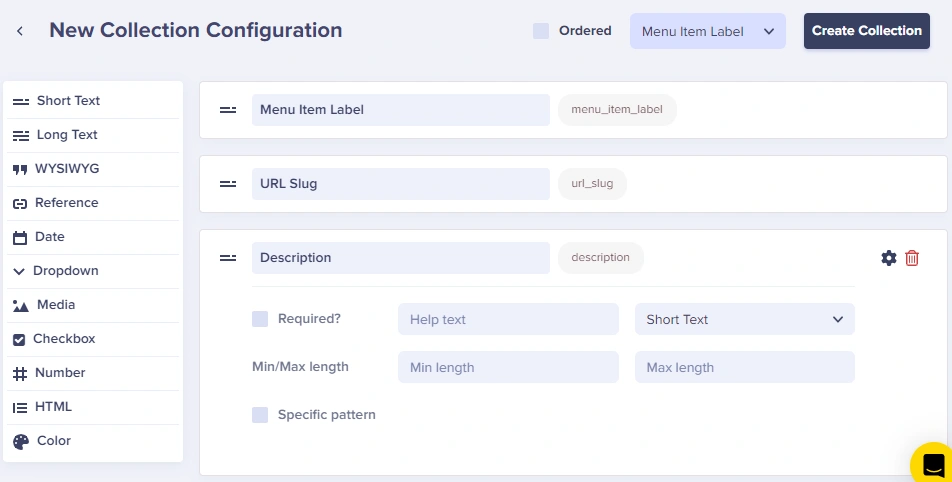
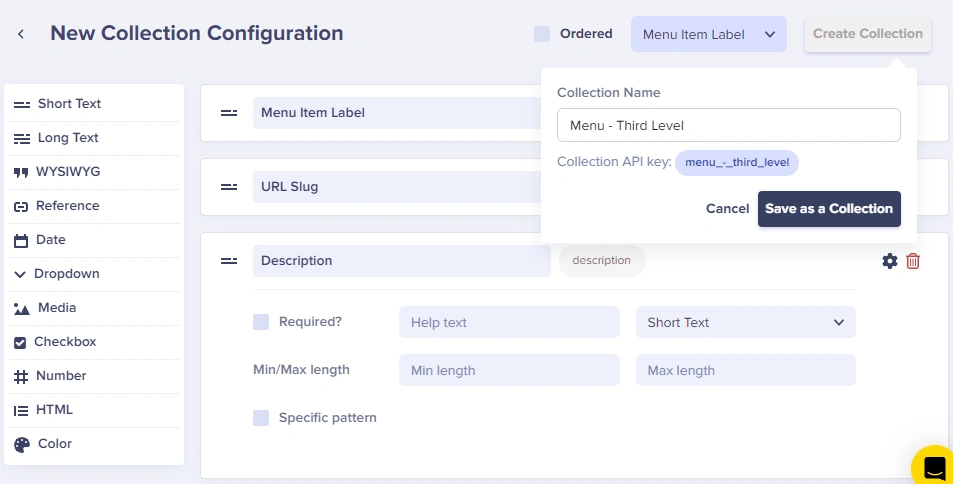
2
Create second-level collection
“Menu - Second Level” includes a Reference field linking to Third Level: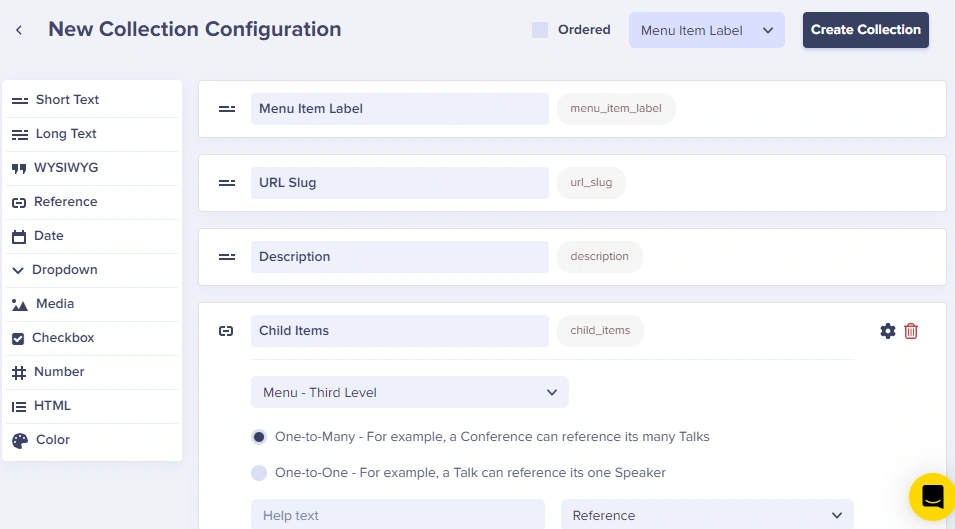
3
Create first-level collection
“Menu - First Level” references Second Level: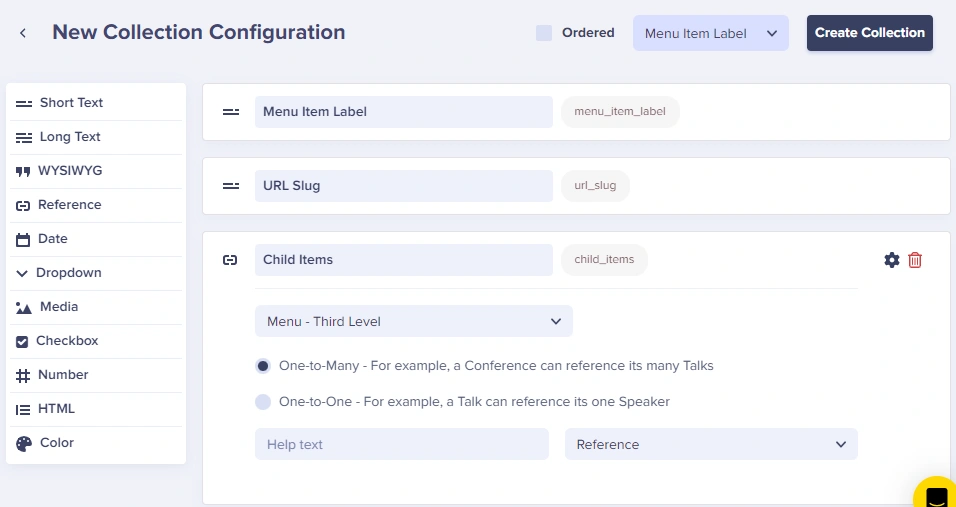
4
Populate the collections
Add items to each level:Third Level: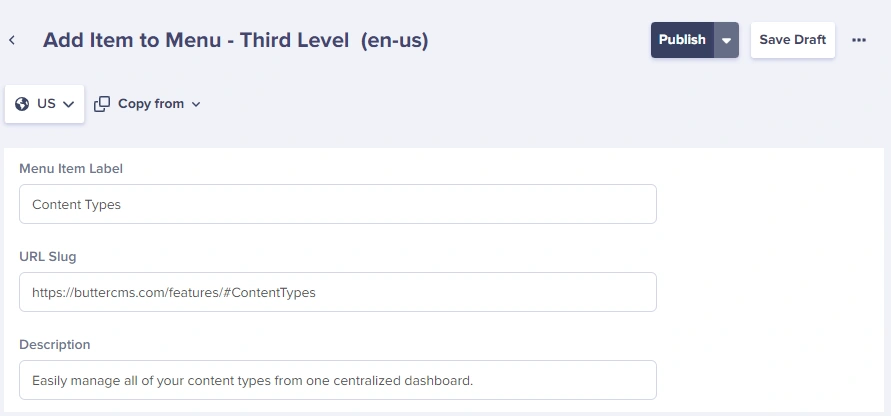 Second Level:
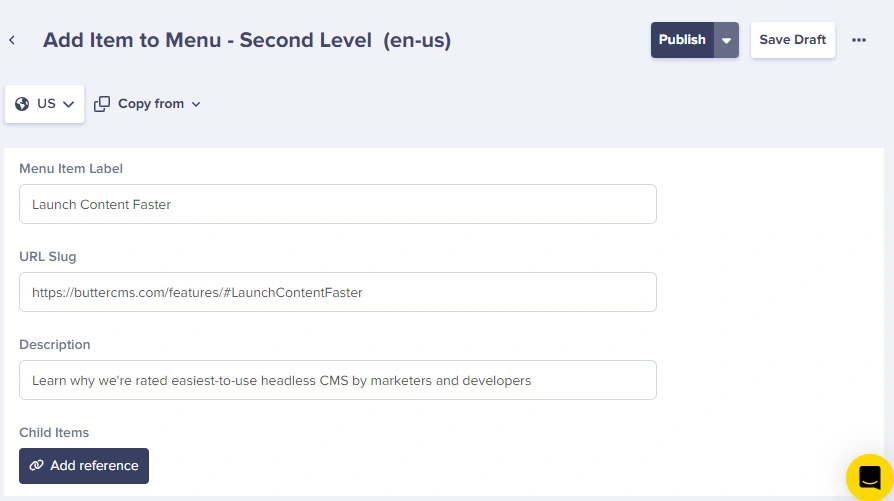 First Level: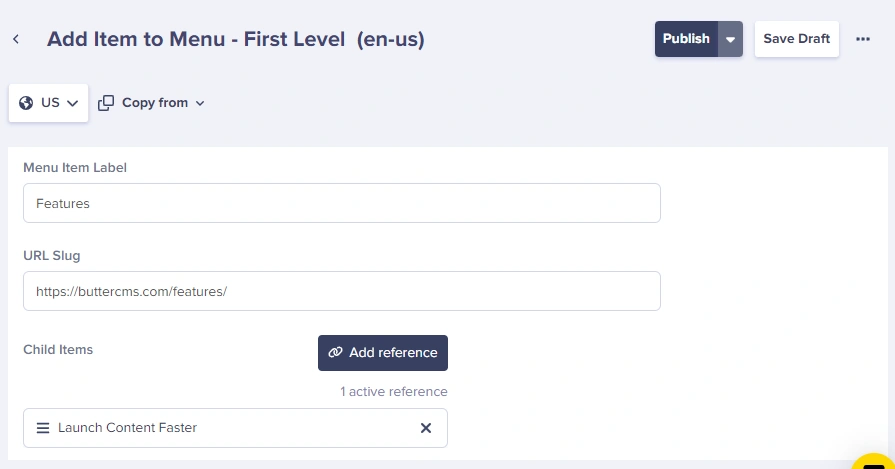
Second Level:First Level:5
Link collections together
Use the Add Reference button to connect items from one Collection to another: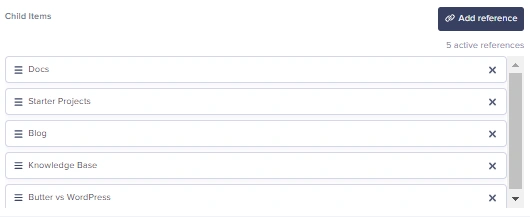
Common navigation patterns
- Header with logo and links
- E-commerce
Collection schema for Header Navigation:
Fetching navigation via API
JavaScript/Node.js
Multi-level menu fetch
React component
Performance tips
- Cache navigation responses at the edge or in your app layer (5-10 minutes is typical).
- Use
levelssparingly to avoid oversized responses for deep menus.
Best practices
Content modeling- Separate concerns: Use different Collections for header vs footer
- Include icons: Add optional Media fields for menu item icons
- Support external links: Include a checkbox for “Open in new tab”
- Add ordering: Use a Number field if you need custom sort order
- Use semantic HTML:
<nav>,<ul>,<li>elements - Add ARIA labels:
aria-label,aria-expandedfor dropdowns - Keyboard navigation: Ensure all items are focusable
- Mobile considerations: Include hamburger menu for small screens